19
NOT CONNECT
CUSTOMIZING TV SETTINGS
Audio Settings
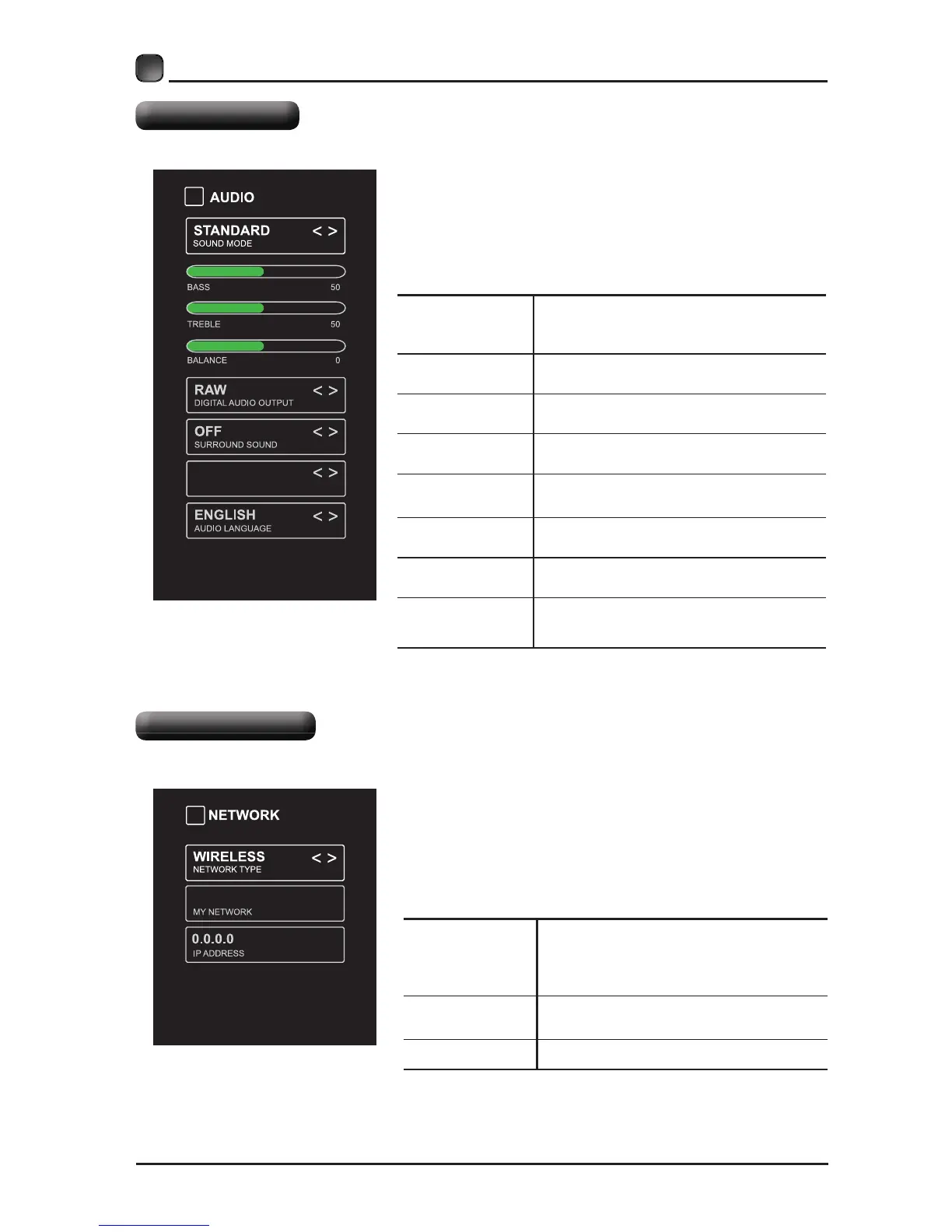
SOUND MODE
$OORZWKHVHOHFWLRQRIDQDXGLR
HQKDQFHPHQWWHFKQLTXH6WDQGDUG
0XVLF0RYLH8VHU
BASS
&RQWUROWKHUHODWLYHLQWHQVLW\RIORZHU
SLWFKHGVRXQGV
TREBLE
&RQWUROWKHUHODWLYHLQWHQVLW\RIKLJKHU
SLWFKHGVRXQGV
BALANCE
Adjust the relative volume of the
speaker in a multiple speaker system.
DIGITAL AUDIO
OUTPUT
Select the digital audio output mode
between PCM/RAW.
SURROUND
SOUND
Turn On/Off to provide an enhanced
listening experience.
AUTO VOLUME
Turn On/Off to automatically control
volume levels.
AUDIO
LANGUAGE
Select audio language among: English,
French, Spanish.
Press MENU to display the main interface, then
use the Arrow buttons to highlight TV Settings
and press OKArrow buttons
to cycle among different options and select Audio
to enter and adjust each option setting.
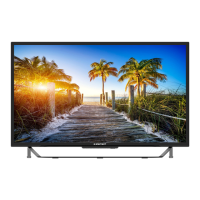
NETWORK
TYPE
Select Wired and Wireless network,
then connect the TV to the wired
network or search the wireless network
MY NETWORK
Display the current network which you
connect to
.
IP ADDRESS
Display the current IP information.
Press MENU to display the main interface, use
the Arrow buttons to highlight TV SETTINGS and
to select NETWORK to enter and adjust each
option setting.
Network Settings
OFF
AUTO VOLUME


 To Next Page