13
CUSTOMIZING TV SETTINGS
Media
STREAMING
MY MEDIA
TV SETTINGS
NETWORK
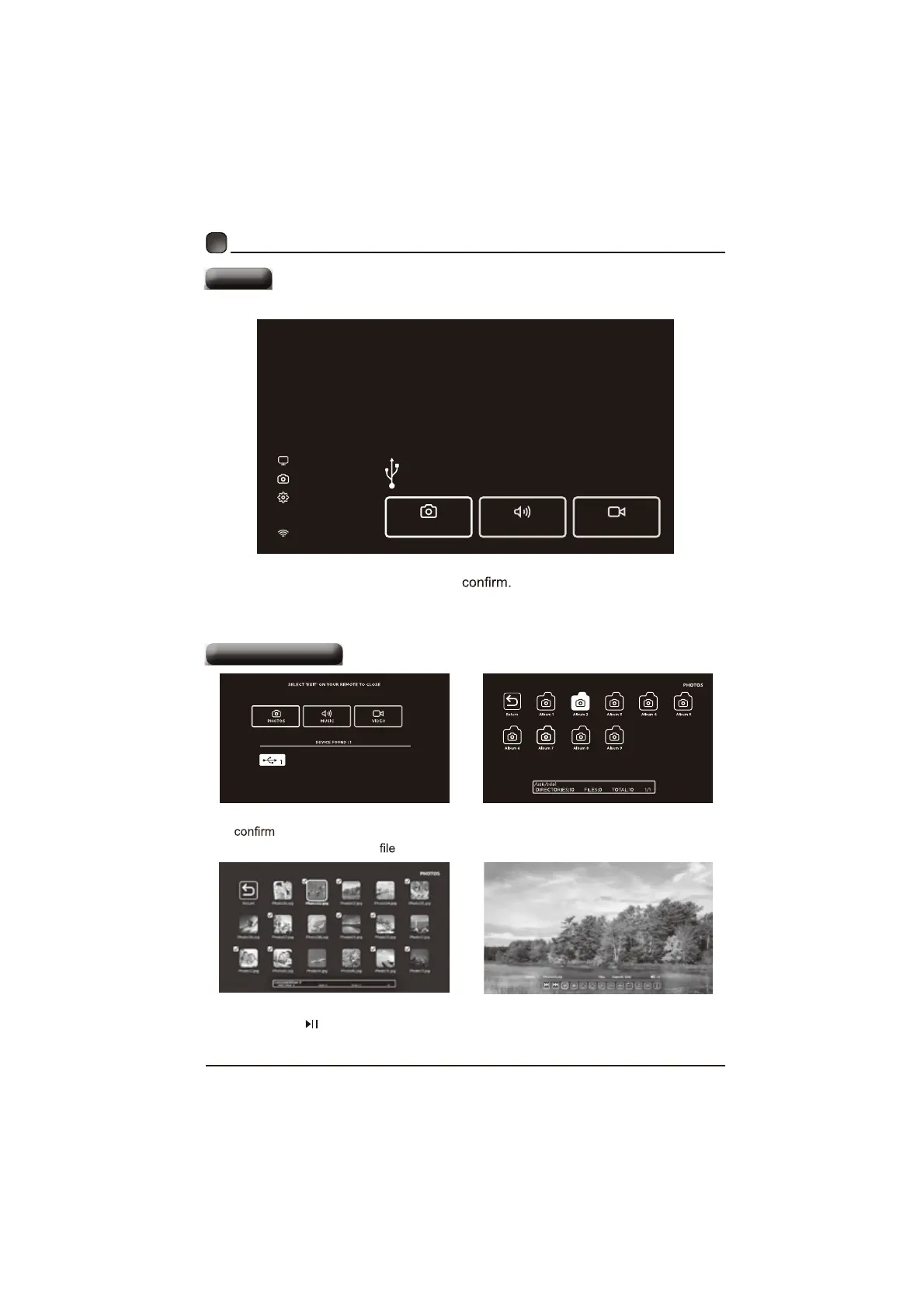
My Media
Display photos, music & video from a USB drive.
Press ‘OK’ on your Remote or change Source to USB.
PHOTOS
MUSIC VIDEO
Viewing Photos
A
fterenteringthepicturefile,use
the Arrow buttons
toselectthedesiredpicture
thenpressthe
todisplay.Whenthepictureisplaying,thepictureFunctionBarwillbH
GLVSOD\HG8VH
the Arrow buttons
WRVHOHFWWKHGHVLUHGIXQFWLRQDYDLODEOHRQWKHEDr.
8VH
the Arrow buttons
tohighlighttKHPHOTOSoptionandSUHVVOK,thenitwillMXPS
totheinserteddULYe,pressOKtoenter.AfterenteringPHOTOS,use
the Arrow
buttons
toselectthepictureandpressOKWRHQWHr.
3UHVVMENUbuttontodisplaythemaininterface,thenXVHthe Arrow buttonsWR
KLJKOLJKWMY MEDIAandSUHVVOKtoSelectamongPhotos,Musicand
VLGHRWRYLHZZKDW\RXOLNH
Note:3RUWDEOHGULYHVVKRXOGEHLQVHUWHGEHIRUHHQWHULQJMY MEDIAPHQX


 To Next Page