11
CUSTOMIZING TV SETTINGS
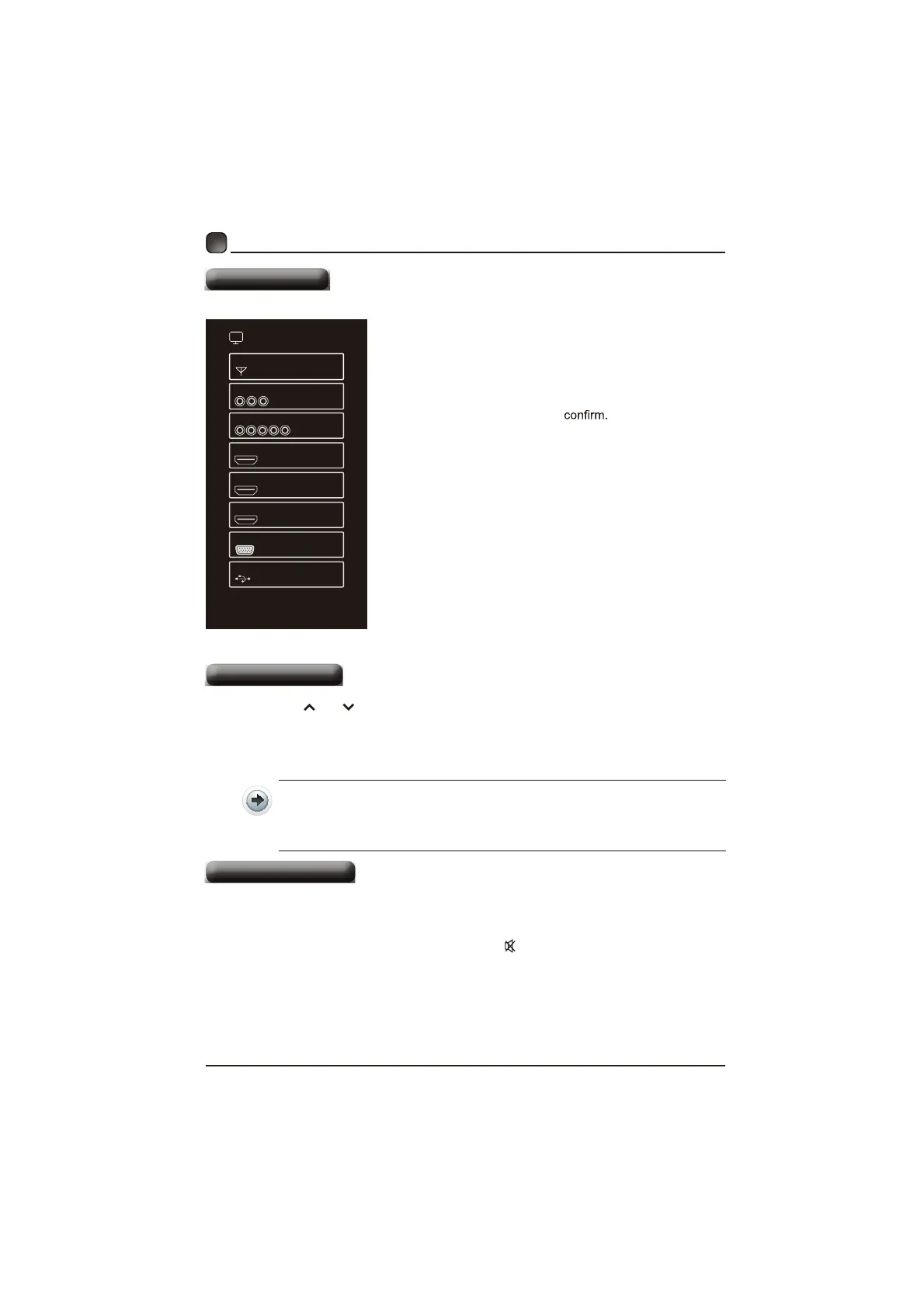
Source
SOURCE
TV
AV
COMPONENT
HDMI 1
HDMI 2
HDMI 3
VGA
USB
PressSOURCEontheremotecontroloroQ
themainunittodisplaythesourcemenu,WKHQ
usethe Arrow buttonstocycleamongthH
differentinputsources:TV/AV/COMPONENT/
HDMI1/HDMI2/HDMI3/VGA/U6%Whenusethe
Arrow buttonstohighlightthedesiredVRXUFH
DQGSUHVVOKto
Channel Selection
Pressthe CH /CH buttonVonWKHPDLQunitoronWKHUHPRtecontrolrepeatedl\
WRVHOHFWWKHFKDQQHO
3UHVVWKH0-9EXWWRQVRQWKHUHPRWHFRQWUROWRVHOHFWWKHFKDQQHOGLUHFWOy
3UHVVDQGWKHQSUHVVOKEXWWRQWRVHOHFWFKDQQHO
3UHVVDQGDQGWKHQSUHVVOKEXWWRQWRVHOHFWFKDQQHO
3UHVVDQGDQGWKHQSUHVVOKEXWWRQWRVHOHFWFKDQQHO
PressWKHVOL+/- buttonsonthemainunitorontheremotecontroltoadjustWKH
YROXPH
Ifyouwishtoswitchthesoundoff,presstheMUTE buttonagainorWKHVOL+
EXWWRQWRUHVXPHWKHVRXQG
Volume Adjustment


 To Next Page