© elero GmbH 12 | EN © elero GmbH EN | 13
The transmitter can now be assigned without having to
disconnect individual receivers. If the curtain moves in the
wrong direction, delete the transmitter and program it again.
(→ see Deletion of transmitter)
To program additional transmitters to one receiver:
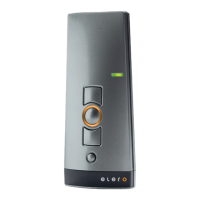
1. Press the UP, DOWN and programming P (rear of the device)
buttons simultaneously (for three seconds) on a transmitter
that has already been programmed to the receiver. The status
display lights up briey. The receiver is now in programming
mode.
2. Press the programming button P on the transmitter to be
programmed until the status display lights briey. The receiver is
now in programming mode (ascents/descents).
3. Press the UP button immediately (within no more than 1 second)
the curtain starts moving upwards. The status display lights up
briey. The curtain stops briey, starts moving again and then
moves downwards.
4. Immediately (no more than 1 second) the curtain starts moving
downwards, press the DOWN button. The status display
lights up briey. The curtain stops. The transmitter channel is
programmed.
If more than 10 bidirectional receivers are being programmed in one
channel at the same time, the transmitter channel in programming
mode switches to group mode. Group mode is indicated by fast
ashing with pauses.
Programming in group mode is completed after a 2-minute pause or
pressing the STOP button for 6 seconds.
Note
A jogging mode for Venetian blinds for quickly reaching
receivers which are further away is not possible in a
bidirectional transmitter channel with more than 10
programmed receivers.
Synchronized programming mode
For programming one transmitter to multiple receivers at the same
time.
1. Press the DOWN and programming P (rear of the device)
buttons simultaneously (for 3 seconds) on a transmitter that has
already been programmed to the receivers. The status display
ashes. The receivers are now in programming mode.
2. For bidirectional operation only: press the programming button
P on the transmitter to be programmed until the status display
lights up briey. The receivers are now in programming mode
(ascents/descents).
3. Press the UP button immediately (within no more than 1 second)
the curtain starts moving upwards. The status display lights up
briey. The curtains stop briey, start moving again, stop and
then move downwards.
4. Immediately (no more than 1 second) the curtain starts moving
downwards, press the DOWN button. The status display lights
up briey. The curtains stop moving. The transmitter channel is
programmed.
Stopping programming mode (bidirectional) in the
transmitter
Press the STOP button and hold for at least 6 seconds until the
status display lights up orange.
Approaching end positions of roller shutter /
awning / Venetian blind
Requirement
The transmitter/transmitter channel is programmed. The end
positions of the drive have been set.


 To Next Page