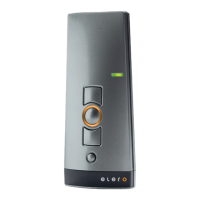
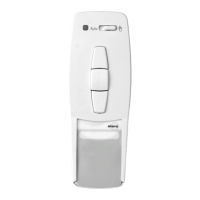
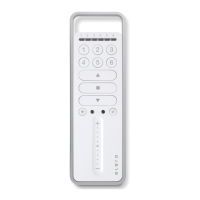
Programming radio channel settings
GB-7 GB-8
GB
Programming transmitter/channel
Prerequisite: The receiver must be installed.
1. With pre-installed electric receivers, the fuse must be
disconnected and reconnected after a few seconds.
The receiver will remain in programming mode for approximately
5 minutes.
2. Position yourself in front of the roller shutter/awning/venetian
blind with the remote control in your hand.
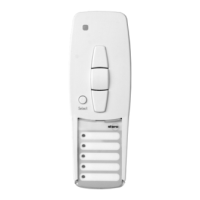
3. Open the front cover of the device and press the transmitter pro-
gramming button P briefly.The shutter/awning/venetian blind
will start to move up and down.This will happen for
approximately 2 minutes.
4. Select the desired channel using the Select button.
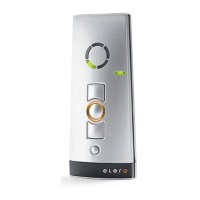
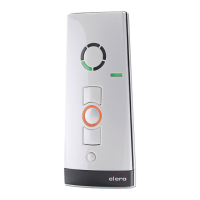
5. To define the keyboard layout, press the UP button on the trans-
mitter as soon as the shutter/awning/venetian blind begins to
move upwards (after approx. 1 second).The shutter/awning/
venetian blind will come to a halt briefly.As soon as the shutter/
awning/venetian blind begins to move again, press the DOWN
button on the handheld transmitter.
The shutter/awning/blind will come to a stop.
The transmitter or this channel has been successfully programmed.
Programming radio channel settings
Note: If more than one receiver is connected to the same supply
lead, all of these will be in programming mode
simultaneously.The shutters/awnings/venetian blinds will
begin to move up and down “at random”.The longer you
take to carry out the programming, the larger the offset
will be.
Individual channels can now be assigned to the given
receiver.
To stop the brief up and down movements, press the
STOP button on one of the pre-programmed handheld
transmitters briefly.
Channel assignment/modification can now be carried out
without you having to disconnect individual receivers.
Select the desired channel using the Select button.
If the shutter/awning/venetianblind moves in the wrong
direction, the transmitter must be deleted and re-pro-
grammed.
Programming additional transmitters
To programme additional transmitters in one receiver,please proceed
as follows:
1. Press the UP,DOWN and programming button P on a transmitter
that has already been programmed in the receiver until the LED
goes out.
2. To define the keyboard layout,press the UP button on the hand-
held transmitter as soon as the shutter/awning/
venetian
blind
begins to move upwards (after approx. 1 second).
The shutter/awning/blind will come to a halt briefly.
As soon as the shutter/awning/
venetian
blind begins to move
again,press the DOWN button on the handheld transmitter.
The shutter/awning/
venetian
blind will come to a stop.The
transmitter or this channel has been successfully programmed.


 To Next Page