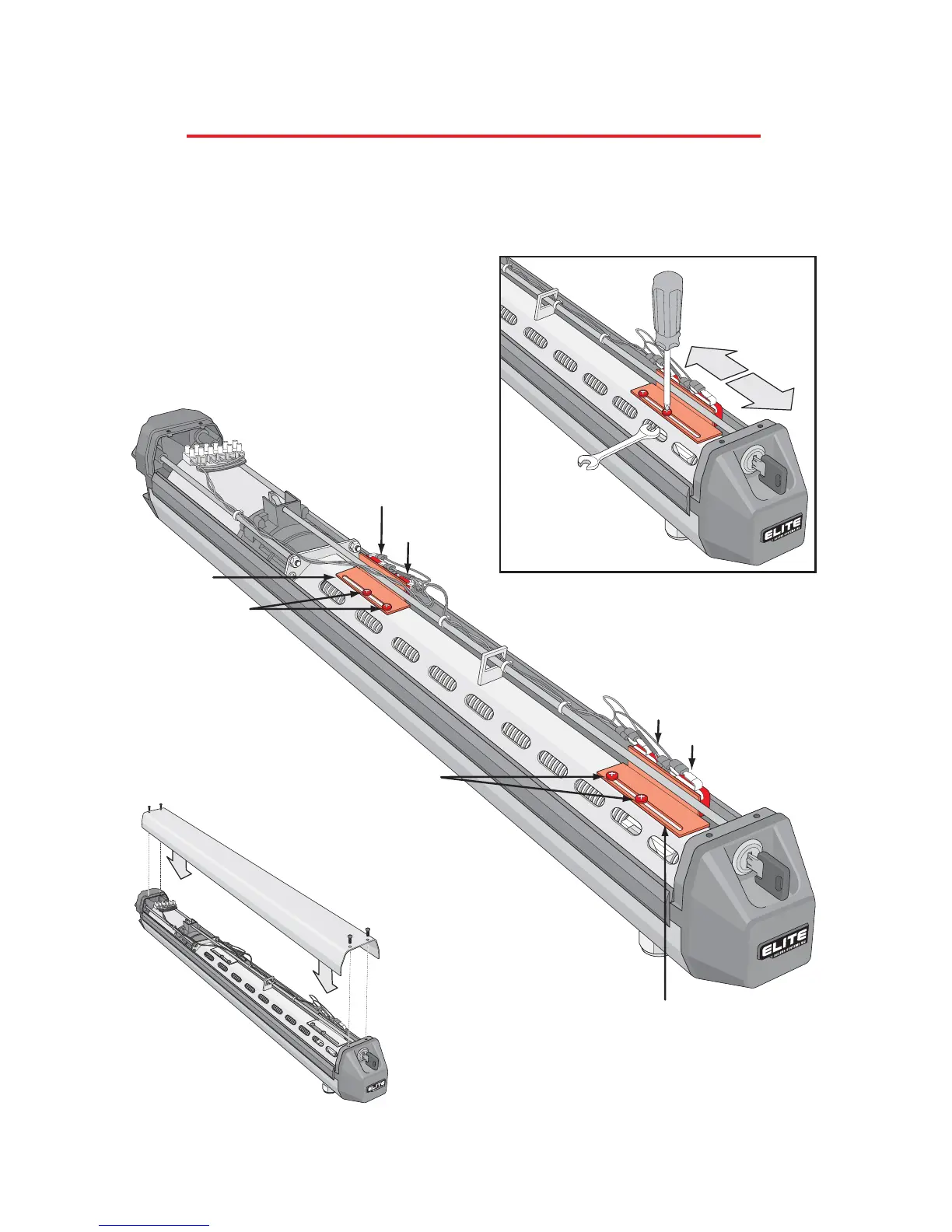
Step 11: Adjust the travel distance of the gate with the limit switches. Loosen the 2 bolts of each limit switch
armature. Slide to adjust. Position the outside limit switches of each armature to stop the gate in the “full open”
and “full closed” positions. Re-tighten armature bolts when gate positions are correct.
Step 12: Reinstall the operator cover with the 4 screws to complete
the installation.
Outside Limit
Switch
Outside Limit Switch
Inside Limit
Switch
Inside Limit Switch
Limit Switch
Armature
Limit Switch Armature
Adjustment Bolts
Adjustment Bolts
12
PROCEDURE FOR INSTALLATION
Adjusting the Limit Switches



 To Next Page