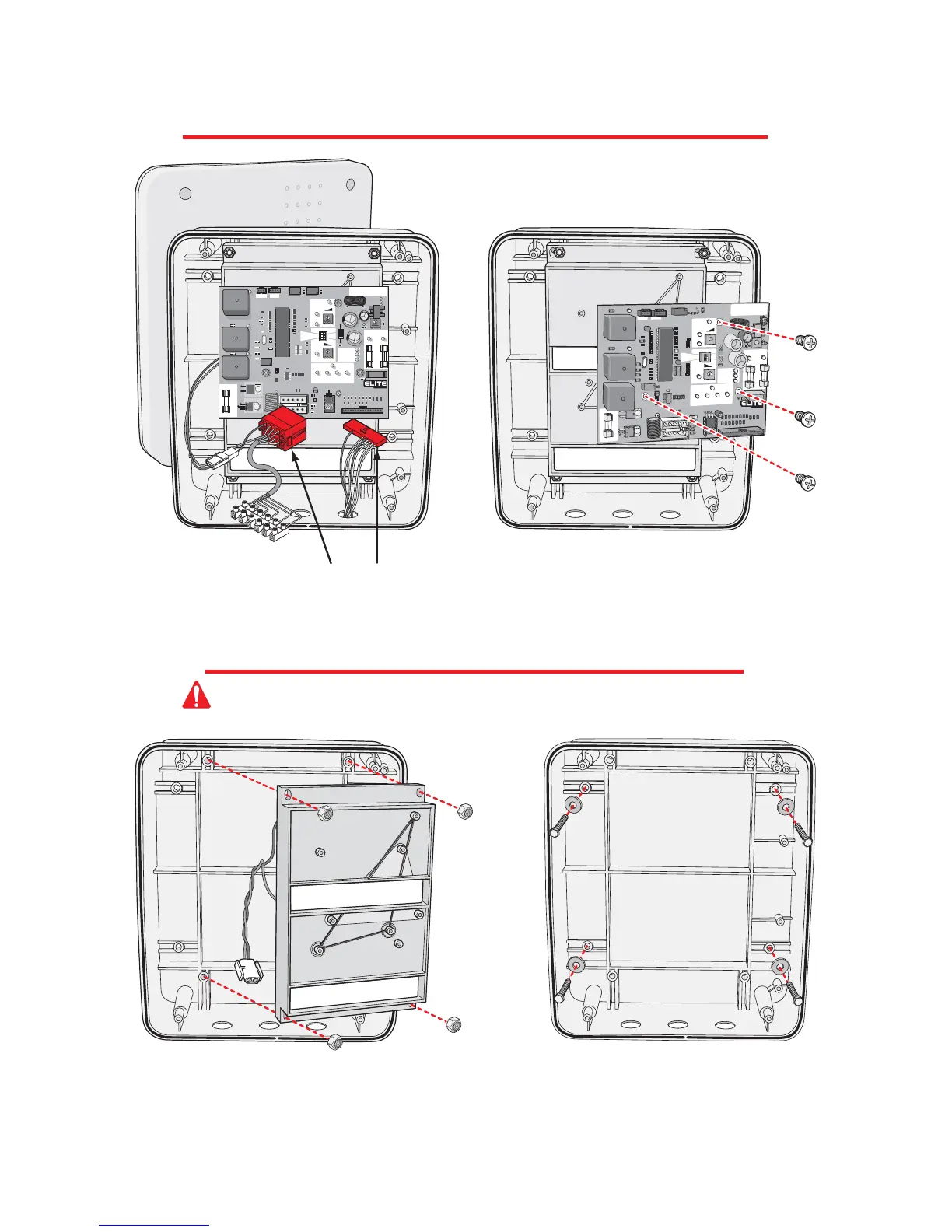
REMOVING THE CONTROL BOARD
MOUNTING THE CONTROL BOX
Detach the J1 and J3 plug.
Remove the three Phillips head screws. Remove control
board. Reverse this process to reinstall the control board.
Unscrew the 4 Phillips head screws from the plastic cover and remove.
Remove the four nuts and remove battery rack.
Reverse this process to reinstall.
Mount control box with four screws and washers
(recommend #10 thru 1/4-20 Bolts or Screws)
Do Not over tighten.
Caution: Do Not make new mounting holes, or enlarge existing holes in control box. Use
the four mounting holes provided.
8
8
13
POWER
CHA
R
G
E
O
K
B
A
TT
ER
Y
L
OW
®
ACC
ESS SYSTEM
S INC



 To Next Page