This product qualifies for ENERGY STAR in the “factory default” settings and this is the setting in which power savings will be achieved.
Changing the factory default picture settings or enabling other features will increase power consumption that could exceed the limits necessary
to qualify for ENERGY STAR rating.
For more information on the ENERGY STAR program, refer to energystar.gov.
Stylus (Active and Passive) (Optional)
Elo provides active stylus pens that can be used on the projected capacitance version of the monitor.
Elo Active Stylus Part Number: E216215 (only available for ET5053L)
Note: The minimum distance between two monitors should be 72cm (28.35in) ±10%
Elo also provides passive stylus pens that be used on the Infrared version of the monitor which can be used simultaneously with finger for
touch. Elo Passive Stylus Part Number: E727568 (Only available for IR sku)
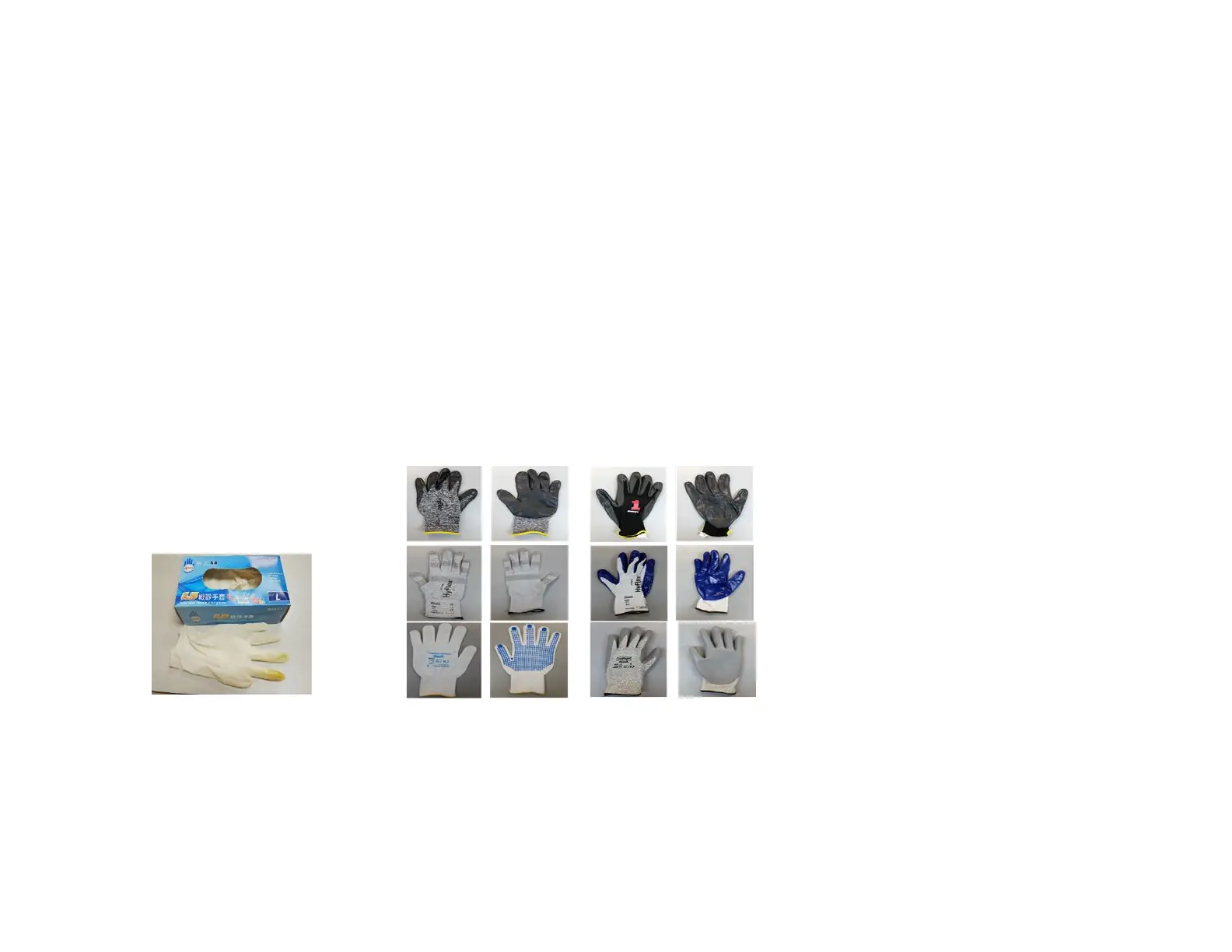
Glove Support
IDS ET3203L/ET4303L/ET5053L can support glove thickness from 0.1mm to 1.4mm, please switch to touch through mode when using
thicker glove. The gloves used for IDS ET3203L/ET4303L/ET5053L are as below.
*Note that touch performance is highly depending on type of glove used. Thickness and material are the main factors. A thicker glove will
result in a poorer touch performance.
*Note that do not put palm on screen when system booting up in touch through mode.


 To Next Page