Home
ELRO
IP Camera
C903IP
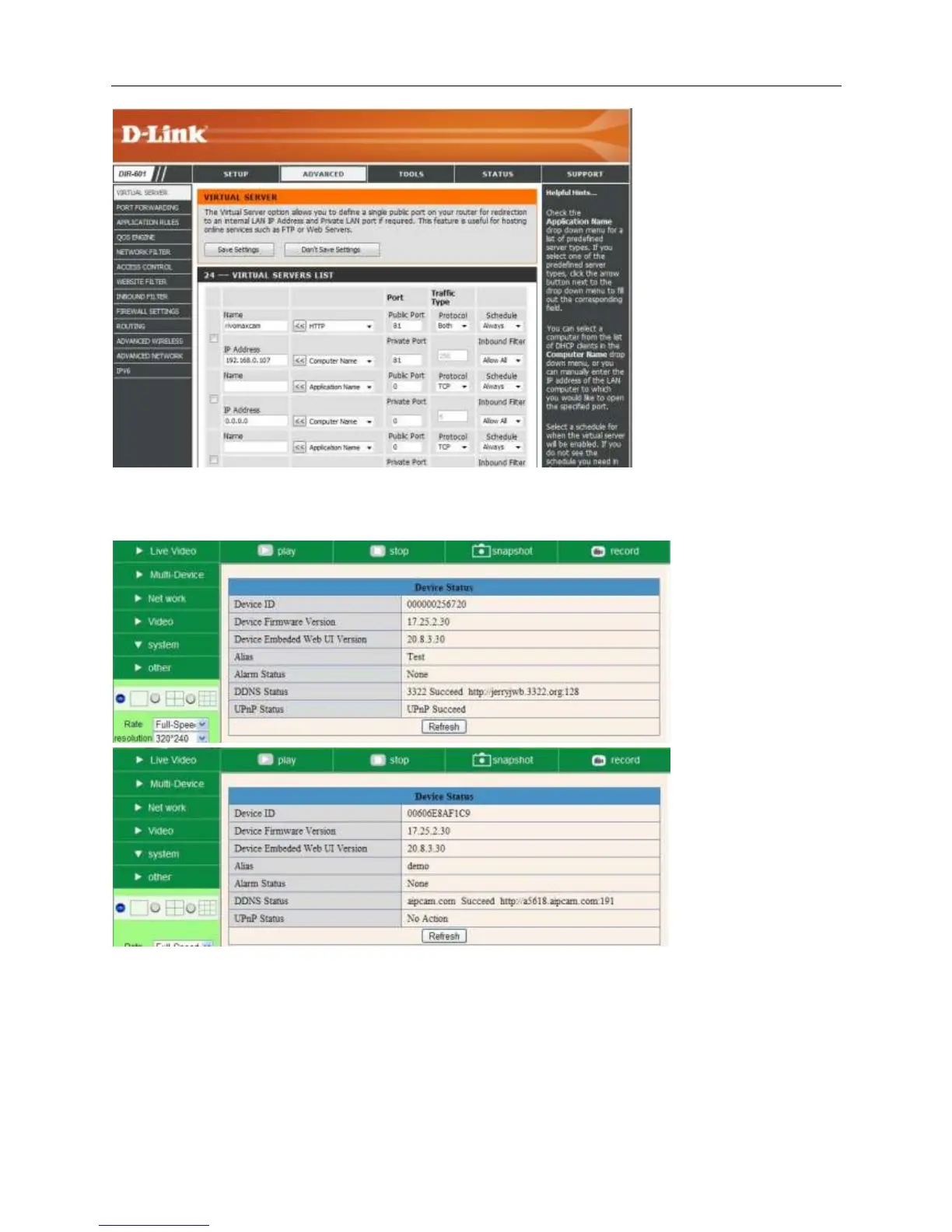
Page 10 (Verify DDNS Status)
ELRO C903IP - Verify DDNS Status
13 pages
Manual
Save Page as PDF
To Next Page
To Next Page
To Previous Page
To Previous Page
Loading...
More Security
, Mor
e
Con
venience
Afte
r
all the
se 4 step
s do
ne, the
n you ca
n use the
DDNS freely
, che
ck the DDNS st
atus fro
m
the ca
m
er
a
as
belo
w
, and
get th
e link of DDNS for internet
vi
e
w
.
S
tep: “
Login
”>
”
Sys
tem
”>”
Device I
nf
o
”:
9
11
Table of Contents
Main Page
Quick Installation Guide
1
Hardware Installation
2
Software Installation
2
Real-Time Video Demonstration
3
Login
3
Choose the Language
3
Choose the Work Mode
3
No Pictures Problem with Activex Settings for IE Browser
4
How to Do Wireless Settings
5
How to Use DDNS
6
TP-Link
8
Belkin
9
D-Link
9
How to Know the WAN IP of the Device
11
How to Register a Third Party DDNS Account
11
Related product manuals
ELRO CDD15F
4 pages
ELRO C903IP.2
132 pages
ELRO C902
1 page
ELRO C905IP
2 pages
ELRO C904IP.2
140 pages
ELRO C935IP
33 pages
ELRO C703IP
14 pages
ELRO C706IP
20 pages
ELRO C705IP
132 pages
ELRO CCD420
9 pages
ELRO C703IP.2
132 pages
ELRO C803IP.2
128 pages


 To Next Page