More Security, More Convenience
Q3: How to use DDNS
1. Login the camera:
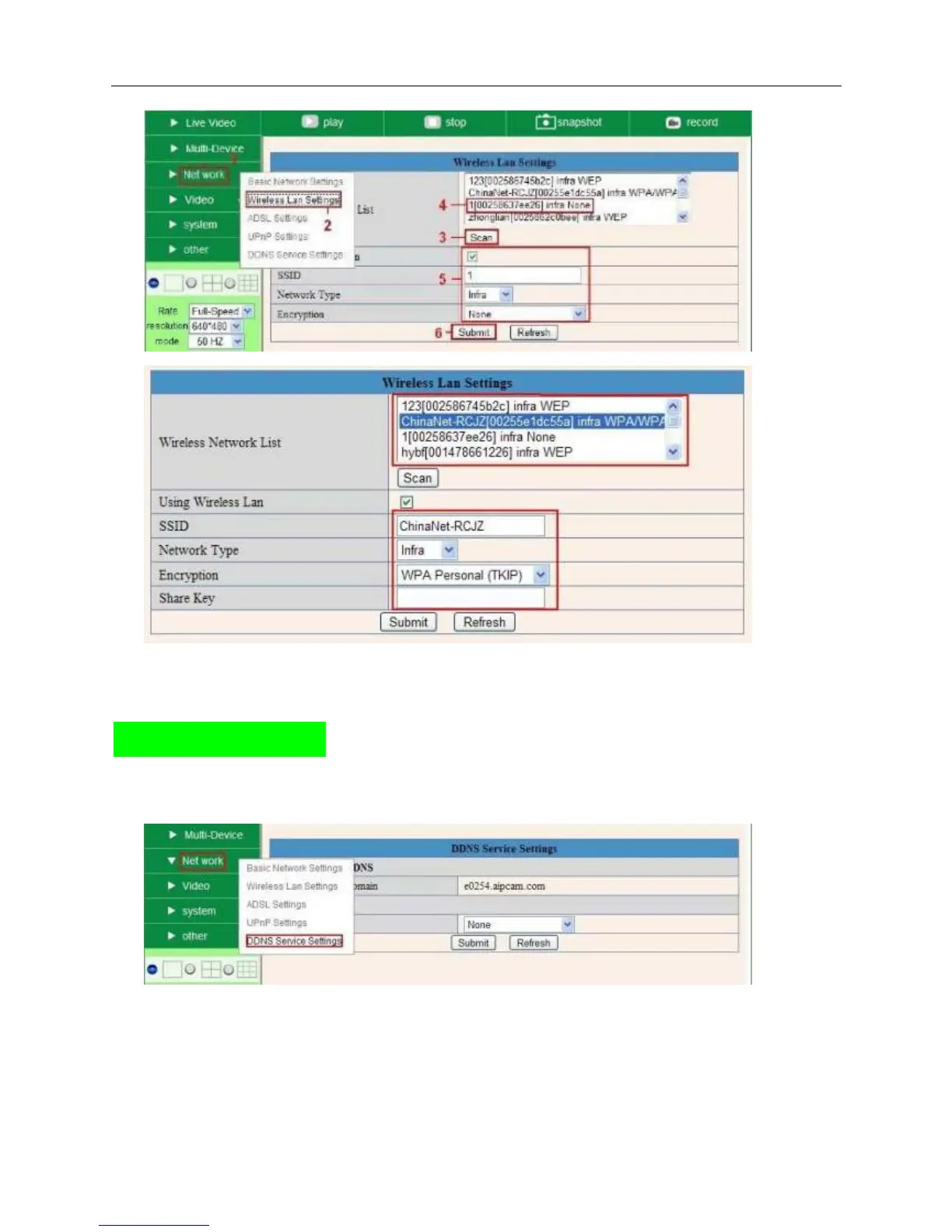
Click “Network”>”DDNS Service Settings”.
2. Choose the DDNS, there are 2 options:
Manufacturer’s DDNS: This domain is provided by manufacturer.
Third Party DDNS: This domain is provided by the 3
rd
party, such as Dyndns, Oray, 3322 etc.


 To Next Page