More Security, More Convenience
Step 3: Real-time Video Demonstration.
1. Login:
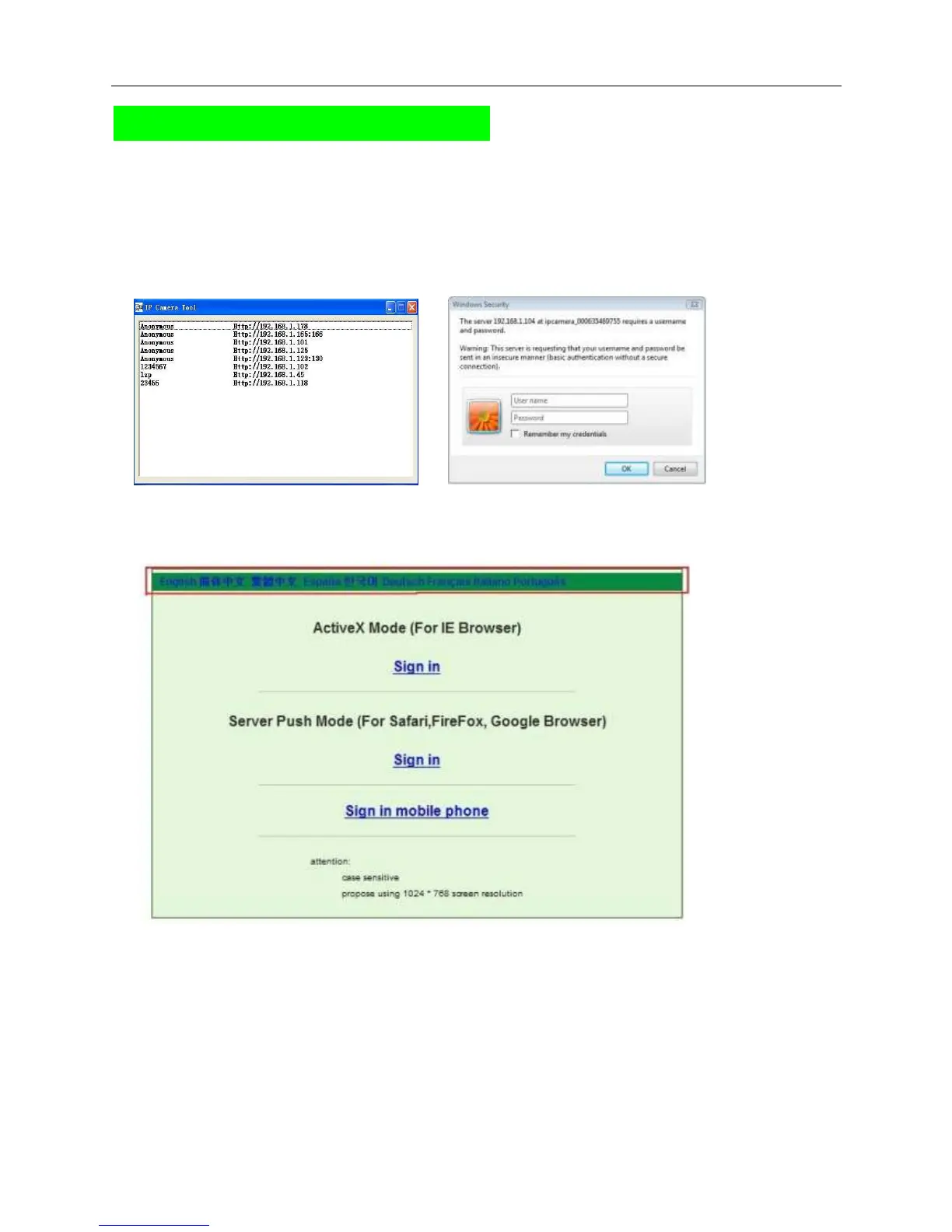
Double click “IP Camera Tool” icon on desktop, search the IP address, choose the one of your camera,
double click to go to IE login interface.
Default username: admin
Password: no password.
2. Choose the language.
English, Chinese, Spanish, Korean, German, French, Italian, Portuguese optional.
3. Choose the work mode.
IE browser: choose ActiveX mode.
Safari, Firefox, Google chrome browser: Server push mode.
Mobile phone: sign in mobile phone mode.
4. Sign in.
Click Sign In, then can get video on real-time.



 To Next Page