More Security, More Convenience
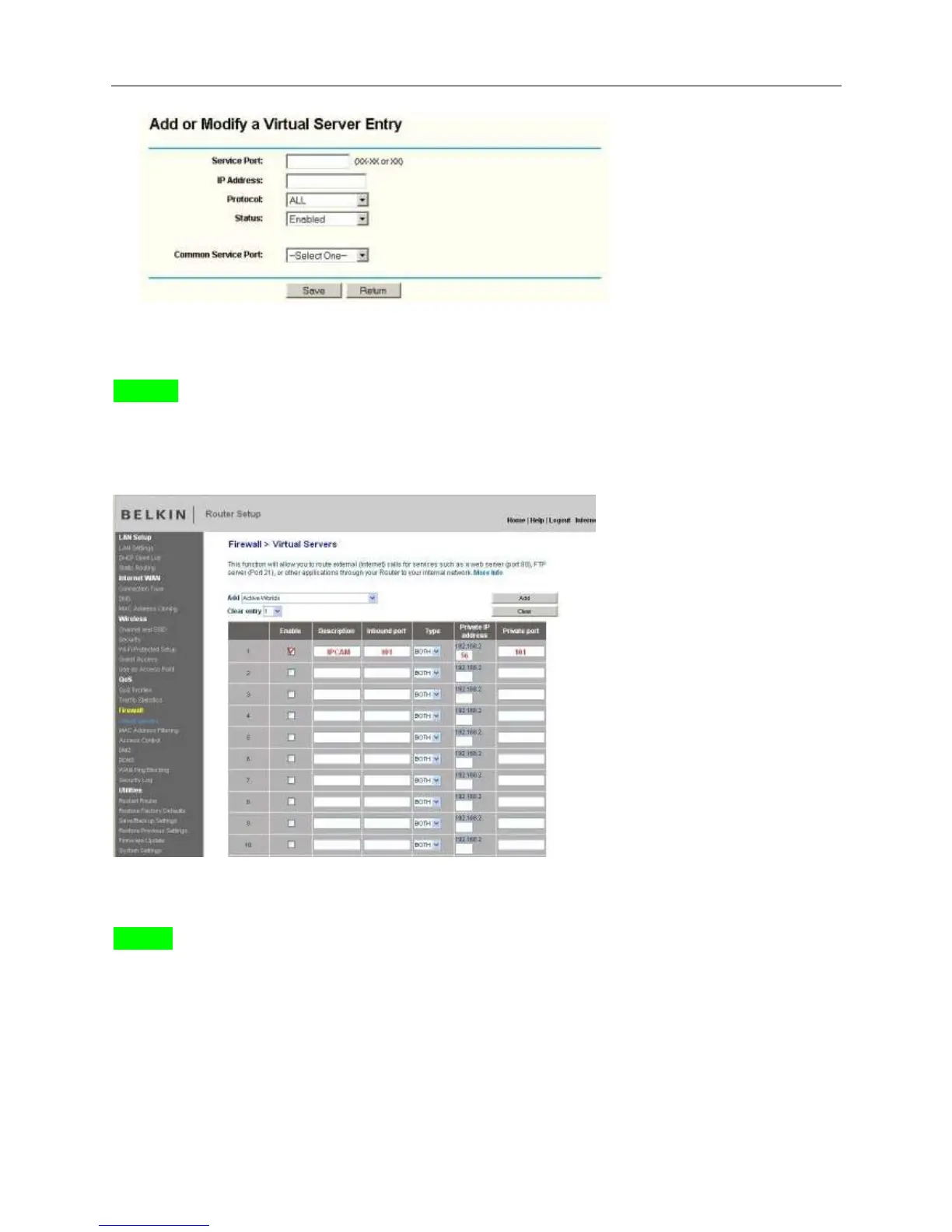
Fill the service port (except 80), IP address of the camera, then click Save
The port and IP address should be the same as Camera.
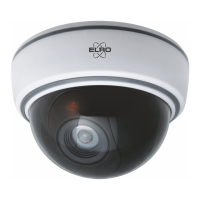
BELKIN:
(1) Login the router.
(2) Choose “Firewall”, select “Virtual Servers”
(3) Input the port (except 80) and IP address, then click save.
Note: The port and IP address should be the same as Camera.
DLINK:
(1) Login the router.
(2) Choose “Advanced”, select “Virtual Servers”
(3) Input the port, IP address, Protocol, then click save.
Note: The “public port” & “private port” should be the same as camera’s port, choose the protocol to be
“both”.


 To Next Page