More Security, More Convenience
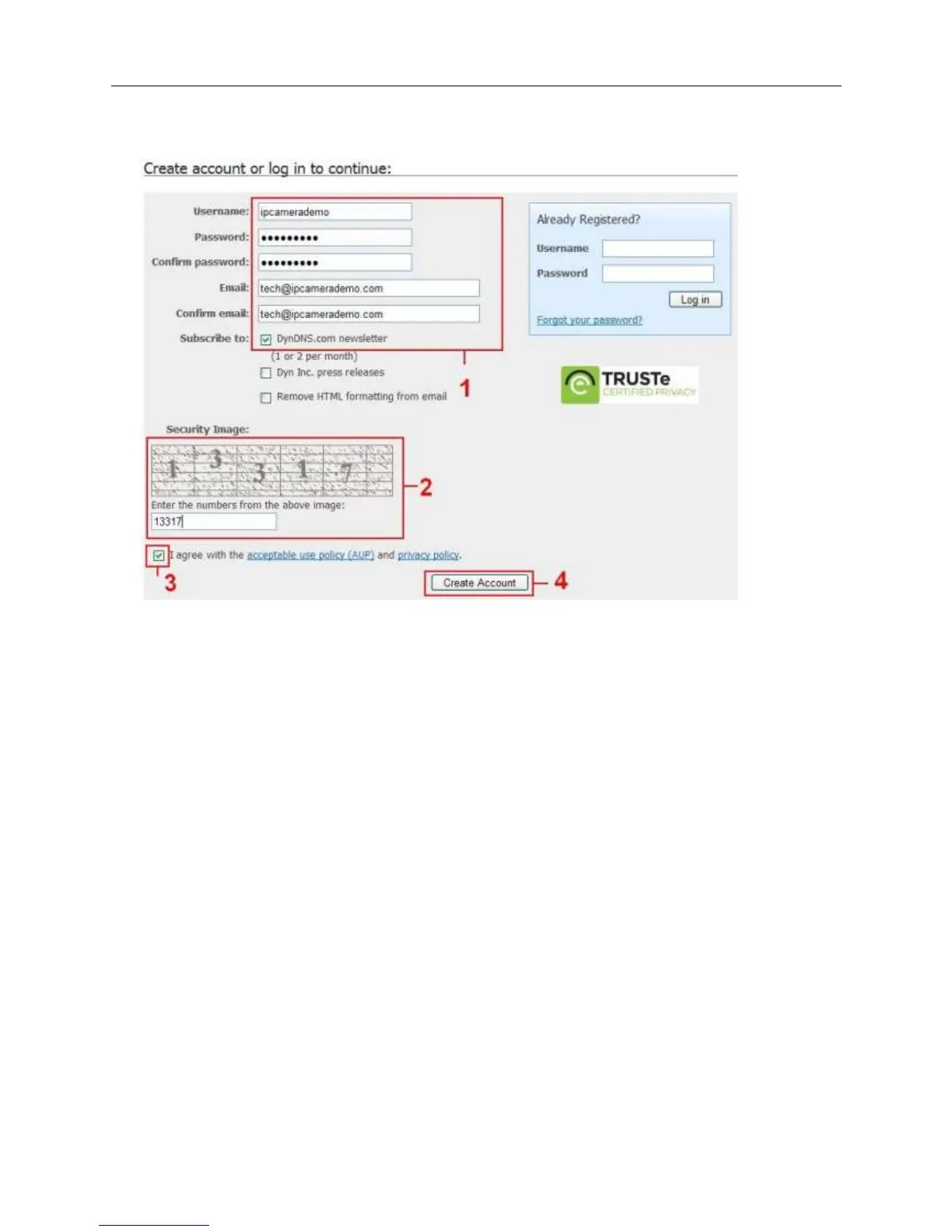
4. Set the username and password as below:
After these settings have been done, it will send an email to your mailbox to active this account.
5. Please login your email box, and open the active link you get by email, then it will go to the activate
page to get this account active.
You will get all the details of your DDNS, such as hostname, WAN IP address etc.
Thanks for your support and attention, for further operation details, please check the full version
user manual of our IP Cameras!


 To Previous Page