Page 22
3.3 Indicators
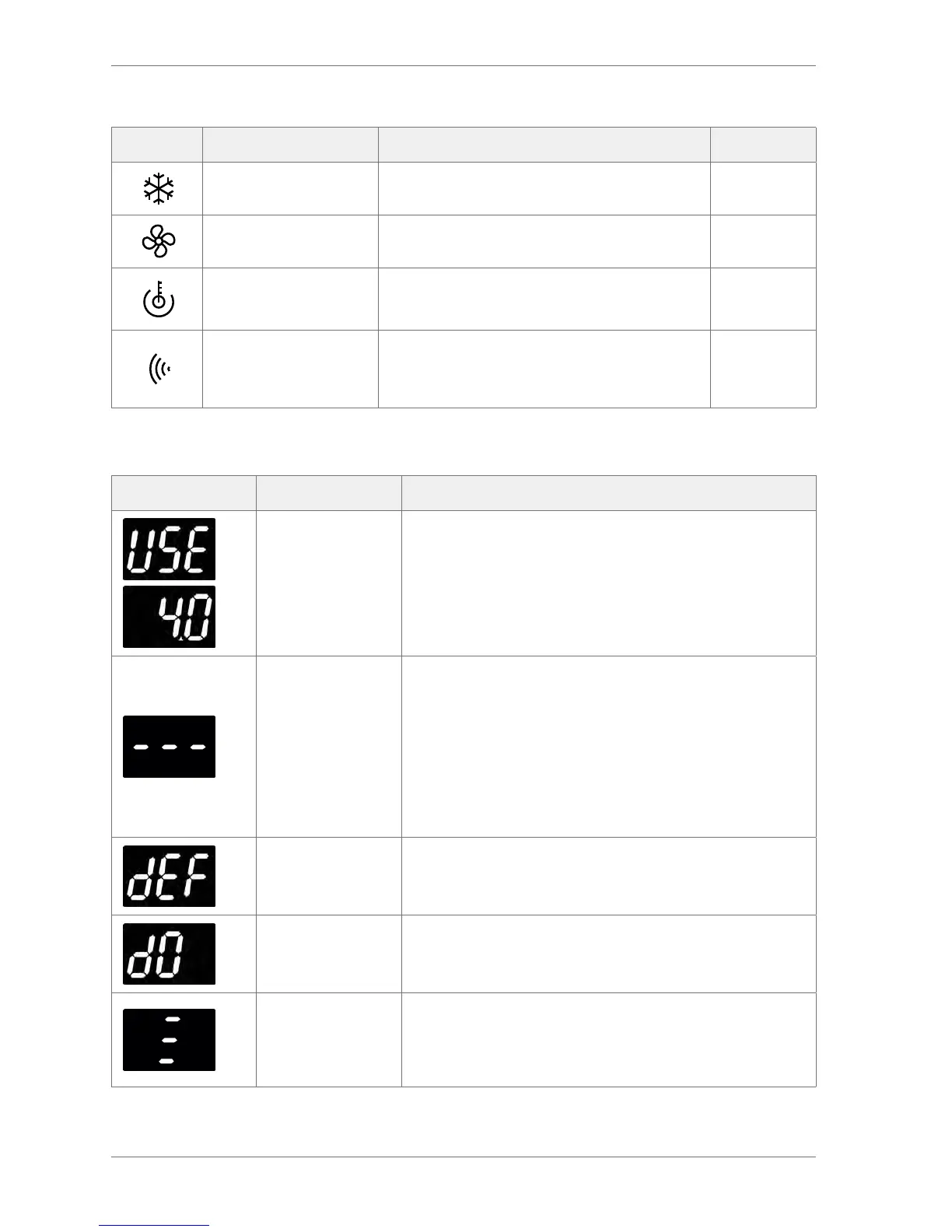
Indicator Name Function Colour
Compressor On when the compressor is running. Green
Fan On when the evaporator fan is running. Green
Saving temperature
disable
On if the saving temperature is disabled.
The controller maintains the Ready mode
temperatures at all times.
Red
Motion
On when motion sensor detects motion from
passing shoppers.
If the motion sensor is ashing continuously, the
motion sensor may be faulty.
Red
3.4 Display codes
Display State Description
Ready mode
The controllers display the appliance sensor (cooler cabinet)
temperature, or the word USE . Also, the cooler lights are
switched on.
Saving mode
The controllers keep products between the saving mode
switching temperatures unless the saving temperature is
disabled.
Saving temperature disable LED shows whether the saving
mode temperature is disabled.
The cooler lights are o unless the light delay (Ld) parameter
keeps the lights on for a short period after the controller
switches to the saving mode.
The marketing mode (Ar) keeps the lights on for the duration of
the saving mode.
Defrost mode
The controllers switch o the compressor and switch on the fan,
if applicable.
The compressor LED should be o and the evaporator fan LED
should be on.
Door open The controllers display d0 to show that the cooler door is open.
Alarm:
Door open
The controllers sound an alarm buzzer if the cooler door
remains open for alarm delay (Ad) duration.
If the cooler door is still open after the time dened by the
buzzer duration (b1 ) parameter, the controller then enters door
limp home mode.



 To Next Page