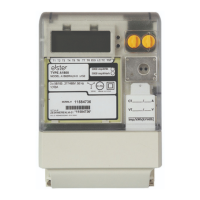
Volume Conversion Device EK260
Elster GmbH 73
Md.S2 =
- Another device with RS232 or RS485 interface (e.g. PC, PLC) connected
directly to the EK260.
Num.T (see below) is not effective.
6 "Modem with responses, battery mode"
Modem control RS-232 control
lines
Battery operation
Baud rate
selection
Yes No Yes No
In the mode Md.S2 = 6 the EK260 handles, as with Md.S2 = 3 (see above),
the modem control over the data lines via "responses". The modem is not
parameterised for automatic call acceptance.
Suitable for the connection of an FE230. (Pure battery-operated application "
Volume Conversion Device + Modem", à 4.7). To avoid to reduce the
battery life time, some specific settings are required for this application! For
that several parameter-files are available which can downloaded by using
PC-program WinPADS.
Num.T (see below) is effective.
7 "GSM modem"
Modem control RS-232 control
lines
Battery operation
Baud rate
selection
Yes Yes Yes No
Suitable for the connection of a commercially available GSM modem.
This mode largely corresponds to Mode 2 (see above), but checks the EK260
daily shortly after midnight for whether the modem is still ("logged in") with
the GSM network and, if required, establishes the connection.
Num.T (see below) is effective.
9 "Without control lines, battery mode
Modem control RS232 control
lines
Battery operation
Baud rate
selection
No No Yes Yes
Md.S2 = 9 corresponds to Md.S2 = 5, but can in contrast also be used in
battery mode.
The device current requirement is in this mode increased not just during the
actual communication that occurs, but rather during the whole call time
window. The time window should therefore be restricted as far as possible.
10
"Printer protocol"
Modem control RS-232 control
lines
Battery operation
Baud rate
selection
No No Yes No
Suitable for the connection of a printer with serial interface RS-232/V.24 or
RS-485.
Only two lines need to be connected: TD (TxD) and Gnd for RS-232/V.24 or
T+ and T- for RS-485.
Further details à 3.12.1



 To Next Page