START. START.
12 13
4. How Yuvy works
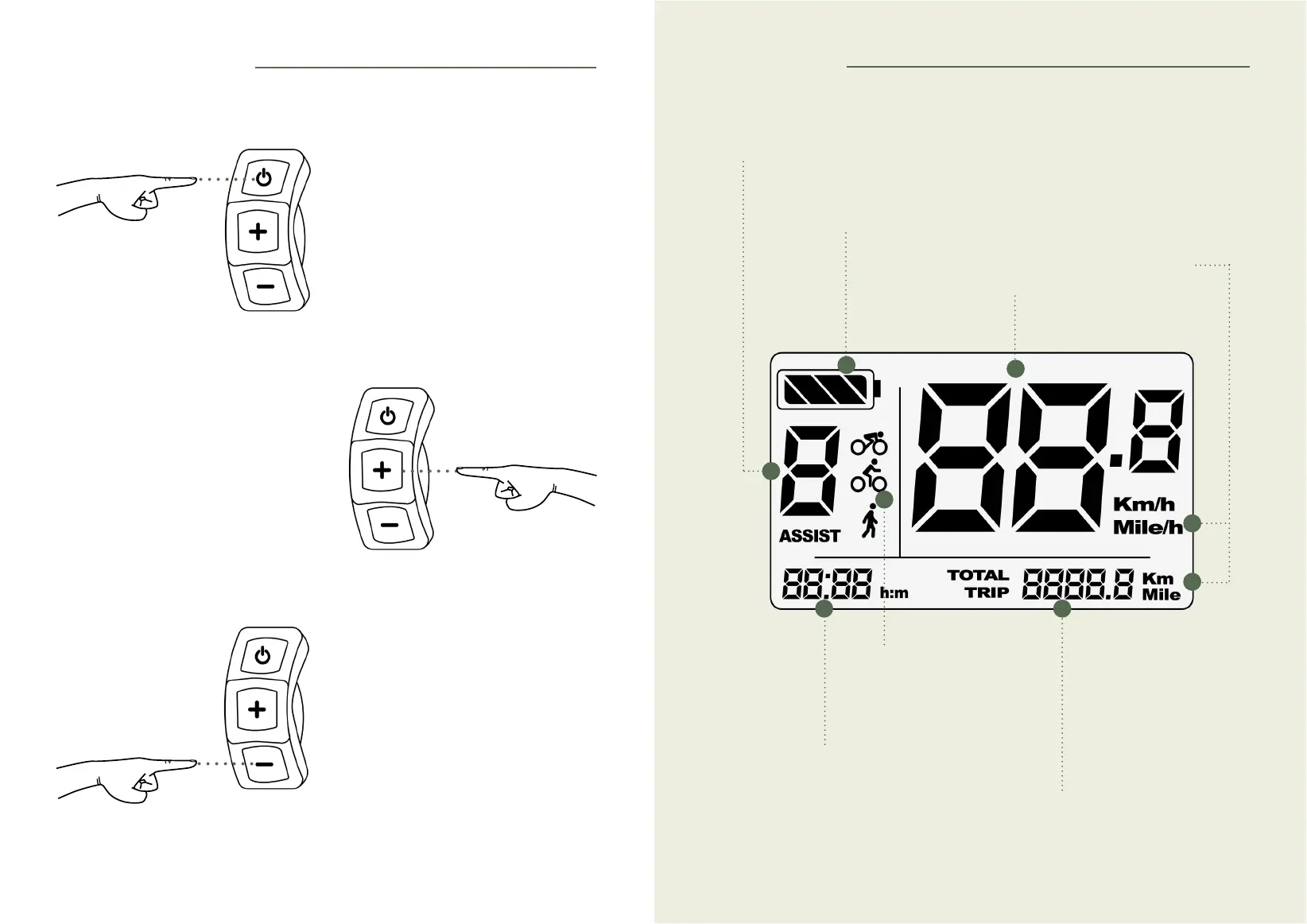
4.3 Activate pedestrian mode
• Keep the [-] button pressed.
• This mode is used with the throttle
trigger to help you push the bike when
you are walking alongside (electric
assistance limited to 6 km/h).
4.2 Switching lights on and off
• Keep the [+] button pressed until the
front and rear lights are switched on or
off.
4.1 Switching your Yuvy on and
off
• Press and hold the [ON/OFF] button.
5. The screen
Support
Level of assistance (see 5.1)
Battery
Battery life (see 5.2)
Distance travelled
Partial or total (see 5.3)
Speed
Setting the units of measurement (see 5.4)
Time
Setting the time (see 5.4.)
Mode
START.
13



 To Next Page