Installation
Page 20
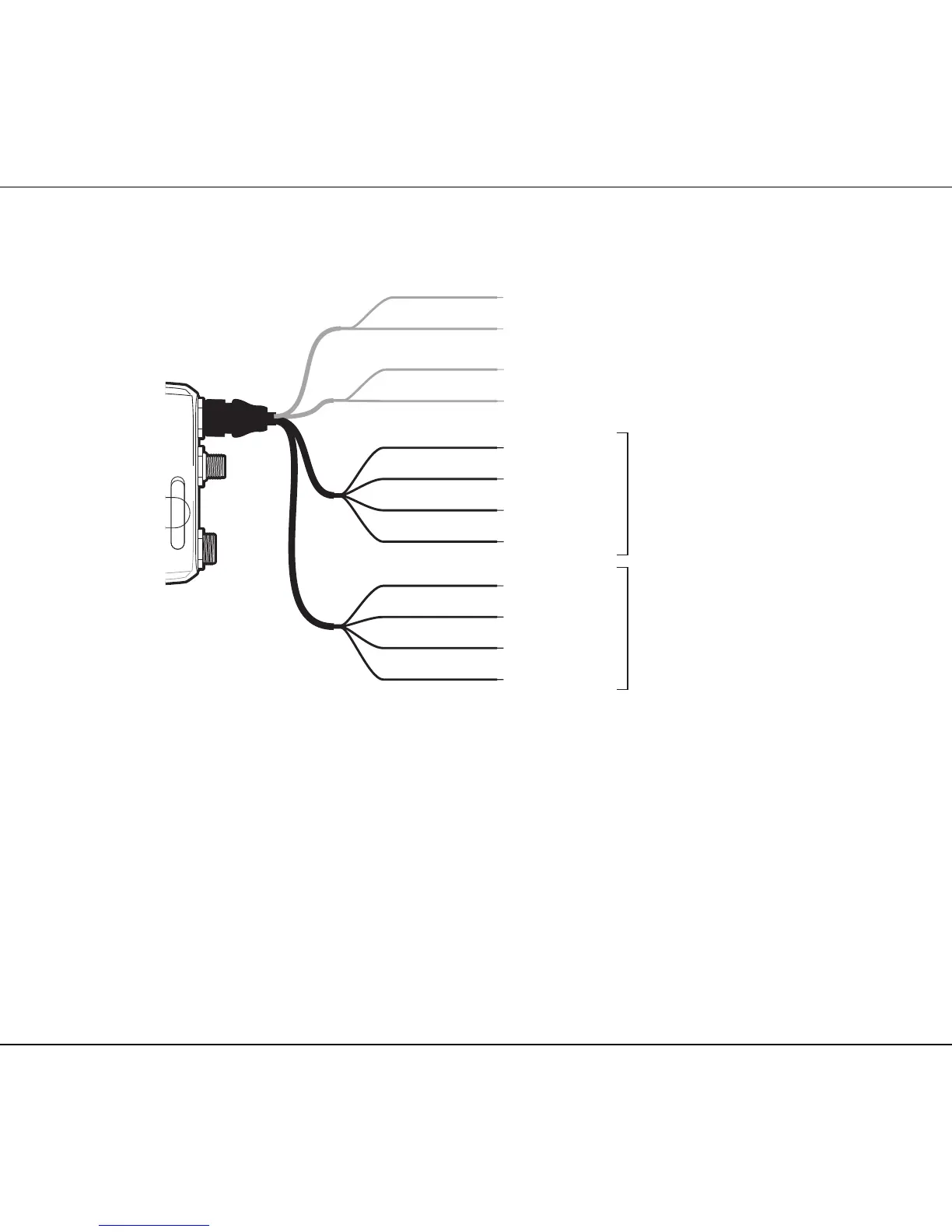
Figure 10 Connecting to the NMEA0183 data port
Step 7- Connection to an NMEA2000 network (optional)
The AIS transceiver can be connected to an NMEA2000 network by a suitable NMEA2000
network cable available from your local dealer. If your vessel has an NMEA2000 network please
refer to the relevant documentation for your NMEA2000 equipment. Once connected, and with
your chart plotter also connected to your NMEA2000 network you will be able to receive AIS
targets on your chart plotter.
Step 8 - USB Connection (optional)
The AIS transceiver is supplied with a USB port for connection to a PC. The USB connector can
be connected directly to the USB port on the PC via the supplied USB cable. To enable
connection of the AIS transceiver to a PC the USB drivers, supplied on the product CD, must be
installed on the PC.



 To Next Page