2-2
Setting Up Your System
A power supply is integrated into the system to provide power to the mainboard, option cards, and
peripheral devices. The power selection switch on the system back panel can be used to set the power
supply to operate at 115V or 230V.
To verify that your system has the correct setting for your environment, check the voltage selection
switch.
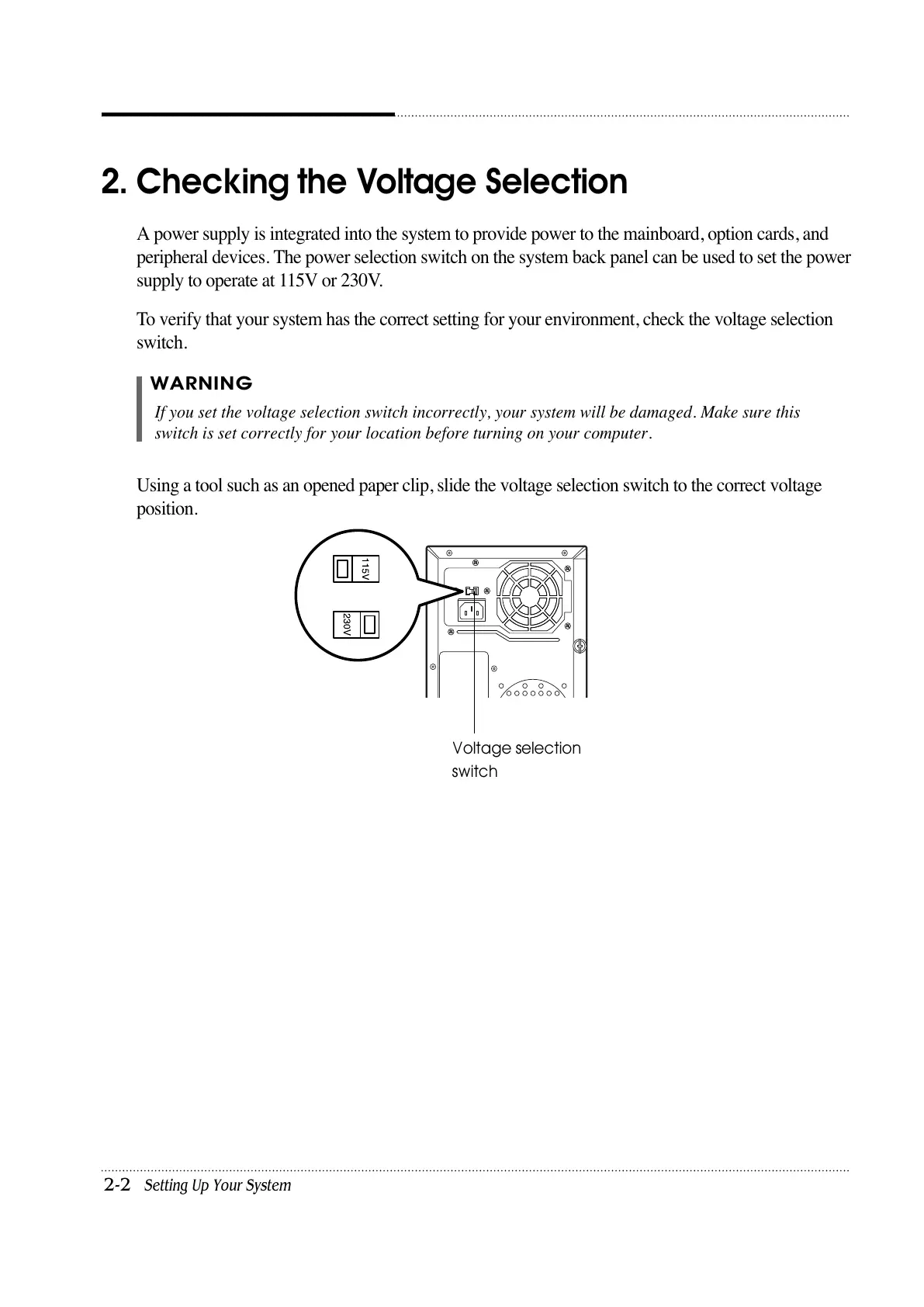
Using a tool such as an opened paper clip, slide the voltage selection switch to the correct voltage
position.
2. Checking the Voltage Selection
WARNING
If you set the voltage selection switch incorrectly, your system will be damaged. Make sure this
switch is set correctly for your location before turning on your computer.
Voltage selection
switch













 To Next Page