4-3
Installing and Removing Drives
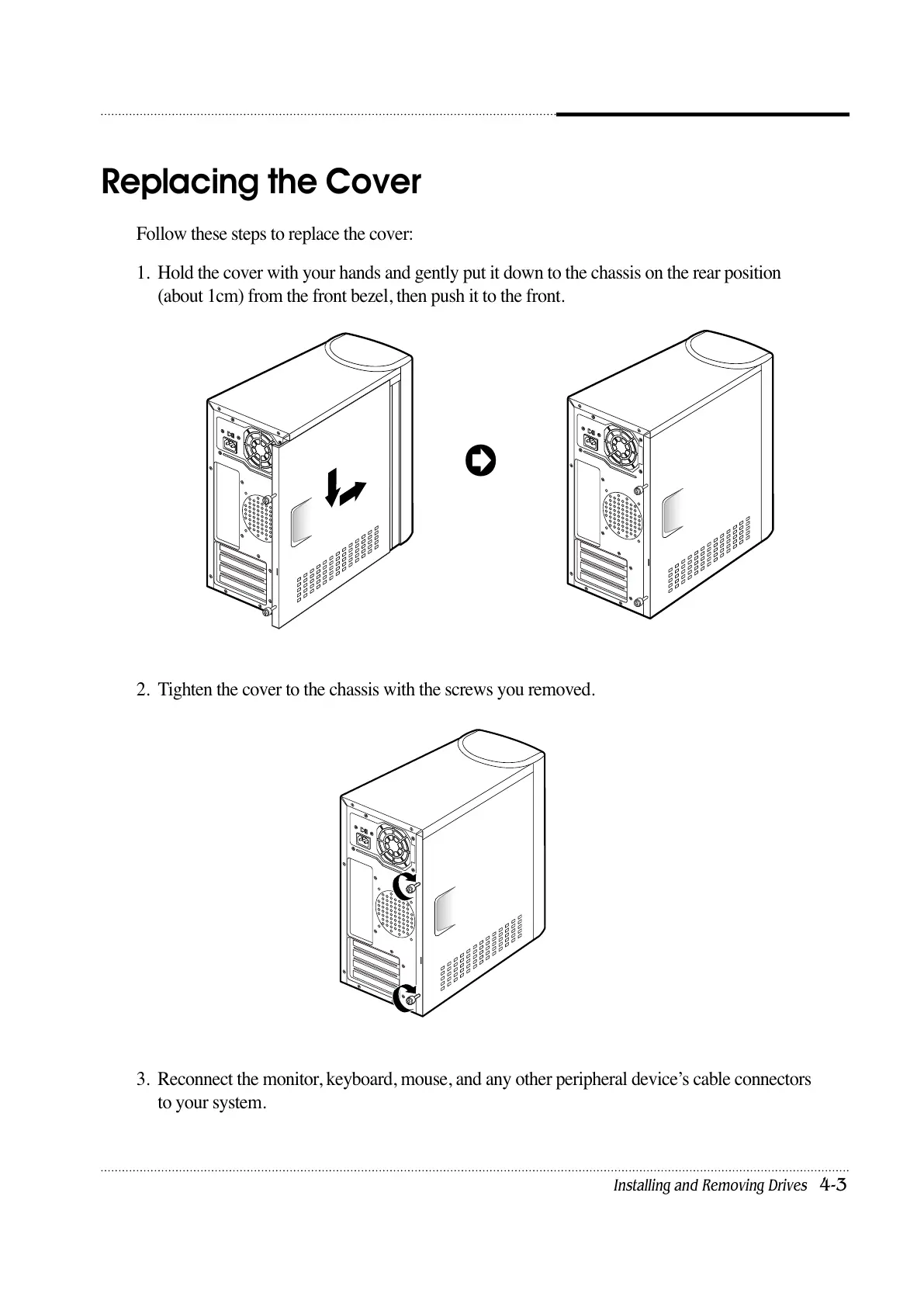
Follow these steps to replace the cover:
1. Hold the cover with your hands and gently put it down to the chassis on the rear position
(about 1cm) from the front bezel, then push it to the front.
2. Tighten the cover to the chassis with the screws you removed.
3. Reconnect the monitor, keyboard, mouse, and any other peripheral device’s cable connectors
to your system.
Replacing the Cover













 To Next Page