4-2
Installing and Removing Drives
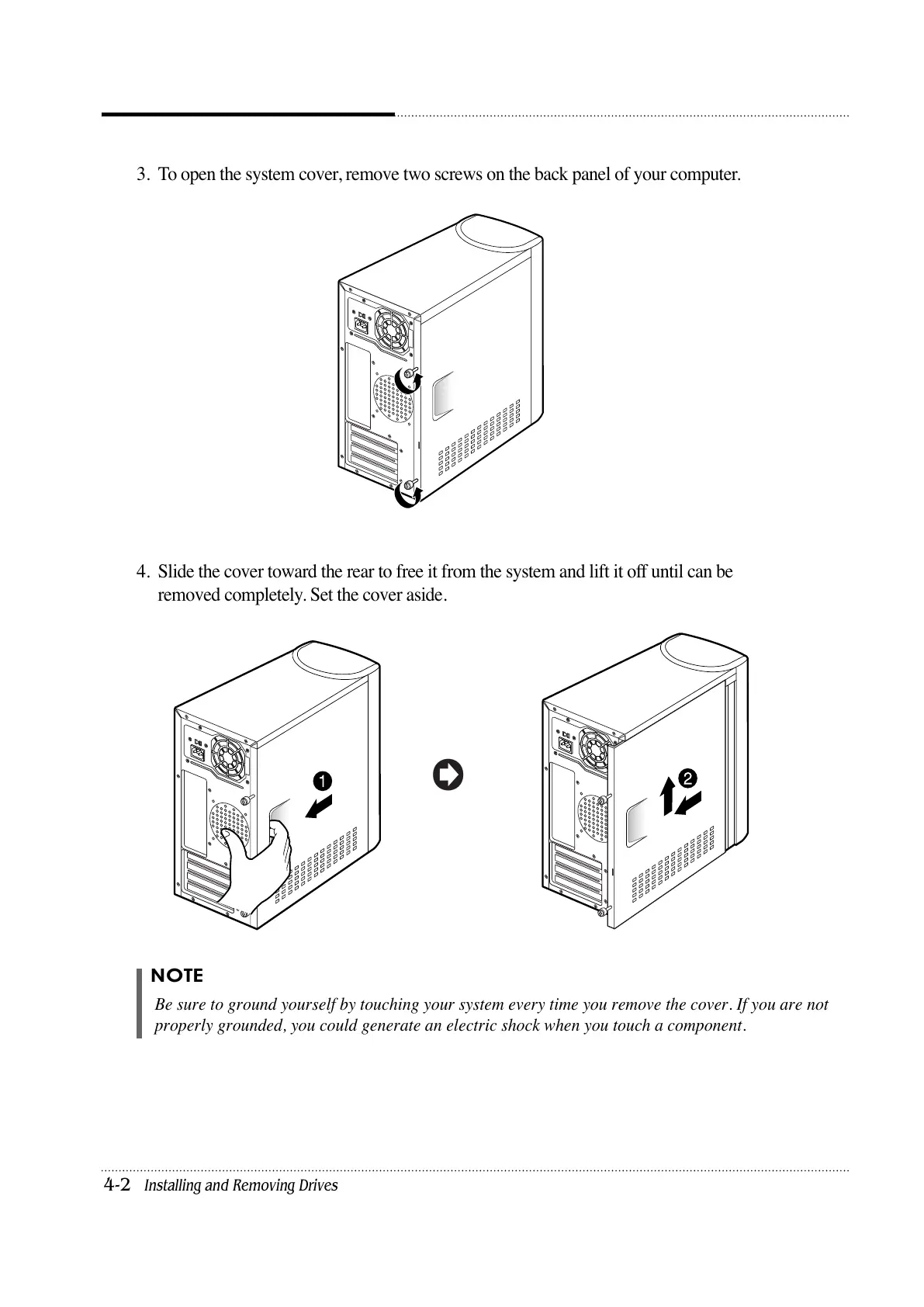
3. To open the system cover, remove two screws on the back panel of your computer.
4. Slide the cover toward the rear to free it from the system and lift it off until can be
removed completely. Set the cover aside.
NOTE
Be sure to ground yourself by touching your system every time you remove the cover. If you are not
properly grounded, you could generate an electric shock when you touch a component.













 To Next Page