3-3
Using Your Computer
NOTE
Never remove the media or turn off the computer while a disk drive light is blinking. You could lose data.
Also, remove the media before you turn off the computer.
NOTE
You can see four Removable Disk drive letters and icons in My Computer. When you insert the media,
the label of the Removable Disk drive may change to the title of the media, if your media has its title.
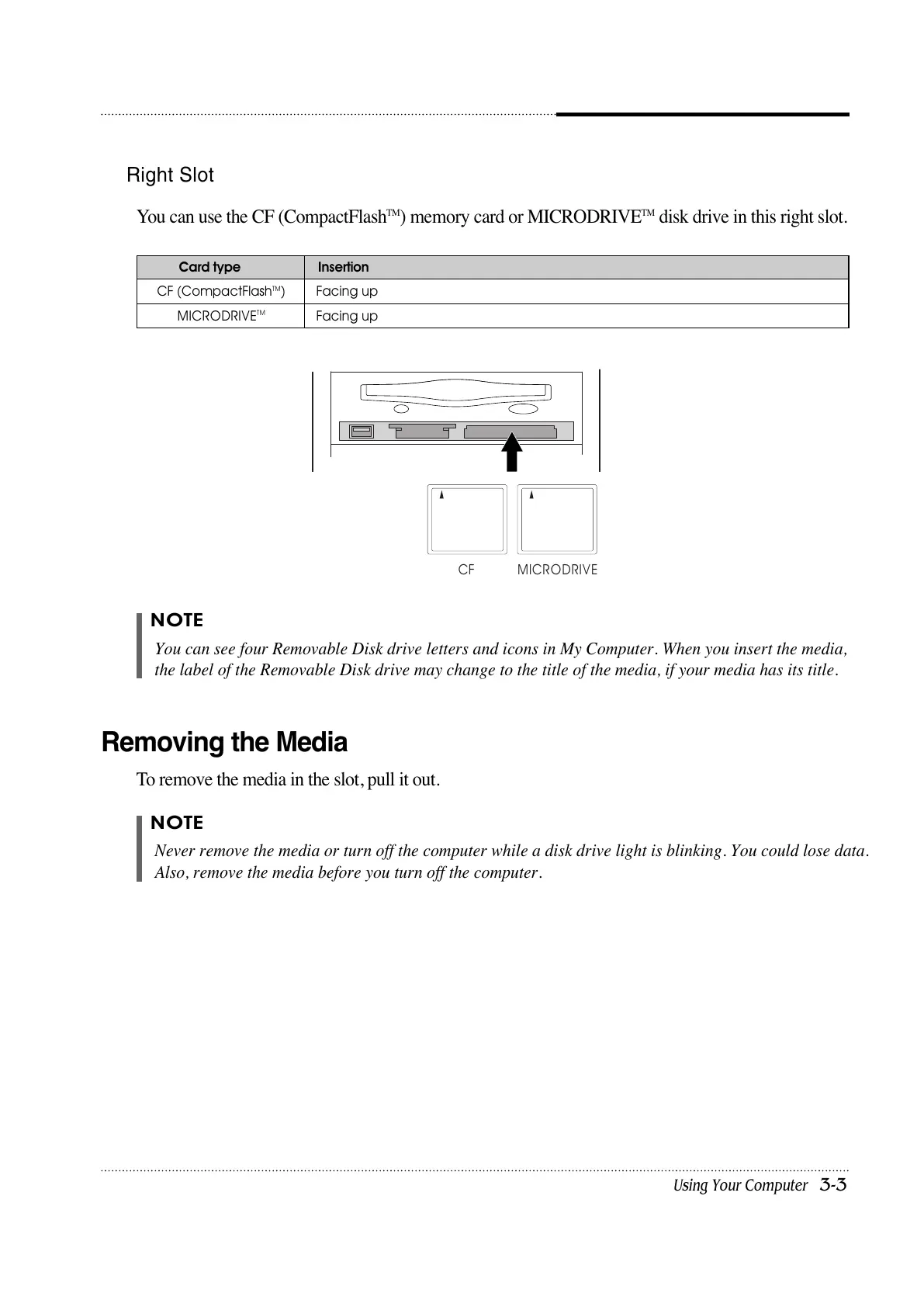
Right Slot
You can use the CF (CompactFlash
TM
) memory card or MICRODRIVE
TM
disk drive in this right slot.
Facing up
Facing up
CF (CompactFlash
TM
)
MICRODRIVE
TM
Card type Insertion
Removing the Media
To remove the media in the slot, pull it out.













 To Next Page