4-6
Installing and Removing Drives
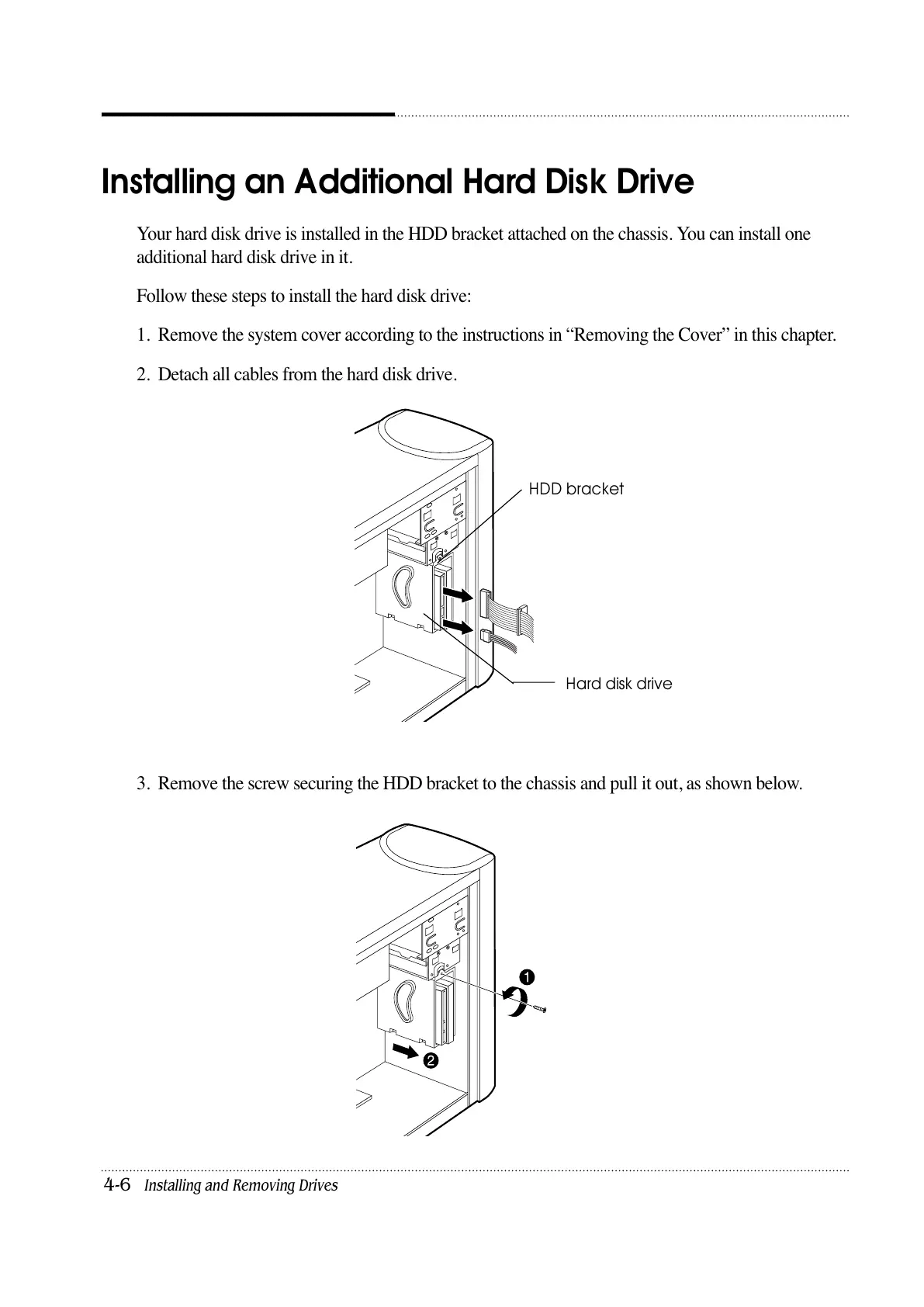
Your hard disk drive is installed in the HDD bracket attached on the chassis. You can install one
additional hard disk drive in it.
Follow these steps to install the hard disk drive:
1. Remove the system cover according to the instructions in “Removing the Cover” in this chapter.
2. Detach all cables from the hard disk drive.
3. Remove the screw securing the HDD bracket to the chassis and pull it out, as shown below.
Installing an Additional Hard Disk Drive
HDD bracket
Hard disk drive













 To Next Page