4-8
Installing and Removing Drives
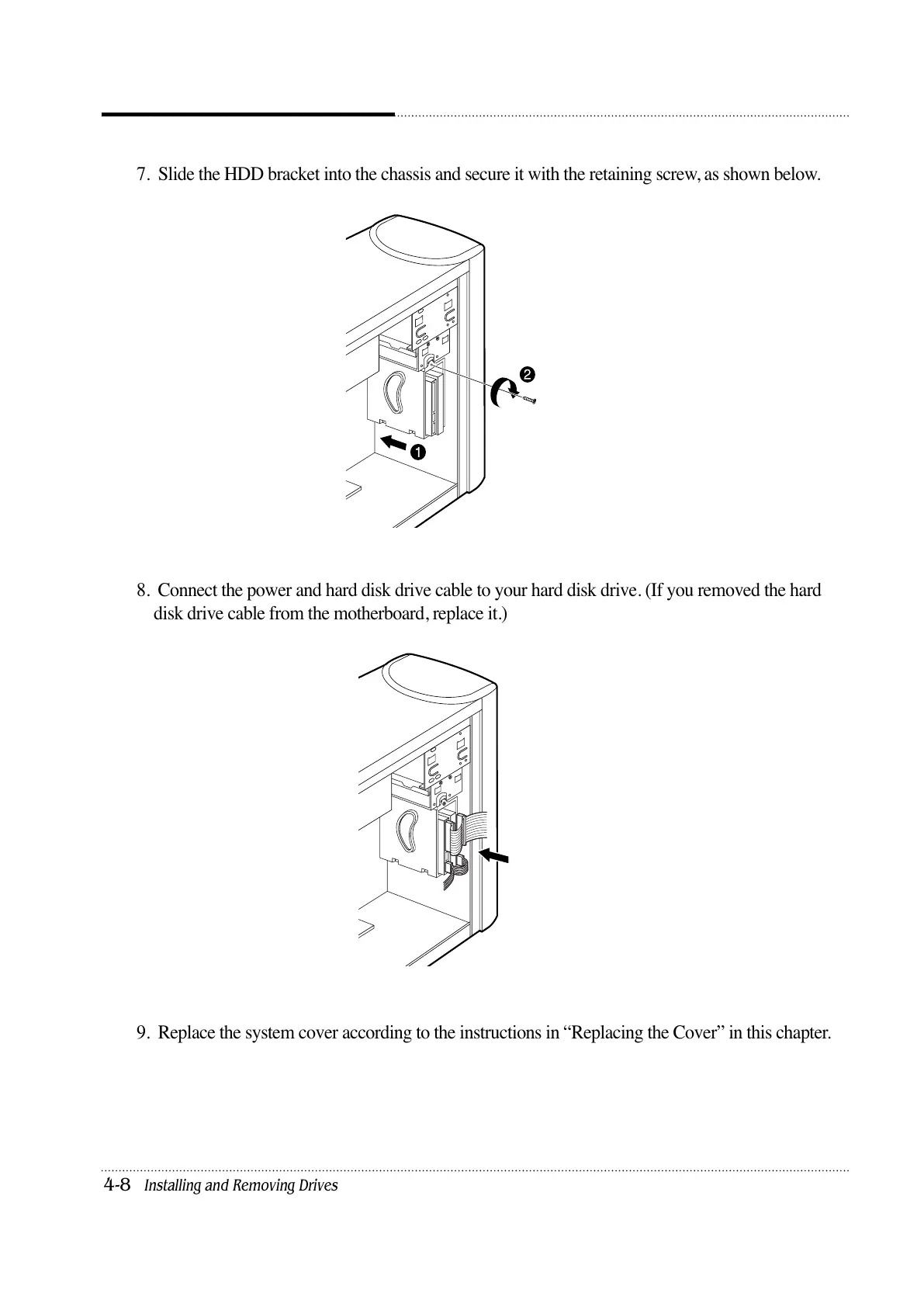
7. Slide the HDD bracket into the chassis and secure it with the retaining screw, as shown below.
8. Connect the power and hard disk drive cable to your hard disk drive. (If you removed the hard
disk drive cable from the motherboard, replace it.)
9. Replace the system cover according to the instructions in “Replacing the Cover” in this chapter.













 To Next Page