4-12
Installing and Removing Drives
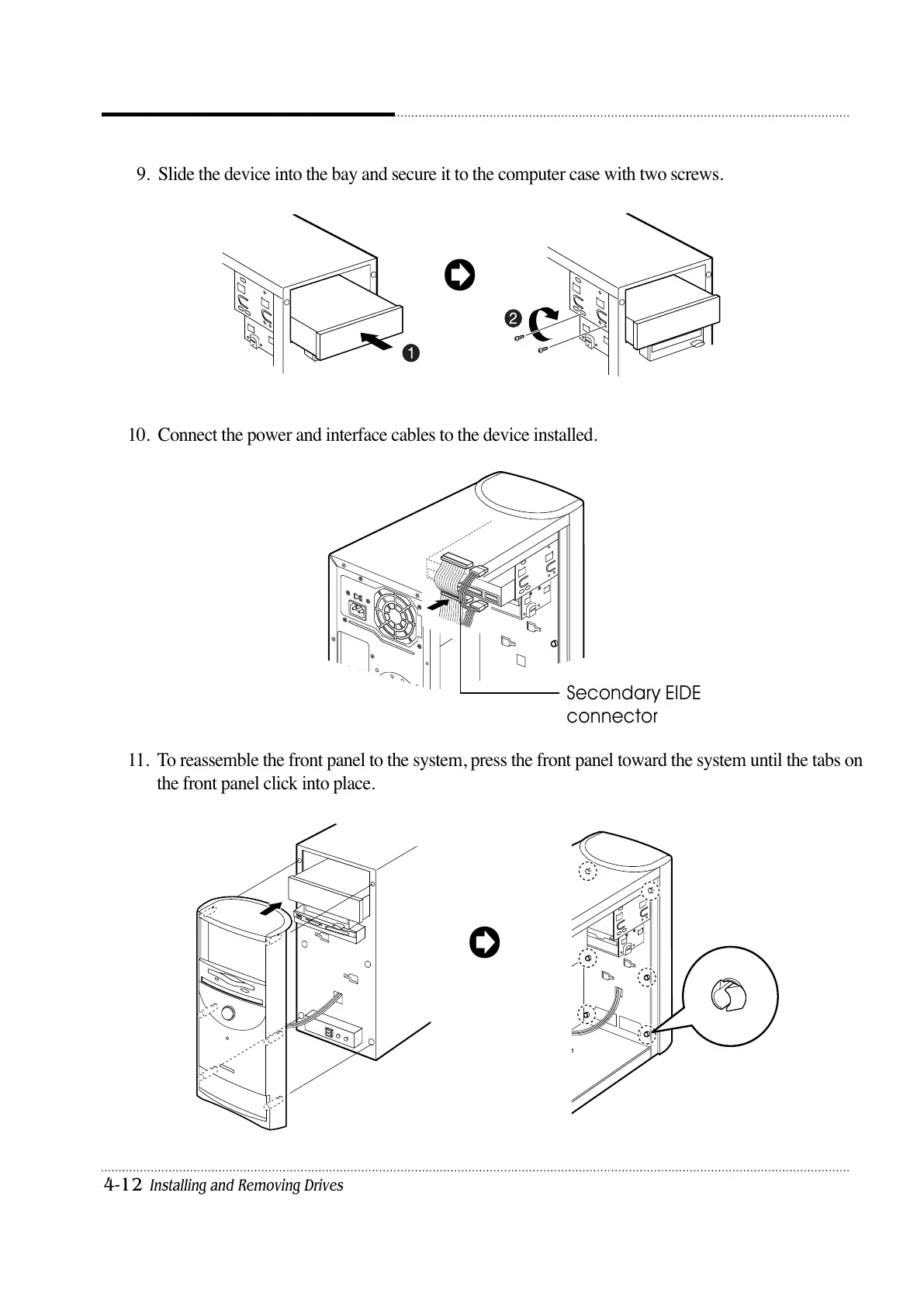
9. Slide the device into the bay and secure it to the computer case with two screws.
10. Connect the power and interface cables to the device installed.
11. To reassemble the front panel to the system, press the front panel toward the system until the tabs on
the front panel click into place.
Secondary EIDE
connector













 To Next Page