32
Reset/Restore
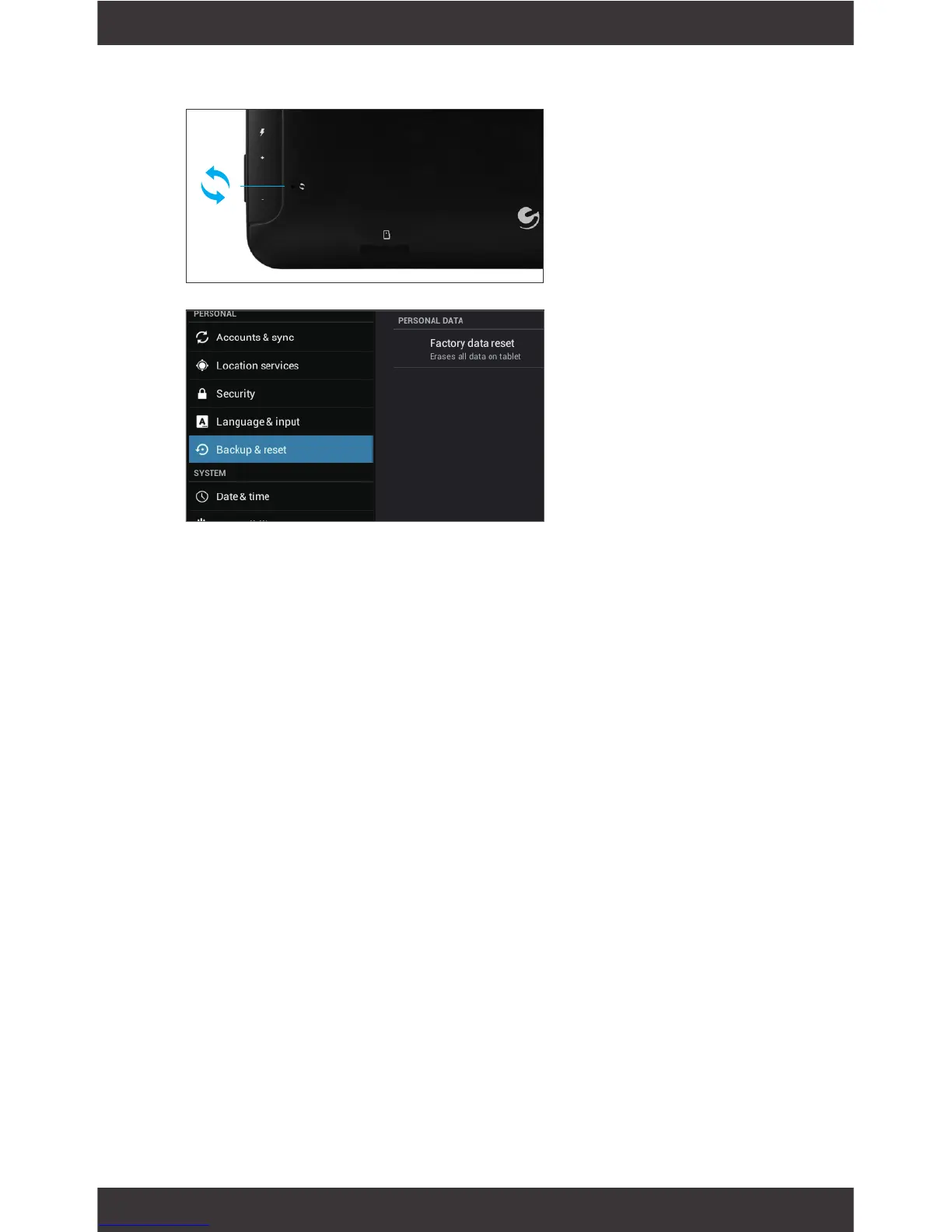
Reset Device
Reset the device
by pressing the
button with a
small object such
as a paperclip.
Factory Restore
Select Backup &
reset in the settings
app to restore fac-
tory settings. This
will erase all data
on the tablet.
Factory restore if locked out of the tablet
If you forget your PIN or Password, or the tablet is
stuck in a boot loop you can perform a factory reset.
For detailed instructions on how to do this visit
ematic.us and go to this product’s page. Click on
the support tab and download the appropriate pdf
instructions.



 To Next Page