Understanding Your FunTab | 18
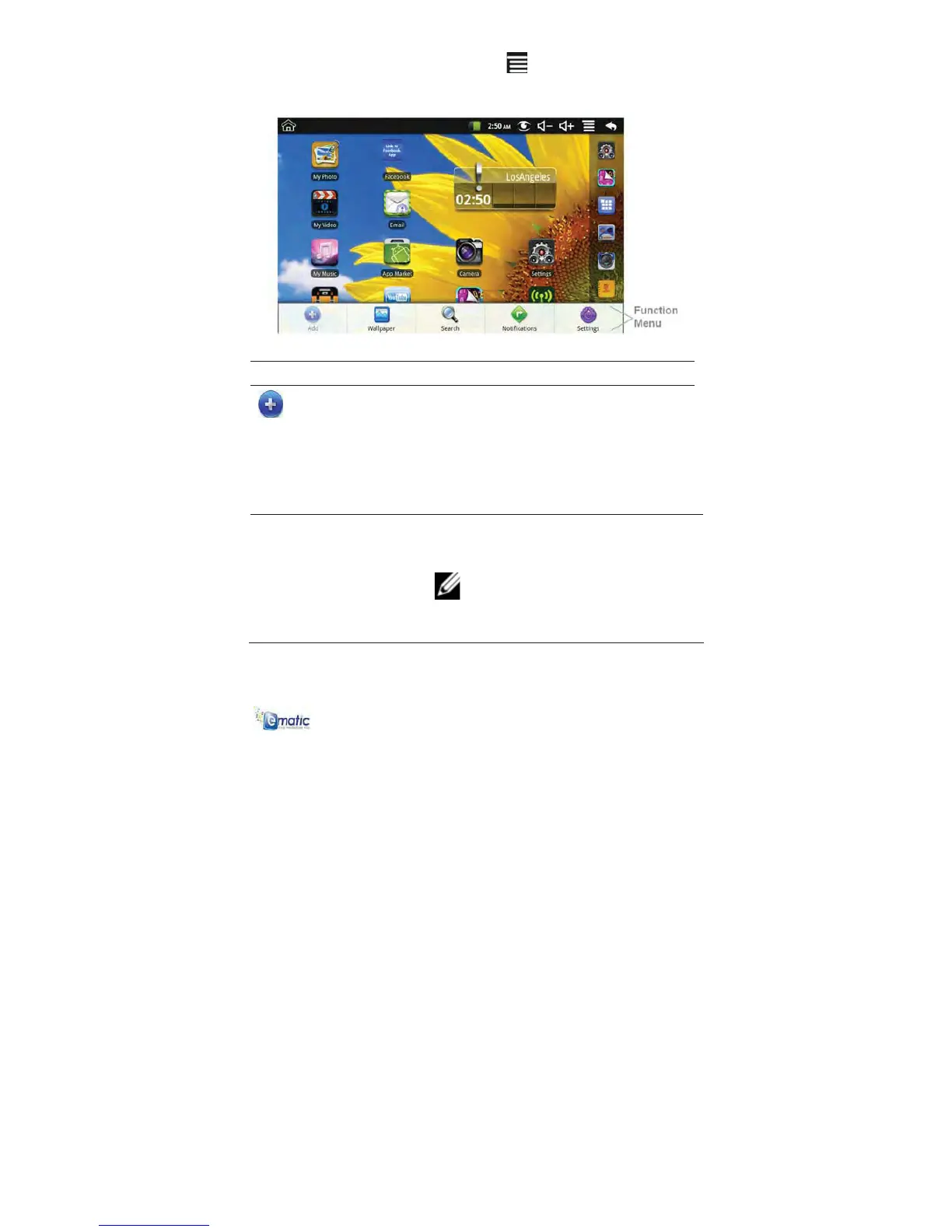
HOMEFunctionMenu
On the HOME screen, tap the INDEX icon to display the Function
Menu:
Function Description
Add
The viewable portion of the HOME screen
allows only 16 icons.
To add more items to a full HOME screen:
1 Finger slide the screen horizontally
to expose available space.
2 Tap the ADD button.
Shortcuts
Add quick-launch shortcuts on the HOME
screen to applications, bookmarks, or
settings.
NOTE: If you select items that are
shortcuts already on the HOME
screen, they will be duplicated, resulting in
multiple icons for the same item.



 To Next Page