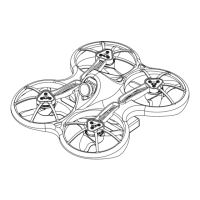
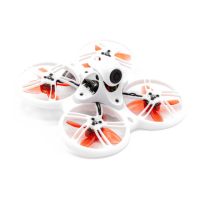
Nighthawk Pro
www.emaxmodel.com
15
①Power Input. Support 2-4S Lipo battery (To ensure flight safety, use 5-6inches propellers for 3S battery and 5 inches
propellers for 4S battery).
②Power Output. Supply external power for LED, Video TX, etc..
③Power Output Switch. Control power output and output voltage is the same as input voltage (Default set to OFF)
④FPV Camera Connector. Please use filter to reduce video signal noise when power and signal are connected.
⑤Micro USB Connector. Use micro USB cable to upgrade and configure flight controller.
⑥ESC Switch. When ESC switches to OFF, single ESC testing, calibration and program can be performed through ESC
inspection connector. When ESC switches to ON, copter can flight normally. (Default set to ON)
⑦ESC Inspection Connector. Connector are set to GND, +5V,M1, M2, M3
, M4 ESC signal. When ESC switches to
OFF, single ESC testing, calibration and program can be performed through this connector. (Please refer to Appendix -
ESC Calibration)
⑧Buzzer Connector. (Please refer to Appendix - Buzzer)
⑨LED Indicator. Starting from the right, Blue LED-Power Indicator, Red LED-Mode Indicator and Green LED-Status
Indicator.
⑩Bootloader Pads. Bootloader pad is used for firmware update (Please refer to Appendix - Bootloader Mode).
⑪Battery Inspection Port. If buzzer is connected, buzzer will sound when minimum cell voltage is reach. (Please refer
to Appendix - Low Cell Voltage Monitoring)
⑫RC Input Connector/GPS Connector. For CPPM receiver, CH1 is CPPM receiver signal pin. From right: GND,
+5V,CH1(AIL), CH2(ELE), CH3(THR), CH4(RUD), CH5(AUX1), CH6(AUX2)
If GPS feature is enable, CH3 and CH4 are GPS Signal Pin(CH3:TX,CH4:RX). If using CPPM receiver, CH5 and
CH6 are not used. If use standard receiver, CH1 (AIL), CH2 (ELE), CH5 (THR), CH6 (RUD).
⑬SWD Port.
⑭Sensor Board. Include gyro, compass and accelerometer expansion port.
⑮Motor Connector. M1 - M4 Motor Connector
ESC Instruction
Nighthawk Pro is using EMAX 12A All in one ESC. For more info, please visit "
http://www.yinyanmodel.com/en/DownList.asp " to download manual.
Note: To calibrate single ESC, make sure to switch ESC SWITCH to OFF (Please refer to Appendix - ESC Calibration)
Flight Controller Instruction
Nighthawk Pro flight controller is based on NAZE Skyline32 hardware. For more info, please visit
"http://www.yinyanmodel.com/en/DownList.asp" to download manual or search NAZE flight controller on the web.
Transmitter Joystick Command
Transmitter Joystick Command (Mode 2 transmitter as example below)


 To Next Page