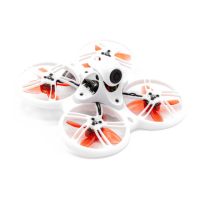
Tinyhawk III Plus
(2) Changing VTX Settings via Betaflight OSD
The Tinyhawk III Plus comes equipped with SmartAudio, which is pre-configured
for your convenience. The analog video transmitter (VTX) SmartAudio is on
UART2 TX, and the digital video transmitter SmartAudio is on UART1. To change
VTX settings, follow these steps:
1. Power on the Tinyhawk III Plus, Transporter II (or Transporter II HD), and
E8 Transmitter.
2. Follow the on-screen prompts to access the main setup menu. Keep the
throttle centered, yaw to the left, and pitch up (THROTTLE MID + YAW
LEFT + PITCH UP) to enter the OSD parameter adjustment menu.
3. In the menu interface, use the pitch (PITCH) control to navigate and
select menu options. Move the cursor to "FEATURES" and use the roll
(ROLL) stick to move to the next menu.
4. Use the pitch (PITCH) stick to move the cursor to "VTX SA." Then, use the
roll (ROLL) stick to enter the VTX configuration menu.
5. In the VTX SA menu, you can configure BAND, CHAN, and POWER
settings. Use the pitch (PITCH) stick to move the cursor up and down and
select the VTX option you want to configure.
6. Once the parameters are set, move the cursor to "SET" and use the roll
(ROLL) stick to enter "SET." Select "YES" to confirm, then use the roll stick
again to save the settings.
7. In the VTX SA menu, move the cursor to "CONFIG" to enter the menu.
Move the cursor to "PIT FMODE," use the roll (ROLL) stick to turn off the
VTX power.














 To Next Page