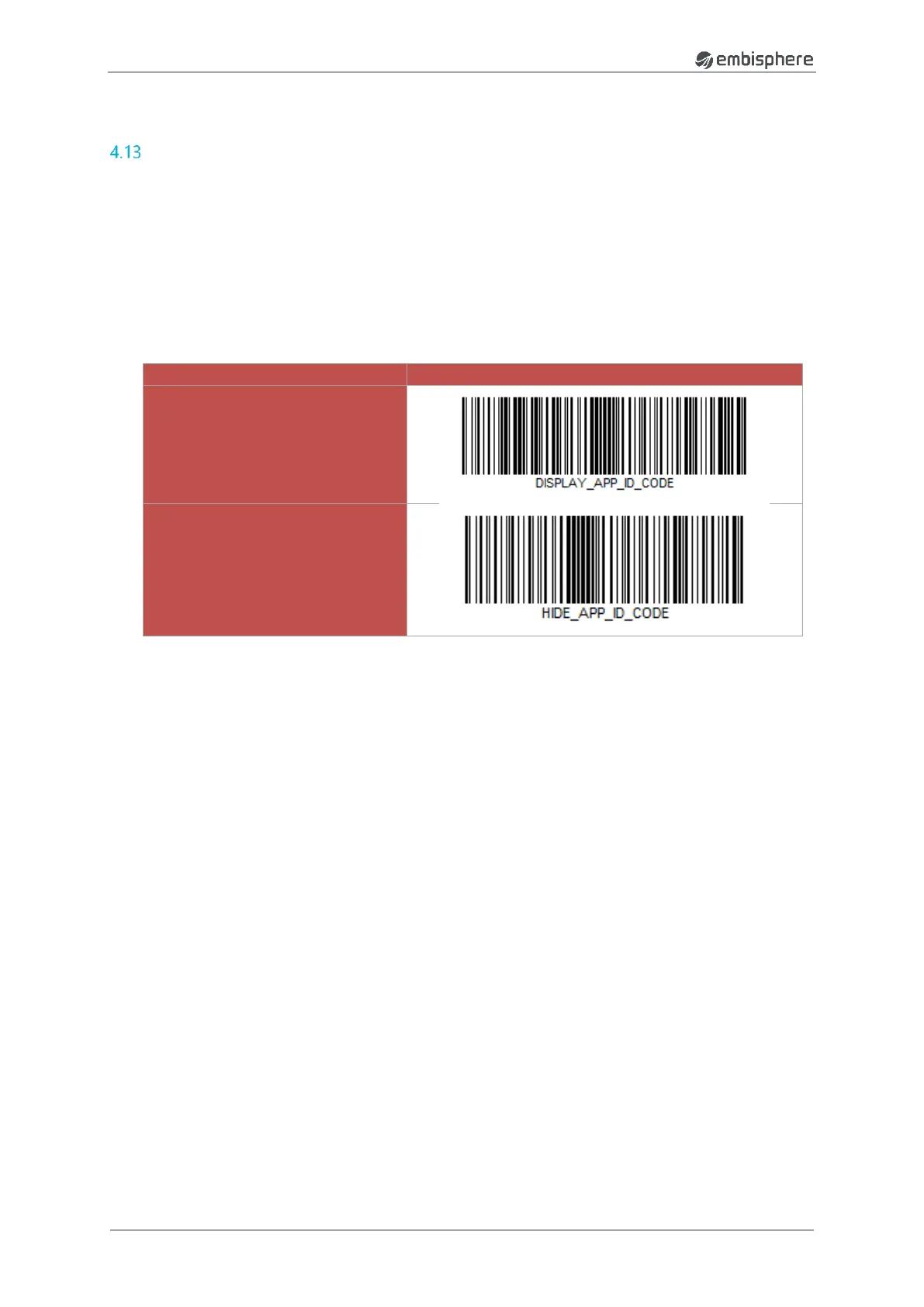
Application Identifier Code configuration
This configuration gives the possibility to manage the display of the Application Identifier Code.
If the Application Identifier Code is activated, the data will be displayed as below:
<EPC>(01)<EAN>(21)<SERIAL_NUMBER>separator<TID> separator <DATA_USER> separator
If the Application Identifier Code is deactivated, the data will be displayed as below:
<EPC>separator<EAN>separator<SERIAL_NUMBER>separator<TID>separator<DATA_USER>separator


 To Next Page