EMC® VNX5300™ Hardware Information Guide
30
EMC® VNX5300™ Hardware Information Guide
Table 18 describes the link/activity and connection speed associated with the SP
Ethernet (RJ-45) port LEDs.
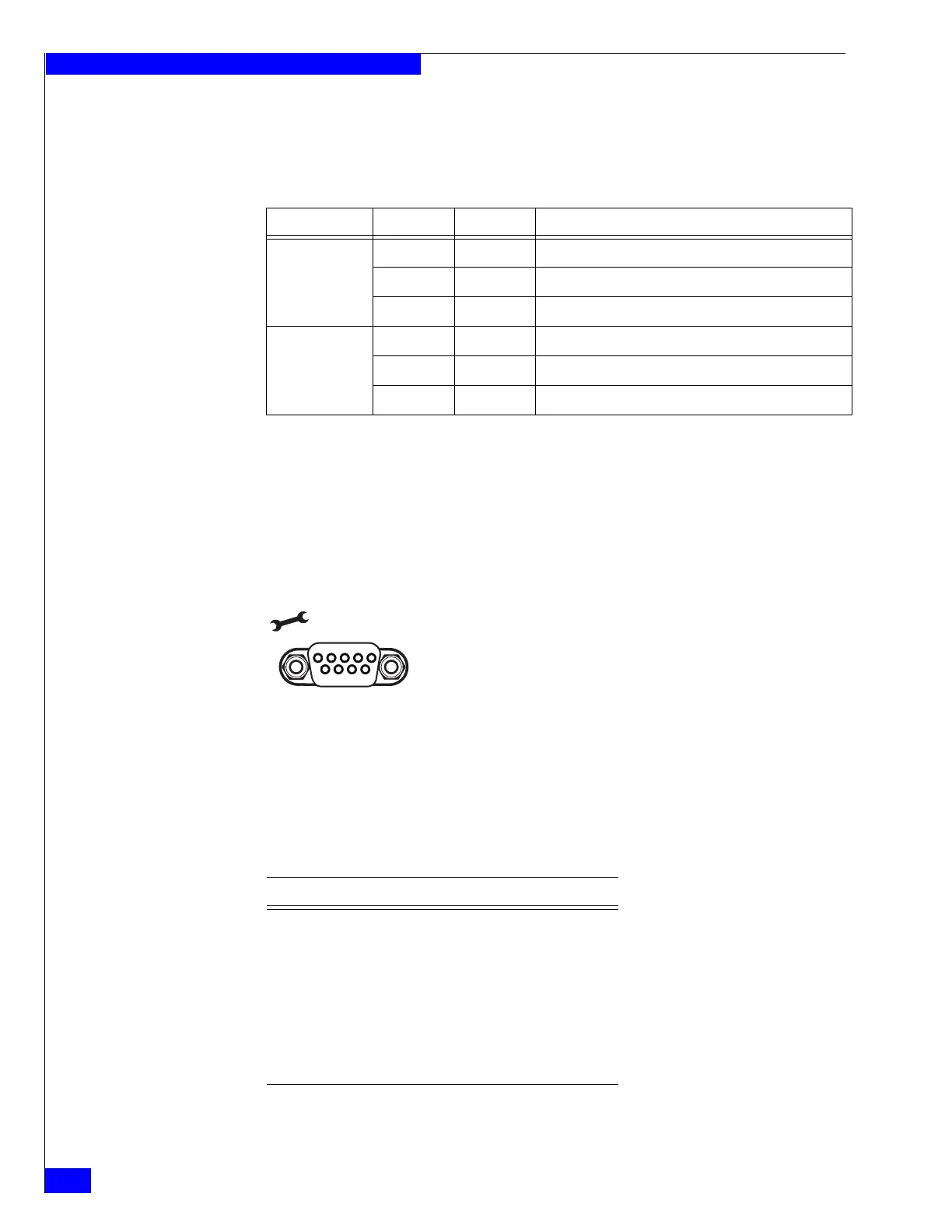
Serial RS-232/EIA 232 (micro DB-9) socket connector
The back of the Block and File VNX5300 platform SP includes a standard serial
Electronics Industries Association (EIA) RS-232 interface (micro DB-9) connector
(labeled with a symbol depicting a wrench on the upper left) to connect to a PC or
service laptop computer. This serial connector (port) allows you to access the SP
locally by connecting a terminal—either a PC running terminal-emulation software
or an ASCII terminal—to the port.
Notice the orientation of the pins shown in Figure 26.
Figure 26 Serial RS-232/EIA 232 (micro DB-9) connector (socket) for service laptop
Table 19 lists the SP serial RS-232/EIA 232 (micro DB-9) pin signals used on the
connector.
Table 18 Network management and service laptop Ethernet (RJ-45) port LEDs
Led Color State Description
Left, link
(location 1)
Green On Network/link connection
Green Blinking Transmit/receive activity
— Off No network/link connection
Right, link speed
(location 2)
Green On 100-Mb/s connection
Amber On 1000-Mb/s (or 1-Gb/s) connection
— Off 10-Mb/s connection (if left LED is on or blinking)
Pin 1
5
6
9
VNX-000079
Table 19 Serial RS-232/EIA 232 (micro DB-9) connector (socket) pinout
DB-9 Pin Signal Description
1 CD Carrier detect
2 RXD Received data
3 TXD Transmitted data
4 DTR Data terminal ready
5 GND Ground
6 DSR Data set ready



 To Next Page