DIGITAL CONDUCTIVITY METER
The information contained in the accompanying document is proprietary and confidential, and
may not be copied in any manner whatsoever without prior written consent of Emcee
Electronics, Inc. The document and the material therein may not be used for any purpose other
than that intended by Emcee Electronics, Inc.
COPYRIGHT 2005 EMCEE ELECTRONICS, INC.
REVISION DATE: October 23, 2014
Page 7 of 11
7. CHECK OPERATIONAL PERFORMANCE
7.1 Zero Check
7.1.1 With the probe out of the sample to be tested, depress the pressure sensitive
switch once and then again when EMCEE is displayed.
7.1.2 The display will scroll through the test operation and the new conductivity data
should read “0”. The temperature of the environment will be displayed.
7.1.3 If a number other than “0” is displayed, this probably is an indication that the
probe is contaminated and should be cleaned. (See Paragraph 9. Cleaning
Procedures)
7.2 Over-Range Check – Conductivity is greater than 2K pS/m
7.2.1 Insert the probe into a sample of alcohol (isopropanol), depress the pressure
sensitive switch once and then again when EMCEE is displayed.
7.2.2 At the end of the test period when the LED extinguishes, the display will scroll
through and in lieu of displaying a numerical value for the conductivity the display
will read “OVER” thus indicating that the measurement is over range and the meter is
operating properly.
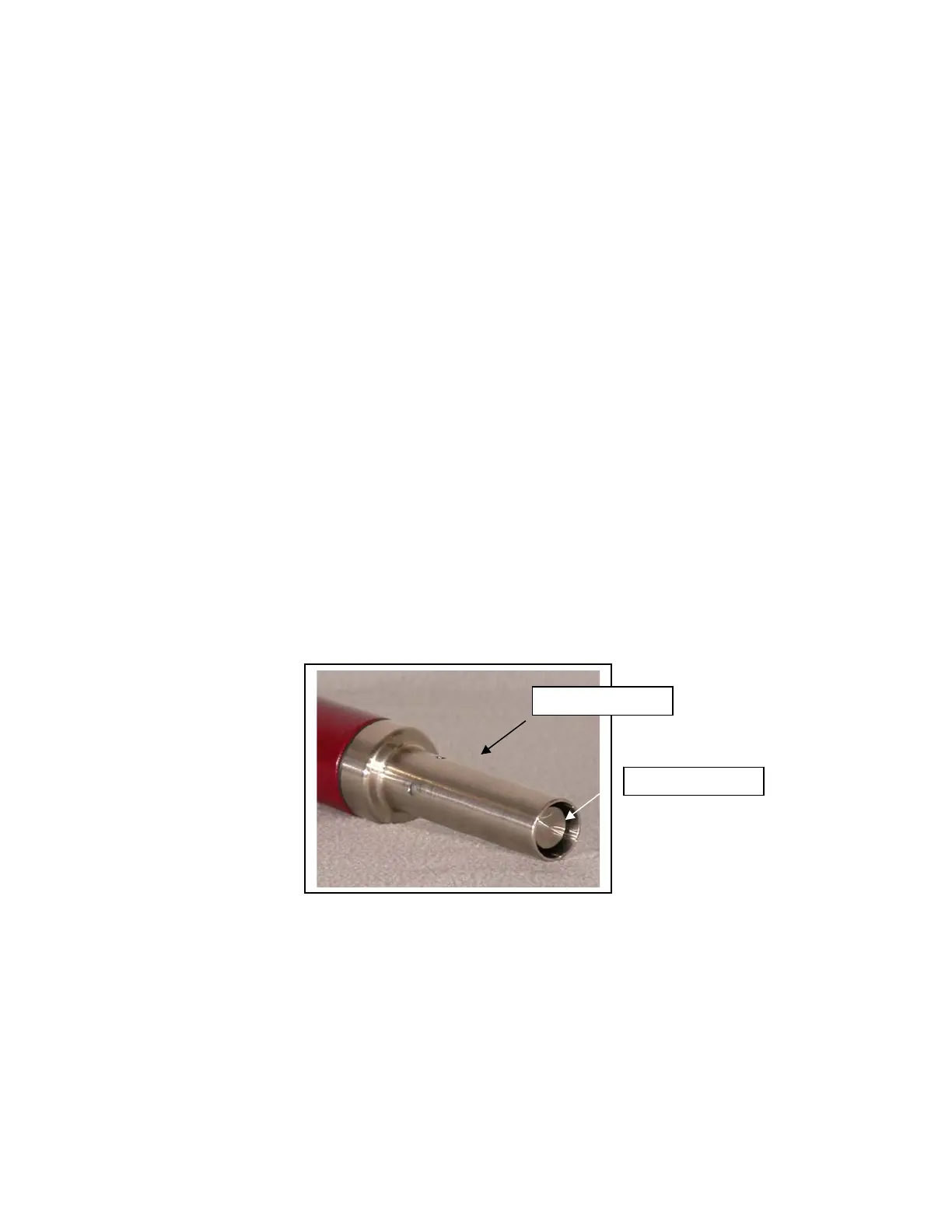
Figure 5 – Inner and Outer Conductors
Outer Conductor
Inner Conductor


 To Next Page