ENGLISH MANUAL (model 4)
6
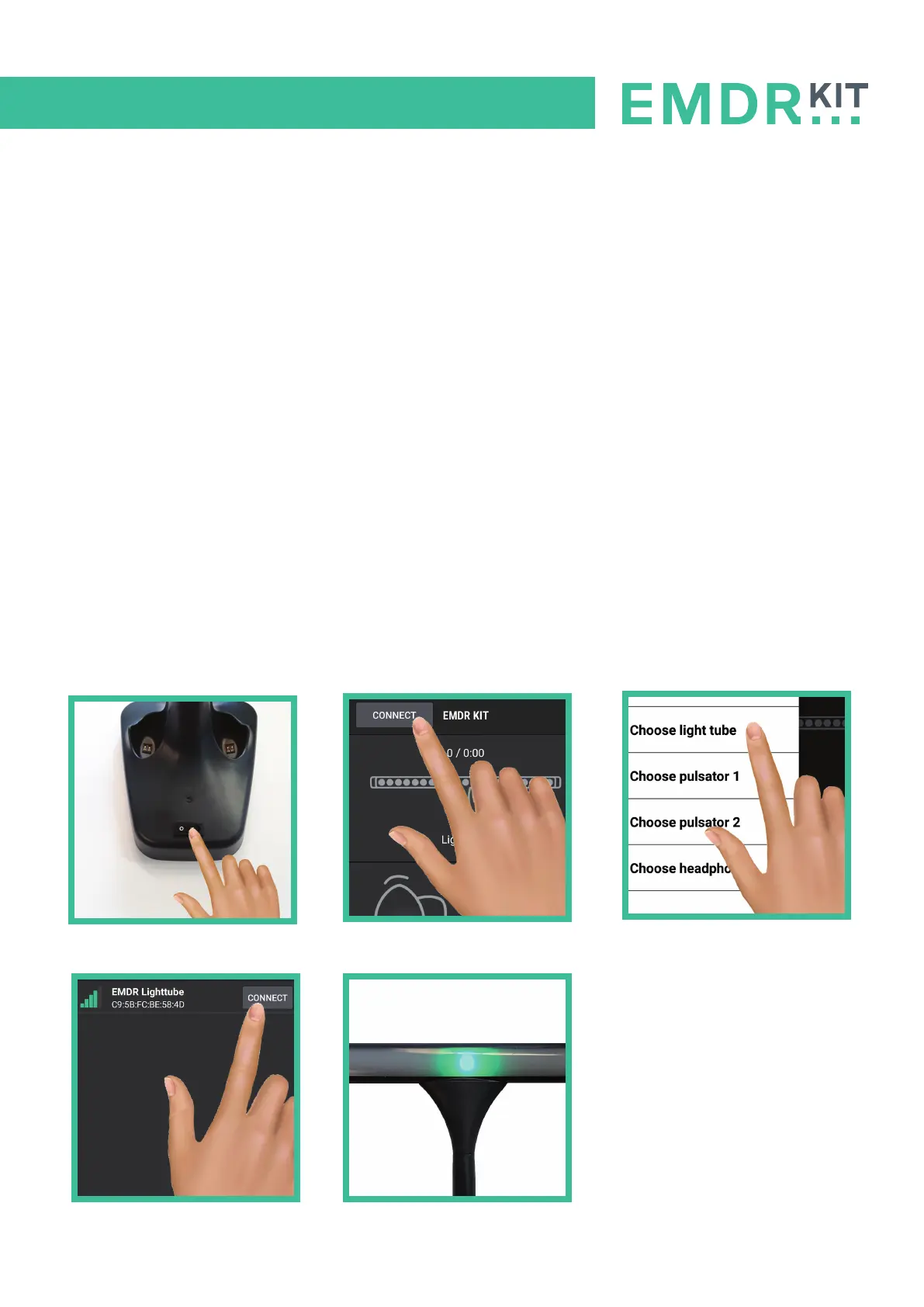
3.1 Connecting the Light Tube
Make sure Bluetooth is turned on on your tablet. When connecting, hold your tablet close to the
Light Tube.
To connect with the Light Tube, follow these steps:
1. Turn the Light Tube ON with the switch that is positioned on the foot of the Light Tube.
The I down means ON and 0 down means OFF.
The Light on the back of the Light Tube will flash blue, indicating that it is ready to connect.
2. Click on the CONNECT button in the top left corner of the screen.
3. Click on the option: Choose Light Tube.
4. Select the Light Tube with the strongest Bluetooth signal (indicated by green bars).
5. The Light Tube is now connected. A luminous dot should appear in the middle of the Light Tube.
3 Setting up connection with the EMDR Kit
1
2
3
4
5


 To Next Page