10
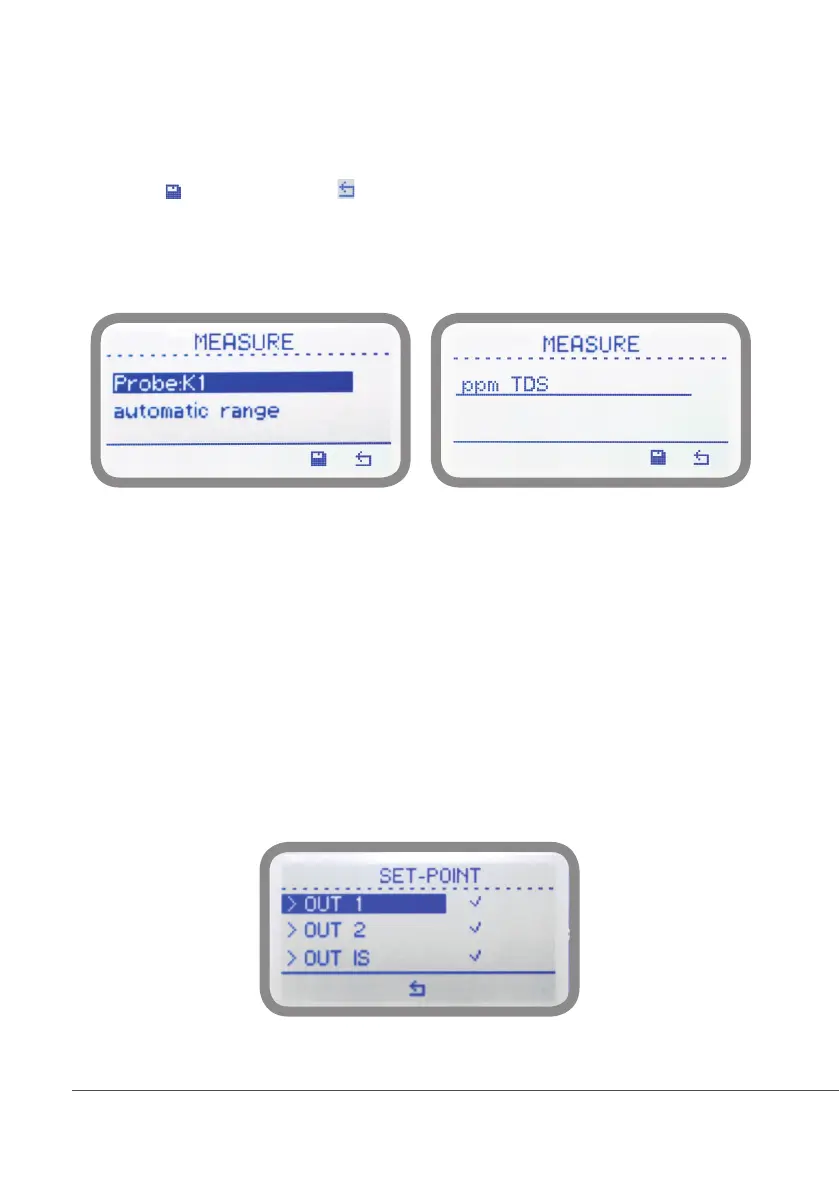
“Settings / Measure” (JA CD / CDIND series only)
According to connected probe the “K” factor can be selected between 1 - 10 - 001 - 01. “Automatic Range” let the controller
automatically set the most suitable scale according to reading range or press the wheel to choose between Ohm - H3PO4
- H2SO4 - HNO3 - HCl - NaOH - NaCl - TDS / PPM - 0-999.9nS - 0-999.9uS - 0-999mS
(see page 22 for more info).
Move cursor on to save changes. Move to for previous menu without saving changes. For “JA CDIND” version the
“automatic range” item is replaced by the working scale selector (ppm TDS: 3000 mS - 300 mS - 30 mS).
Note: these changes must be set according to probe reading capacity. See probe’s datasheet to choose
correct values.
“Settings / Set-Point”
Before to enter setpoint parameters choose which output to configure between OUT 1 and OUT 2 (free contact output
max 2A) and OUT IS (NPN “CD PULSE”. To use with “IS” , “MF” , “PLUS” series dosing pumps max 50mA / 24VDC).
OUT 1 and OUT 2 use the same configuration settings and can ben set operate individually between 3 working
modes: “ON/ OFF” mode, “PROPORTIONAL” mode and “PID” mode.
OUT IS can be set to operate in P/M mode only. (available on “PRO” models only)
Version JA CD Version JA CDIND



 To Next Page