14
“CALIBRATION” (JA CD series)
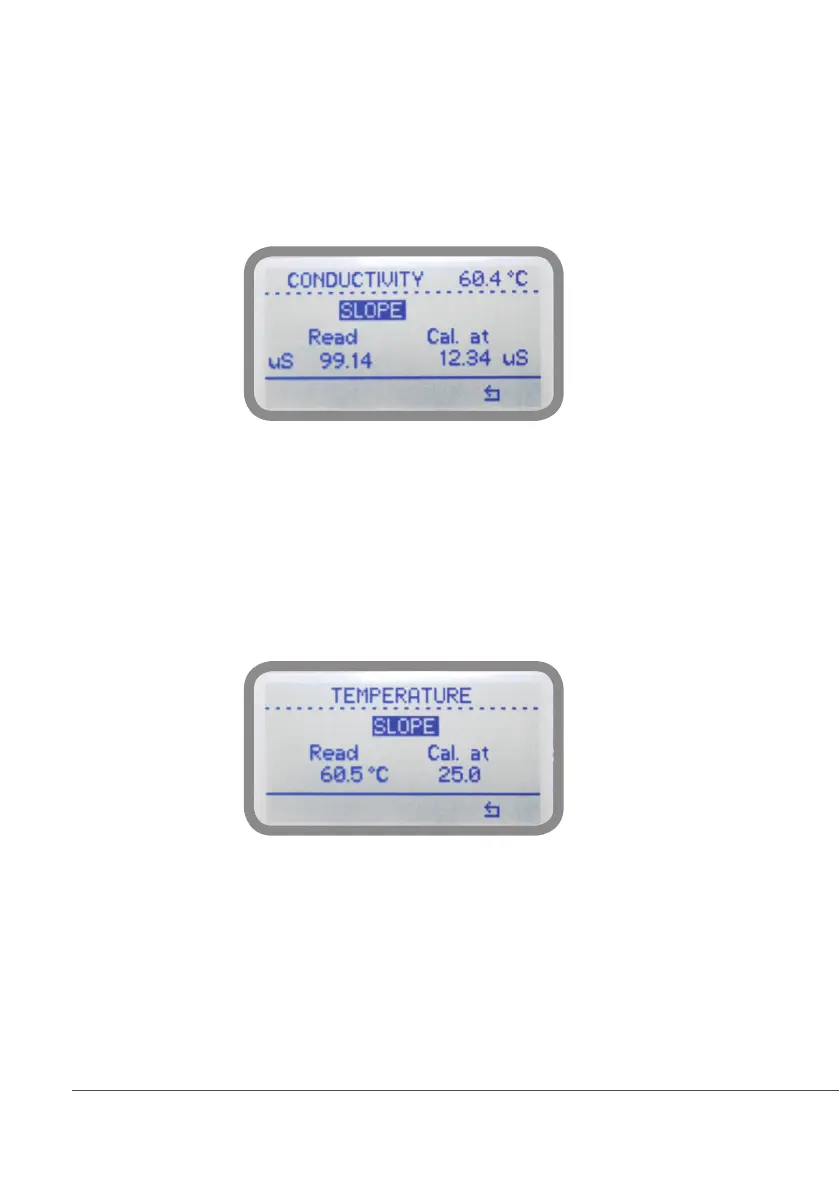
Conductivity calibration procedure involves a “SLOPE” value that requires a buffer solution having a value near the
working range. Calibrate using plant’s temperature otherwise unattended results may occur. Verify probe selection into
“SETTINGS”, “Measure” before to start calibration procedure. Then choose “CALIBRATION” then “CONDUCTIVITY” to
begin calibration procedure.
SLOPE”, dip probe’s head into a buffer solution having value near to real-working value and wait until controller’s reading
is stable then press wheel, enter buffer solution’s value as second point calibration value move the cursor to “check” to
conrm the displayed value. To stop the calibration procedure, select “X”.
Temperature calibration. A professional thermometer is required to obtain a reliable calibration.
Within “CALIBRATION” menu choose “TEMPERATURE”.
Note: This procedure assumes that controller is correctly installed and congured, connected to a working PT100
probe. Calibrate using plant’s temperature otherwise unattended results may occur.
Using an external thermometer to read actual temperature and edit related eld “Cal. at”. Conrm by pressing wheel.
To revert both calibration to previous settings use “RESET CALIBRATION” menu.
To obtain reliable results the controller should be correctly installed, congured and connected to a working probe.



 To Next Page