20
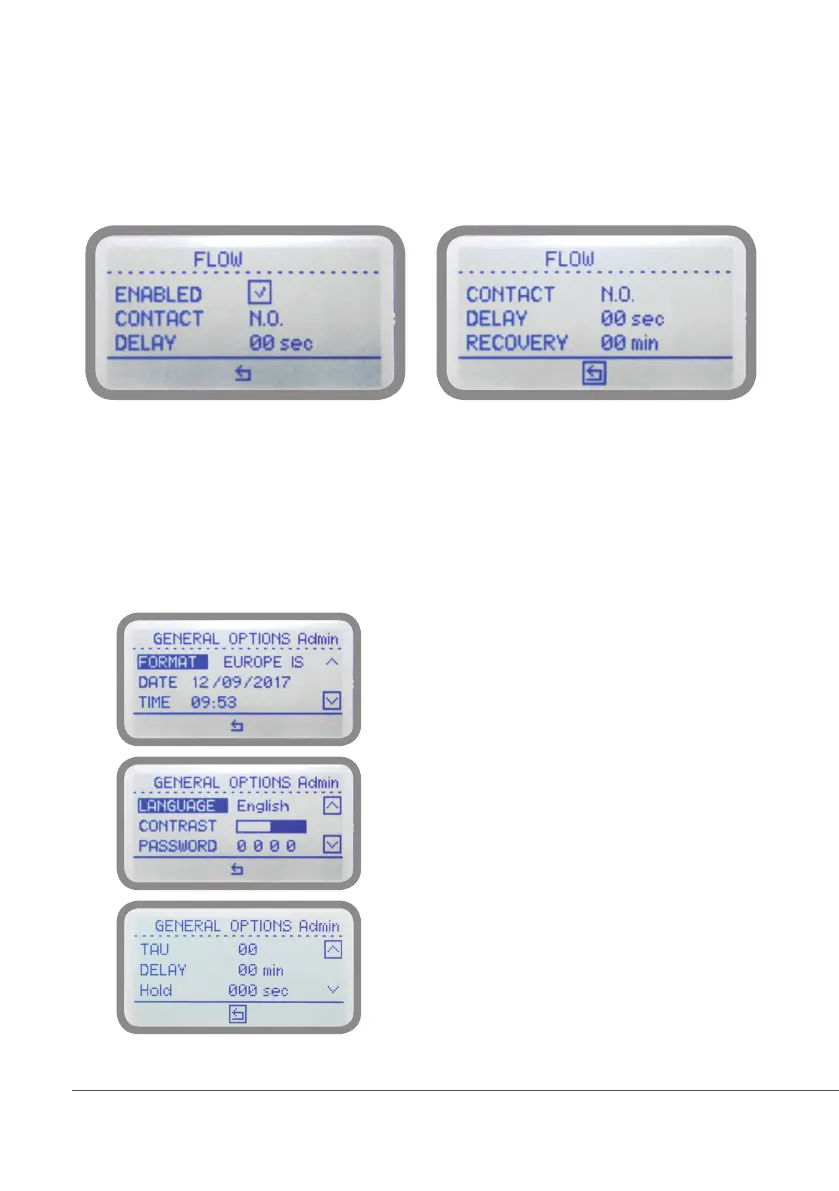
“FLOW”
Flow contact (see “SEPR” blocks on page 4) can be enabled to stop a dosing procedure using a N.O. contact mode
(normally open) or N.C. contact mode (normally closed) when status on blocks changes. Rotate wheel to choose
between: “DISABLE”, “REVERSE” (N.O. contact) or “DIRECT” (N.C. contact). Furthermore “Flow contact” can
starts after a specified time when contact status changes. To set it move wheel on “Delay”, click it and rotate to
choose time (from 0 to 59 seconds). Confirm selection by clicking wheel.
Recovery: once the contact reverts to its previous status and after this specified amount of time (0 to 59 seconds)
the controller switches back to normal activities.
“GENERAL OPTIONS”
Several parameters can be set using this menu such as date, time, language, display contrast, main menu access
password, tau and delay.
FORMAT (units format i.e.: °C, EUROPE or °F, USA)
LOCAL DATE
LOCAL TIME
LANGUAGE (interface language)
CONTRAST (display contrast to increase readability)
PASSWORD (main access password)
TAU (change to increase / decrease readings stability)
DELAY (delay on startup)
HOLD* (when reading becomes unrealiable the
controller start a max 999 seconds countdown,
showing last reliable reading then it continues to
normally operate until it stops and shows *** that is
unattended reading). Set value to 0 to disable function.
*available on JACD & JACD PRO models only



 To Next Page