6
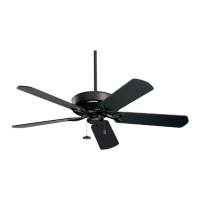
ETL Model No.: CF788
3. Ceiling Fan Assembly (Continued)
3.5
Remove and retain the Three Switch Housing Mounting
Screws (Figure 5) from the Switch Housing Plate.
Tuck the Blue and White Fan Wire carefully under the
Switch Housing Cover, as shown in Figure 5.
SWITCH
HOUSING
ASSEMBLY
#8-32 x 12mm FLAT HEAD SCREW (3)
Figure 5
To reduce the risk of personal injury, do not bend
the blade flange when installing the blade flanges,
balancing the blades or cleaning the fan. Do not insert
foreign objects in between rotating fan blades.
WARNING
!
MOTOR HUB
ASSEMBLY
1/4-20 x 14mm CAPTIVE
PAN HEAD SCREW
(2 per blade/flange assembly)
MOTOR HUB
NOTCHED AREA
Figure 4
3.4
Loosely attach One Blade/Flange Assembly to the
Motor Hub by securing the Two 1/4-20 x 14mm Captive
Pan Head Screws. Make sure the Screws are NOT
tightened (Figure 4). Repeat this procedure for other
Four Blade Assemblies.
The Blade Flanges have an Interlocking feature that
must be fully engaged before tightening the Screw.
Make sure all the Flanges are properly engaged and
then tighten the Flange Screws. If one of the Flanges
does not seat properly on the Motor Hub, loosen the
adjacent Flange Screws, re-engage and reseat the
Flanges, then tighten the Screws again.
NOTE: Take care not to scratch fan housing when
installing blades.


 To Next Page
 Loading...