EasyManua.ls Logo

Emerson CORESENSE - User Manual

Emerson CORESENSE
19 pages
Print Icon
To Next Page IconTo Next Page
Loading...
1
© 2018 Emerson Climate Technologies, Inc.
P
AE8-1384 R6 March 2018
CoreSense™ Communications for 20 to 40 Ton
Copeland Scroll™ Air Conditioning Compressors
TABLE OF CONTENTS
Section Page
Safety
Safety Instructions. ...................................................... 2
Safety Icon Explanation. .............................................. 2
Instructions Pertaining to Risk of Electrical
Shock, Fire, or Injury to Persons .................................. 3
Safety Statements. ...................................................... 3
Introduction
Overview ...................................................................... 4
Features ...................................................................... 4
Application Usage ....................................................... 4
Part Numbers .............................................................. 4
Agency Recognition .................................................... 4
Product Specifications ................................................. 4
Installation
Mounting ...................................................................... 4
Terminal Description and Basic Field Wiring. .............. 4
Dielectric (Hipot) Testing .................................................. 5
Operation
Warning Codes ............................................................ 5
Alert/Lockout Codes .................................................... 5
Resetting Alert Codes ................................................. 6
Section Page
Commissioning
Communications .......................................................... 6
DIP Switch Configuration ............................................ 7
Jumper Setting. ........................................................... 7
PC Interface Software. ................................................. 7
Service
Field Service ................................................................ 8
Troubleshooting ........................................................... 8
Tables
Module Part Numbers .................................................. 9
Module Specifications ................................................. 9
Accessory Parts .......................................................... 9
Modbus Map ......................................................... 10-12
DIP Switch Purpose ................................................... 13
LED Flash Code Information ................................ 13-14
Figures
Terminal Box Wiring Diagrams ................................... 15
CoreSense Communications Module Photo. ......... 16
Thermistor Circuit Cable ............................................ 16
Modbus Addressing ................................................... 17

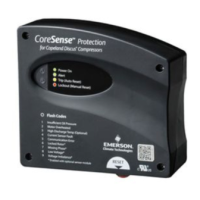
Other manuals for Emerson CORESENSE

Questions and Answers

  • A
    Amanda ClarkJul 27, 2025
    What to do if communication between master controller and CoreSense module is problematic in Emerson Air Conditioner?
    • Y
      yvonne05Jul 28, 2025
      To restore communication between the master controller and the CoreSense module in your Emerson Air Conditioner, try reversing the polarity. This should re-initiate the communication process.
  • X
    xburtonAug 3, 2025
    What to do if my Emerson CORESENSE shows a communication error?
    • J
      john50Aug 3, 2025
      If you are experiencing a communication error with your Emerson Air Compressor, it could be due to a loss of communication between the CoreSense™ control module and the rack controller. Check if there is a communication network. If not, set the network dip-switch to 'stand-alone' and press reset. Alternatively, the communication loss could be between the CoreSense™ control module and the sensor module. In this case, verify that the communication harness is properly connected to both the CoreSense™ module and the sensor module.
  • S
    Sherry WeberAug 9, 2025
    Why does my Emerson CORESENSE have a missing phase?
    • E
      Elizabeth CoxAug 9, 2025
      A missing phase in your Emerson Air Compressor could be due to loose wiring connections at the terminals inside the compressor T-Box. Verify the voltage supply from the main power buss to resolve this issue. Another cause could be worn-out contactors. Verify the voltage into and out of the contactor, and repair or replace the contactor if necessary.
  • A
    Adam YoungAug 15, 2025
    What to do if my Emerson CORESENSE Air Compressor has a locked rotor?
    • L
      Linda ClaytonAug 15, 2025
      If your Emerson Air Compressor's motor rotor is mechanically seized, verify that the motor voltage is adequate, remaining within +/- 10% of the nominal rated voltage, especially during the starting event.
  • J
    Jesse HuffmanAug 20, 2025
    How to fix connection lost between CT and sensor in Emerson CORESENSE?
    • D
      Diana MooreAug 21, 2025
      If the connection between the CT and sensor is lost in your Emerson Air Compressor, here are a few things to check: * First, verify that the CT connector is properly connected to the sensor module. If it's not, connect the 4-pin current sensor connector into the sensor module. * Second, check for a faulty current sensor by verifying continuity between pin 3 & 4 (closest to the latch) of the current sensing connector. The resistance should be less than 1 ?. If it's greater, replace the current sensing module. * Third, a faulty sensor module could also be the cause. Try replacing the sensor module with a new one.

Summary

Safety Instructions

Safety Icon Explanation

Explains DANGER, WARNING, CAUTION, NOTICE symbols and their meanings.

Safety Instructions and Hazard Warnings

Electrical Shock, Pressurized System, and Burn Hazards

Details safety precautions for electrical, pressurized system, and burn hazards.

Compressor Handling and General Statements

Covers safe compressor handling and general operational safety statements.

Operation and Status Indicators

Alert;Lockout Codes (Red LED Flash)

Details red flash codes for alerts and lockouts.

Commissioning and Configuration

DIP Switch Configuration and Purpose

Explains the function of each DIP switch for module configuration.

Service and Troubleshooting

Modbus Map - Input Registers

Modbus Map - Input Registers (Continued)

Modbus Map - Holding Registers

Modbus Map - Write Registers

DIP Switch and LED Code Information

DIP Switch Purpose and Settings

Explains the function of each DIP switch for module configuration.

Alert;Lockout LED Flash Codes

Alert;Lockout Condition Details and Troubleshooting

Summarizes alert/lockout conditions, thresholds, and troubleshooting steps.

Modbus Addressing Configuration

Emerson CORESENSE Specifications

General IconGeneral
Output Signal4-20 mA
Sensor TypePiezoresistive
Process Connection1/4" NPT
Operating Temperature Range-40°F to 185°F (-40°C to 85°C)
Communication ProtocolHART

Related product manuals