EasyManua.ls Logo

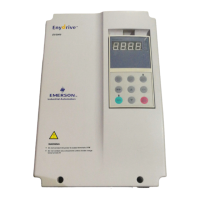
Emerson EV2000-4T0075G/0110P - User Manual

Emerson EV2000-4T0075G/0110P
131 pages
Print Icon
To Next Page IconTo Next Page
Loading...
EV2000 Series Universal Variable Speed Drive
User Manual
Version V3.2
Revision date August 11, 2008
BOM 31011126
Emerson Network Power provides customers with technical support. Users may
contact the nearest Emerson local sales office or service center.
Copyright © 2005 by Emerson Network Power Co., Ltd.
All rights reserved. The contents in this document are subject to change without
notice.
Emerson Network Power Co., Ltd.
Address: No.1 Kefa Rd., Science & Industry Park, Nanshan District 518057,
Shenzhen China
Homepage: www.emersonnetworkpower.com.cn
Customer Service Hotline: +86 755 86010581
Complaint Hotline: +86 755 86010800
E-mail: support@emersonnetwork.com.cn

Table of Contents

Questions and Answers

  • C
    Colleen LewisSep 4, 2025
    What causes IGBT protection to activate in Emerson EV2000-4T0075G/0110P?
    • C
      chanthomasSep 4, 2025
      If the IGBT protections are activated in your Emerson DC Drives, it could be due to several reasons: instantaneous over-current (refer to E001~E003), a short-circuit among the 3-phase output or line-to-ground short circuit (rewiring may be necessary), an obstructed vent or a non-working fan (clean the vent or replace the fan), over-temperature (lower the ambient temperature), loose wires or connectors on the control board (check and rewire), a distorted current waveform due to output phase loss (check the wiring). If the auxiliary power supply is damaged or the IGBT driving voltage is too low, or if there's a short-circuit of the IGBT bridge, or the control board is abnormal, seek service.
  • D
    Dustin JonesSep 18, 2025
    What to do if Emerson EV2000-4T0075G/0110P DC Drives show EEPROM R/W fault?
    • N
      Nicole NguyenSep 18, 2025
      If your Emerson DC Drives are showing an EEPROM R/W fault due to a R/W fault of control parameters, press STOP/RESET to reset.
  • S
    Stephanie WilsonSep 16, 2025
    Why is the contactor not closing in my Emerson EV2000-4T0075G/0110P?
    • M
      mboydSep 16, 2025
      If the contactor is not closing in your Emerson DC Drives, it could be due to low AC supply voltage; check the AC supply voltage. The contactor itself might be damaged, so replace the contactor in the main circuit and seek service. A damaged soft start resistor could also be the cause, so replace it and seek service. The control circuit might be damaged, so seek service. Finally, input phase loss can cause this issue, so check the wiring of R, S, T.
  • E
    Emily AliSep 14, 2025
    What should I do if my Emerson EV2000-4T0075G/0110P show emergent stop or external equipment failure?
    • H
      Heather LynnSep 14, 2025
      If your Emerson DC Drives experience an emergent stop or external equipment failure, it could be because STOP is pressed in non-panel control mode; check the definition of STOP function in F9.07 and the operating mode. It could also be because STOP was pressed when the drive is in stall status; check the definition of STOP function in F9.07. The drive will report E015 fault if it is in stall status for 1 minute; set FL.02 and FL.03 properly. If the terminal used for stopping the drive in emergent status is closed, disconnect the terminal if the external fault is cleared.
  • M
    Matthew RobertsonSep 12, 2025
    What causes the drive's control power supply over voltage in Emerson EV2000-4T0075G/0110P DC Drives?
    • G
      gcampbellSep 13, 2025
      If your Emerson DC Drives are showing a drive’s control power supply over voltage, it is due to abnormal AC supply voltage. Check the AC supply voltage or seek service.
  • L
    lisameyerSep 12, 2025
    How do I fix an overheated IGBT module heatsink in Emerson DC Drives?
    • V
      Victoria BarrettSep 12, 2025
      If the IGBT module’s heatsink is overheating in your Emerson DC Drives, it could be due to over-temperature; lower the ambient temperature. The vent might be obstructed, so clean the vent. Alternatively, the fan may not be working, so replace the fan. If none of these resolve the issue, the IGBT module might be abnormal, so seek service.
  • M
    Matthew WalkerSep 9, 2025
    Why is RS232/RS485 communication failing on my Emerson DC Drives?
    • J
      juanhughesSep 9, 2025
      If you are experiencing RS232/RS485 communication failure with your Emerson DC Drives, it might be due to a wrong baud rate setting; set the baud rate correctly. It could also be due to a serial port communication error; in this case, press STOP/RESET to reset, or seek service. Improper settings of alarm parameters can also cause this issue; modify FF.02, FF.03 and FL.12. Finally, check the host PC and the wiring to ensure they are working correctly.
  • S
    Stephen JonesSep 7, 2025
    How to troubleshoot output phase failure in Emerson EV2000-4T0075G/0110P DC Drives?
    • S
      Samantha MillerSep 7, 2025
      If your Emerson DC Drives are showing an output phase failure, it means that one of the phases U, V, or W cannot be detected. Check the drive’s output wiring, the cable, and the motor.
  • B
    Beth MarquezSep 5, 2025
    What to check if Emerson EV2000-4T0075G/0110P show input phase loss?
    • E
      Eileen HenrySep 5, 2025
      If you're experiencing an input phase loss with your Emerson DC Drives, it means that one of the phases R, S, or T cannot be detected. To resolve this, check the wiring and installation, and also check the AC supply voltage.
  • M
    Megan RichardsAug 21, 2025
    How to fix over-current during acceleration in Emerson EV2000-4T0075G/0110P DC Drives?
    • W
      Wayne BlankenshipAug 21, 2025
      If you're experiencing over-current during acceleration with your Emerson DC Drives, it could be due to several reasons. The acceleration time might be too short, so try prolonging it. The V/F curve may not be suitable; in this case, check and adjust the V/F curve and torque boost, or correctly set the motor parameters to ensure normal auto torque boost. If the motor restarts right after stopping, set F2.00 to the “start on fly” function. Also, check the drive’s input AC supply in case of low voltage, or consider that the drive power may be insufficient, and you might need to select a higher power drive.

Summary

Chapter 1 Safety

1.1 Safety Precautions

Critical warnings to prevent personal injury, death, or equipment damage.

1.2 Installation Notes

Essential safety instructions for drive installation.

Chapter 3 Installation and Wiring

3.1 Installation Environment Requirements

Requirements for the installation environment, including temperature, humidity, and clearance.

3.3 Drive Wiring Connections

Safety precautions and guidelines for wiring the drive.

3.3.1 Main Terminal Wiring

Wiring diagrams and recommendations for main circuit terminals and optional parts.

3.3.2 Control Circuit Wiring

Details on control board terminals, jumpers, and wiring for basic operation.

3.4 EMC Compliant Installation Methods

Methods for compliant installation to minimize EMC issues.

3.4.1 Noise Suppression Techniques

Categories of noise and paths for noise propagation in drive systems.

3.4.2 Field Wiring Connections

Guidelines for field wiring of control, input power, and motor cables.

3.4.3 Earthing Procedures

Earthing diagrams and best practices for reducing earthing resistance.

3.4.6 Correct EMC Installation Practices

Dividing installation space into areas and recommended positions.

Chapter 4 Operation Instructions

4.1.1 Drive Control Modes

Defines how the drive receives operating commands via panel, terminals, or host PC.

4.1.2 Reference Selector Options

Details the 6 possible ways to input reference frequency for the EV2000.

4.1.4 Available Operating Modes

Explains the 5 operating modes: Jog, Close-loop, PLC, Multi-step, and Simple operation.

4.2 Operating Instructions

Instructions for operating the drive using the control panel.

4.2.1 Using the Operation Panel

Details on using the LED and LCD operation panels for setup and display.

4.2.2 Key Functions Overview

Description of the functions of the 9 keys on the operation panel.

4.3 Drive Start-up Procedures

Procedures for starting up the drive for the first time.

4.3.2 First-Time Drive Start-up

Step-by-step guide for the initial startup procedure of the EV2000 drive.

Chapter 5 Parameter Introductions

5.1 Basic Operating Parameters (Group F0)

Introduction to basic operating parameters for group F0, including reference frequency and control modes.

5.3 Starting and Braking Parameters (Group F2)

Parameters for controlling the drive's start and braking behavior.

5.8 Terminal Functions (Group F7)

Defines the functions of multi-function input and output terminals, relays, and DO.

5.13 Motor Parameters (Group FH)

Parameters for configuring motor characteristics and auto-tuning.

5.14 Protective Function (Group FL)

Parameters for motor overload protection and over-voltage protection.

Chapter 6 Troubleshooting

Faults and Actions

Lists common faults, their possible reasons, and recommended actions.

Chapter 7 Maintenance

Appendix 1 Parameters

Group F0: Basic Operating Parameters

Details basic operating parameters including reference frequency selection and methods.

Group F2: Starting and Braking Parameters

Parameters for controlling the drive's start and braking behavior.

Group F7: Terminal Function Parameters

Defines the functions of multi-function input and output terminals, relays, and DO.

Appendix 3 Communication Protocol

Emerson EV2000-4T0075G/0110P Specifications

General IconGeneral
BrandEmerson
ModelEV2000-4T0075G/0110P
CategoryDC Drives
LanguageEnglish

Related product manuals