EasyManua.ls Logo

Emerson E300 Series - User Manual

Emerson E300 Series
490 pages
Print Icon
To Next Page IconTo Next Page
Loading...
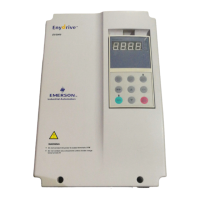
Design Guide
E300 Advanced
Elevator Drive
Model sizes 3 to 7
Dedicated Elevator Variable Speed
AC drive for induction and permanent
magnet motors
Part Number: 0479-0024-01
Issue: 1
www.controltechniques.com

Table of Contents

Questions and Answers

  • T
    Tiffany HintonAug 22, 2025
    Why is there vibration during operation of my Emerson DC Drives?
    • A
      Amanda ColonAug 22, 2025
      Vibration during the operation of Emerson DC Drives can stem from several causes. Incorrectly set speed loop gains (I, P) can cause vibration during any part of the travel. The speed loop gains are split into Start and Travel/Stop sections. Adjust these in Menu I Tuning for both full and no-load conditions. Noise on the position feedback cabling can also lead to unstable control. Ensure good EMC practices regarding cable routing, screen, and terminations. Consider using Drive Encoder Feedback Filter (C09) to limit induced noise. Additionally, high current control loop gains from the autotune process might cause vibration. Manually adjust these gains or implement a current control loop filter. Adjust the current control loop in Menu I Tuning under both full and no-load conditions.
  • T
    Tiffany McdonaldAug 30, 2025
    What causes overshoot during speed changes in Emerson DC Drives?
    • L
      Lindsay LoweAug 30, 2025
      Overshoot during speed changes in Emerson DC Drives can occur if the speed control loop proportional gain is too low. Increase the proportional gain for the Start, Travel, and Stop sections to minimize overshoot under both full load and no-load conditions. Adjust the speed loop P gain in Menu I Tuning. Ensure good EMC practices for the position feedback, as induced noise can limit the achievable control loop gain.
  • P
    Patrick CarrSep 13, 2025
    What causes acoustic noise from Emerson E300 motor/brake during start/stop?
    • J
      Jasmine HopkinsSep 13, 2025
      Acoustic noise from the motor or brake arrangement during start and stop with Emerson DC Drives can be due to the current limit ramp time. During the stop and after brake application, the drive reduces the current limit, slowly releasing the load onto the mechanical brake before disabling the drive. If there's no ramp or the ramp time isn't correct, some noise can occur with certain motors and mechanical brakes. Adjust the Motor Torque Ramp Time (D02).
  • J
    Jon JohnstonNov 16, 2025
    Why does my Emerson DC Drives elevator fail to reach contract speed?
    • J
      Jean EllisonNov 16, 2025
      Several factors can cause an Emerson DC Drives elevator to fail to reach contract speed. The drive might be operating in current limit, which can be checked in Current Limit Reached (L15). Ensure the motor parameters and symmetrical current limit are correctly configured in Menu B Motor. Also, verify the motor load in Total Output Current (J22), inspect for mechanical issues like brake problems or incorrect balance weights, confirm the drive size is adequate, and reduce acceleration/deceleration rates in Menu G Profile if the issue occurs during these phases. The motor's rated speed may be incorrect, limiting output torque. Adjust the rated speed manually to maximize torque in Torque Producing Current (J24) for open loop systems, or use Motor Parameter Adaptive Control (B25) for RFC-A syst...
  • M
    Matthew MartinNov 18, 2025
    What to do if my Emerson DC Drives motor has acoustic noise on drive enable?
    • C
      Calvin OconnellNov 18, 2025
      If your Emerson DC Drives motor is making acoustic noise when the drive is enabled, it could be due to several reasons. First, the drive switching frequency might be incorrect; adjust it in parameters B13 and B14, keeping in mind that increasing the maximum switching frequency could derate the output. The current control loop gains, potentially high after autotune, might need manual adjustment or a filter. Adjust the current control loop in Menu I Tuning under full and no-load conditions. Similarly, the speed control loop gains might need tuning. Adjust the integral gain for standstill noise and reduce the proportional gain during operation. Refer to Menu I Tuning. Wiring issues causing induced noise on the position feedback can also lead to unstable operation and noise. Ensure good EMC pr...
  • B
    brewerkimberlyNov 23, 2025
    How to fix incorrect operating speed or direction of Emerson DC Drives elevator?
    • W
      William HamptonNov 24, 2025
      To resolve incorrect operating speed or direction issues with your Emerson DC Drives elevator, first ensure that the elevator mechanical data is correctly entered, including Nominal speed (m/s), Sheave diameter, Roping, Gear ratio, and Maximum speed, in Menu E Mechanical. Verify that the elevator operating speeds (V1 through V4) are correctly set up in parameters G01 through G04, and that the appropriate control connections are made to the drive's control terminals as per Menu G Profile and Menu F Hardware IO. Check the direction input configuration in Control Input Mode (H11) to ensure it is correctly set up and selected, and verify the motor power and encoder connections for correct rotation. If using a PM motor in RFC-S mode, ensure an encoder phase angle test has been completed as part...
  • J
    Joshua MartinezNov 26, 2025
    What to do if my Emerson E300 DC Drives motor goes into current limit following drive enable?
    • B
      Brandy LeeNov 26, 2025
      If your Emerson DC Drives motor goes into a current limit after enabling the drive, ensure the motor data and symmetrical current limit are correctly set up in Menu B Motor and Symmetrical Current Limit (B16). For PM motors operating in RFC-S, perform an autotune to determine the correct encoder phase angle. Check the position feedback for failures or incorrect connections, referencing Drive Encoder Position (J53) and Drive Encoder Feedback Reverse (C12). If the motor's rated speed “slip” is incorrect in open loop vector or RFC-A modes, manually adjust the rated speed to achieve maximum torque in Torque Producing Current (J24) or use Motor Parameter Adaptive Control (B25). Also, inspect the connections from the drive output to the motor, including the output motor contactors and any shorti...
  • J
    John JohnsonDec 3, 2025
    How to troubleshoot vibration on brake release with Emerson E300 DC Drives?

    Emerson E300 Series Specifications

    General IconGeneral
    BrandEmerson
    ModelE300 Series
    CategoryDC Drives
    LanguageEnglish

    Related product manuals