EasyManua.ls Logo

Emerson Liebert GXT3-3000RT120 - User Manual

Emerson Liebert GXT3-3000RT120
32 pages
Print Icon
To Next Page IconTo Next Page
Loading...
AC Power
For Business-Critical Continuity™
Liebert
®
GXT3-10000T220
User Manual, 10kVA, 50/60 Hz, 120/208/220V
FOR HISTORICAL USE ONLY

Table of Contents

Questions and Answers

  • R
    Ray BeltranAug 2, 2025
    What to do if my Emerson Liebert GXT3-3000RT120 UPS displays an OVERLOAD message?
    • A
      anthonyhallAug 2, 2025
      If the Emerson UPS displays an OVERLOAD message, it indicates that the load at the UPS output exceeds the permissible value. To resolve this, reduce the load to the permissible value.
  • M
    Megan HendricksAug 6, 2025
    Why is the battery run time less than specified on my Emerson UPS?
    • S
      Stephen KingAug 6, 2025
      If the Emerson UPS battery run time is less than specified, consider the following: 1. Ensure the battery breaker is in the ON position. 2. Charge the batteries and test the backup time. If the problem persists, it may indicate defective batteries or a defective charging device.
  • L
    lisawilsonAug 11, 2025
    What to do if the FAULT LED illuminates and the alarm sounds constantly on my Emerson UPS?
    • J
      John TurnerAug 11, 2025
      If the FAULT LED illuminates and the alarm sounds constantly on your Emerson UPS, it could be due to overheating. Try decreasing the ambient temperature.
  • F
    Francisco ThompsonAug 15, 2025
    How to fix no communication between Emerson UPS and PC?
    • J
      Jonathan WilliamsAug 15, 2025
      If there is no communication between the Emerson UPS and your PC, check the following: 1. Ensure you are using the correct serial connection cable, as standard modem/null modem cables are not permissible. 2. Verify that the interface on the PC is not being used by another process or is defective; try selecting a different serial interface. 3. Check for interference on the data cable by laying the cable differently or reinstalling the cabling.
  • S
    Scott WoodardAug 19, 2025
    What to do if Emerson UPS on LED doesn't illuminate and alarm is active?
    • M
      Michelle White PhDAug 19, 2025
      If the Emerson UPS on LED does not illuminate when utility mains voltage is present and the acoustic alarm is active at intervals, the input fuse may be defective, or the input circuit breaker may have tripped. Replace the fuse with one of the same type or switch on the circuit breaker.
  • J
    Jessica KingAug 23, 2025
    Why Emerson Liebert GXT3-3000RT120 on LED does not light up and alarm beeps?
    • G
      gamblechristinaAug 23, 2025
      If the Emerson UPS on LED does not light up, and the alarm beeps sound at intervals, it may indicate that no utility mains voltage is present. Have the utility mains inspected by a qualified technician.
  • P
    Paul BrownAug 28, 2025
    How to troubleshoot no display and no alarm on Emerson Liebert GXT3-3000RT120 UPS?
    • S
      Scott AguirreAug 28, 2025
      If there is no display and no alarm, and the Emerson UPS is switched off, it could be due to several reasons: 1. The utility mains may be switched off; in this case, switch on the utility breaker. 2. There may be no mains voltage present; have the utility mains inspected by a qualified technician. 3. The input fuse may be blown, or the input circuit breaker may have tripped; replace the fuse with one of the same type or switch on the circuit breaker.

Summary

Introduction and System Description

Device Overview

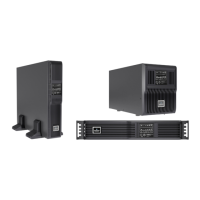
Overview of UPS devices and batteries, including model numbers and nominal power ratings.

Unpacking the UPS and Site Preparation

Inspection

Inspect packaging for damage upon receiving the UPS and notify representative if damage is noted.

Required Setup Equipment

Lists necessary tools like pallet jack, utility knife, and screwdrivers for UPS setup.

Unpacking

Instructions for carefully removing packaging and the UPS from its shipping pallet.

Environmental Conditions

Guidelines for installing the UPS in a controlled environment, specifying temperature and clearance.

Access to Area

Requirements for the installation area to allow for procedures and routine maintenance.

Floor Loading

Ensure the installation floor can support the UPS unit's weight.

Inventory List

Lists the contents included with the UPS, such as software, manuals, and cables.

Installation

Electrical preparations

Steps before installation, including isolating the input source and ensuring the input breaker is off.

Suggested Cable Sizes

Recommended cable sizes (AWG) and terminal torque specifications for UPS connections.

External Protection and Isolating Devices

Requirement for an external 70A disconnect switch upstream of the UPS for protection.

External Electrical Connections

Instructions for accessing and making external electrical connections to the UPS rear panel.

Connecting Utility and Load

Guide for connecting the utility supply to the UPS input terminals and load to output terminals.

Terminal Blocks for UPS

Information on UPS input and output terminal blocks, including bypass connections.

Input and Output Connection Requirements

Detailed requirements for connecting input and output, including grounding and load distribution.

Connecting Power Cables

Steps for connecting power cables, including breaker operations and terminal connections.

External Battery Cabinets

Instructions for connecting external battery cabinets to the UPS, including cable and breaker procedures.

Operation

Block Diagram

Illustrates the main components of the Liebert GXT3-10000T220 UPS system.

Control Panel

Description of the UPS control panel, including LCD, buttons, and LEDs for status monitoring.

Controls and Messages

Explanation of LED indicators (UPS ON, BYPASS, BATTERY, FAULT) and their meanings.

Battery Setup Parameters

Configuration options for battery setup, including internal and external battery quantities.

Warning Indicators

Lists possible warning indicators, their causes, and recommended corrective steps.

Fault Indicators

Details fault indicators, causes, and corrective actions for UPS malfunctions.

Maintenance

Test, Replacement and Disposal of Batteries

Guide for safely replacing and disposing of UPS batteries, including part numbers.

Storage

Instructions for storing the UPS, including environmental conditions and charging procedures.

Cleaning

Method for cleaning the UPS unit using a dry cloth, avoiding liquids or solvents.

Communication

Communication Interface Port

Description of the terminal block on the UPS rear for various signals.

Dry Contact

Details the dry contact pins and their functions, including shutdown signals.

Any Mode Shutdown

Procedure to shut down UPS output by turning off rectifier and inverter via dry contact.

Battery Mode Shutdown

How to shut down the UPS during battery operation using dry contacts.

On Battery

Describes the "On Battery" dry contact signal, which closes when supplying output from battery.

Low Battery

Explains the "Low Battery" dry contact signal, which closes when the low battery warning is active.

Liebert IntelliSlot Communication Cards

Overview of optional IntelliSlot cards for enhanced UPS communication and monitoring.

Liebert MultiLink

Information on Liebert MultiLink software for UPS monitoring and shutdown coordination.

Remote Emergency Power Off

Instructions for connecting the Remote Emergency Power Off (REPO) connector for immediate shutdown.

Troubleshooting

Specifications

Product Warranty Registration

Emerson Liebert GXT3-3000RT120 Specifications

General IconGeneral
BrandEmerson
ModelLiebert GXT3-3000RT120
CategoryUPS
LanguageEnglish

Related product manuals