© 2021 Emerson Climate Technologies Inc.
audible alarms all impact
battery life.
1 MB (32,000 measurements)
Full Memory
Download Time
Approximately 15 Minutes;
may take longer the farther
the device is from the logger
8.8 x 14.6 x 2.5 cm (3.46 x
5.74 x 0.98 inches)
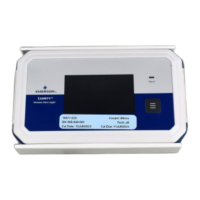
Components and Operations
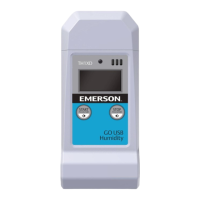
o Multi-function Button
o Press button once to reset Min/Max values and
transmit data to TempTrak. Device will show the
min/max temperatures from the time of reset.
Time and date of last reset will be updated.
o Press and hold the button for 2 to 4 seconds to
enter configuration mode.
o Ch1 & Ch2: Insert probe jacks to measure
temperatures via the probes. The logger will only
show temperatures for connected probes.
o Audible Alarm: device beeps when an alarm is
tripped.
o Alarm LED: LED blinks for 1 min when an alarm is
tripped. Then bell on display blinks for 5 sec.
o Display: Screen shows the latest temperature
reading, min/max temperature since last reset, and
other status information.
Display Icons
An alarm has tripped because the
temperature reading is outside the
specified range.
This shows the approximate
battery power remaining.
Indicates presence of Logger has
Bluetooth radio for configuration /
data retrieval purpose.
Indicates presence of Logger
transmits on 900 MHz frequency
radio
The lowest probe temperature
read by the data logger since the
last reset,
The highest probe temperature
read by the data logger since the
last reset.




 To Next Page