EasyManua.ls Logo

Emerson Lumity E3 - User Manual

Emerson Lumity E3
10 pages
Print Icon
To Next Page IconTo Next Page
Loading...
Document Part # 026-4167 Rev 1 Page 1 of 10
©2021 Emerson Climate Technologies Retail Solutions, Inc. This document may be photocopied for personal use.
Visit our website at http://www.climate.emerson.com/ for the latest technical documentation and updates.
The E3 (P/N 860-1300) is a system that combines energy management
with the ability to monitor various facility systems and provide alerts
when there are issues that need attention. This system provides HVAC
control, Refrigeration System Monitoring and Control, as well as
Lighting Control. In addition, the E3 can monitor and report energy
consumption and take action to reduce the energy demand during peak
periods. This can have a direct impact on utility bills by reducing total
energy costs. E3 ensures that the HVAC and lighting systems are on and
off at the appropriate times. This ability to monitor store conditions can
potentially minimize energy consumption.
Technical Specifications
*Operating Temperature -40°F to 113°F (-40°C to 45°C)
*Tested to UL60730-1 standard
Operating Humidity
Storage Humidity
5% - 95% RH non-condensing at 90°F
5% - 100% RH
24 VAC 24 VAC ±20%, 50/60 Hz, Class 2
Dimensions 12” L x 12.5” W x 3.75 H”
4 RS485 ports COM 1 = RS485-COM2A and RS485-COM2B
COM 2 = RS485-COM6<ISOLATED>
COM 3 = <ISOLATED>RS485
COM 4 = RS485-COM4A and RS485-COM4B
2 Ethernet ports ETH 0, ETH 1
2 USB ports J2, J3
External Pollution Rating All Models: Pollution Degree 3
Rated Impulse Voltage 2500/4000V
Lithium Battery Marking Caution: The cell used in this device may present a fire or chemical burn hazard if mistreated.
Do not disassemble, heat above 212°F (100°C), or incinerate.
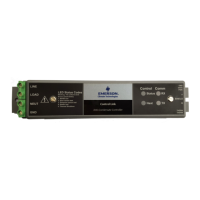
Figure 1 - E3 Controller
Quick Setup Guide
Lumity
TM
E3 Supervisory
Control
Question and Answer IconNeed help?

Do you have a question about the Emerson Lumity E3 and is the answer not in the manual?

Summary

Lumity E3 Supervisory Control Overview

Technical Specifications

E3 Controller Wiring

PIB Board Layout Diagram

Visual representation of the E3 PIB board with key connection points labeled.

Network Connectivity

Ethernet Port Usage

Explanation of ETH 0 for corporate LAN and ETH 1 for direct connection.

RS485 Network Wiring

Guidelines for connecting RS485 devices and network termination rules.

Direct Laptop Connection

Connecting Laptop to ETH 1

Instructions for direct connection of a laptop to the E3's ETH 1 port.

E3 Controller Login and Initial Setup

Initial Login and Password Change

Steps for the first-time login and updating the default password.

IP Address Configuration

Method 1: Direct Connect IP Setup

Procedure to configure the IP address via a direct connection.

Method 2: USB Drive IP Setup

Steps to set the IP address using a USB drive and a network.txt file.

Setup Wizard - Localization

Localization Screen Configuration

Setting language, date, time formats, and engineering units.

System Values Configuration

Setting Site Name and Parameters

Entering the Site Name and other general system properties.

Network Settings Configuration

Configuring Network Interface

Setting host name, text messaging, and email parameters.

Overview

The Lumity™ E3 Supervisory Control (P/N 860-1300) is a comprehensive energy management system designed to monitor and control various facility systems, providing alerts for potential issues and optimizing energy consumption. This device integrates HVAC, refrigeration, and lighting control, offering a holistic solution for managing building environments. Its primary function is to reduce energy demand during peak periods, which directly impacts utility bills by lowering overall energy costs. The E3 ensures that HVAC and lighting systems operate efficiently by turning them on and off at appropriate times, thereby minimizing energy consumption and enhancing operational efficiency.

Function Description

The E3 Supervisory Control system serves as a central hub for facility management, offering robust control and monitoring capabilities. It provides:

  • HVAC Control: Manages heating, ventilation, and air conditioning systems to maintain optimal environmental conditions and reduce energy waste.
  • Refrigeration System Monitoring and Control: Oversees refrigeration units, ensuring they operate within specified parameters, which is critical for businesses dealing with perishable goods. This includes monitoring temperatures, pressures, and other vital signs to prevent spoilage and system failures.
  • Lighting Control: Automates lighting schedules and intensity, ensuring lights are used only when necessary, contributing to significant energy savings.
  • Energy Consumption Monitoring and Reporting: Tracks real-time energy usage across various systems, providing detailed reports that help identify areas for improvement and validate energy-saving initiatives.
  • Demand Response Capabilities: Takes proactive measures to reduce energy demand during peak utility periods, which can lead to substantial cost savings by avoiding peak demand charges.
  • Alerts and Notifications: Generates alerts when system parameters deviate from normal operating ranges or when issues arise, enabling timely intervention and preventing costly downtime.
  • Data Logging and Analysis: Records operational data over time, allowing for historical analysis of system performance, energy trends, and maintenance needs.

The system's ability to monitor store conditions continuously helps in preventing equipment failures and ensuring consistent operational quality. By integrating these functions, the E3 provides a unified platform for efficient and cost-effective facility management.

Important Technical Specifications

The E3 controller is built to operate reliably in a range of environmental conditions and offers extensive connectivity options.

  • Operating Temperature: -40°F to 113°F (-40°C to 45°C), tested to UL60730-1 standard, ensuring performance in diverse climates.
  • Operating Humidity: 5% - 95% RH non-condensing at 90°F.
  • Storage Humidity: 5% - 100% RH.
  • Power Requirements: 24 VAC ±20%, 50/60 Hz, Class 2, indicating compatibility with standard commercial power supplies.
  • Dimensions: 12" L x 12.5" W x 3.75" H, making it a compact unit suitable for various installation environments.
  • RS485 Ports: Four RS485 ports are available for communication with other devices:
    • COM 1 = RS485-COM2A and RS485-COM2B
    • COM 2 = RS485-COM6
    • COM 3 = RS485
    • COM 4 = RS485-COM4A and RS485-COM4B These ports facilitate robust serial communication with a wide array of Modbus-compatible devices, including sensors, actuators, and other controllers.
  • Ethernet Ports: Two Ethernet ports (ETH 0, ETH 1) provide network connectivity for remote access, data transfer, and integration with building management systems.
  • USB Ports: Two USB ports (J2, J3) are included, likely for firmware updates, data backup, or connecting peripheral devices.
  • External Pollution Rating: All Models: Pollution Degree 3, indicating suitability for environments with some conductive pollution or dry non-conductive pollution that becomes conductive due to condensation.
  • Rated Impulse Voltage: 2500/4000V, signifying its ability to withstand transient overvoltages.
  • Lithium Battery Marking: Includes a caution regarding the internal lithium cell, warning against disassembly, heating above 212°F (100°C), or incineration due to fire or chemical burn hazards.

Usage Features

The E3 Supervisory Control system is designed for ease of installation and configuration, with features that streamline setup and ongoing management.

  • Simple Wiring: The quick setup guide provides clear instructions for connecting RS485 communication wires, power connectors, and ground wires. The system uses 50VA P/N 640-0040 transformers for power, which plug into a 120VAC outlet.
  • Intuitive Boot-up: Upon powering on, the unit boots directly to the home screen, allowing for immediate interaction.
  • Secure Initial Login: For the first login, a default username ("user") and password ("pass") are provided. Users are prompted to change this password immediately after logging in, ensuring security.
  • Direct Connect Configuration: The device supports direct connection via Ethernet (ETH 1) to a laptop, PC, or tablet. This allows for configuration through a web browser by entering the device's IP address.
    • Network Settings: Users can configure IP address, subnet mask, default gateway, and DNS servers through the device's web interface or by creating a network.txt file on a USB drive and power cycling the E3.
    • IP Address Change: The system offers two methods to change the IP address:
      1. Direct Connect: Accessing the "Network Settings" through the main menu icon and configuring ETH 0 IP Address.
      2. USB Port: Creating a network.txt file with desired settings (e.g., ETH0_IP=10.212.238.147, ETH0_MASK=255.255.240.0, ETH0_GW=10.212.224.1, W=yes), saving it to a thumb drive, inserting it into the E3's USB port, and power cycling the device.
  • Localization Wizard: The Setup Wizard, which automatically starts if no setpoints have been pre-loaded, guides users through setting up localization data. This includes:
    • Language: Defaulting to American English, but allowing selection of other languages.
    • Date and Time Formats: Configurable to M-D-YR or D-M-YR, and 12-hr or 24-hr formats, with customizable delimiters (forward slashes, dashes, colons, periods). These settings can be saved to user profiles.
    • Engineering Units: Users can select preferred engineering units (e.g., °F/°C for temperature, PSI for air pressure, Ccf for gas volume, feet/min for air velocity, Gal(US) for liquid volume) based on the chosen language or individual preference.
  • System Values Configuration: After localization, the system allows users to name the unit (Site Name), configure unit number, group name, alarm announcement settings, and various offline delays for Modbus, IONet, BACnet, and Lennox systems.
  • Time Synchronization: Supports NTP (Network Time Protocol) for accurate time synchronization, with options to enable NTP and specify primary and secondary NTP servers, as well as time zone.
  • Email and SMS Notifications: The system can be configured to send email (SMTP) and text message (SMS) alerts, enhancing responsiveness to critical events.

Maintenance Features

The E3 Supervisory Control system includes features that facilitate maintenance and ensure long-term reliability.

  • Firmware Updates: USB ports likely support firmware updates, allowing the system to stay current with the latest features and security patches.
  • Diagnostic Tools: The system's ability to monitor various parameters and generate alerts serves as a primary diagnostic tool, helping identify issues before they escalate.
  • Password Management: The initial prompt to change the default password and the requirement for minimum complexity (8-24 characters, not composed of all the same character, not a commonly used phrase) enhance security and prevent unauthorized access.
  • Documentation and Support: The manual provides clear instructions and refers users to the Emerson Climate Technologies Retail Solutions website for the latest technical documentation and updates, as well as contact information for technical support.
  • Robust Design: The specified operating temperature and humidity ranges, along with the impulse voltage rating and pollution degree, indicate a robust design capable of withstanding typical industrial and commercial environments, reducing the need for frequent maintenance.
  • Data Backup: USB ports may also facilitate data backup, allowing for recovery of configuration settings and historical data in case of system issues.

Overall, the Lumity™ E3 Supervisory Control is a powerful and versatile system designed to optimize energy management and facility operations through integrated control, comprehensive monitoring, and user-friendly configuration.

Emerson Lumity E3 Specifications

General IconGeneral
BrandEmerson
ModelLumity E3
CategoryController
LanguageEnglish

Related product manuals