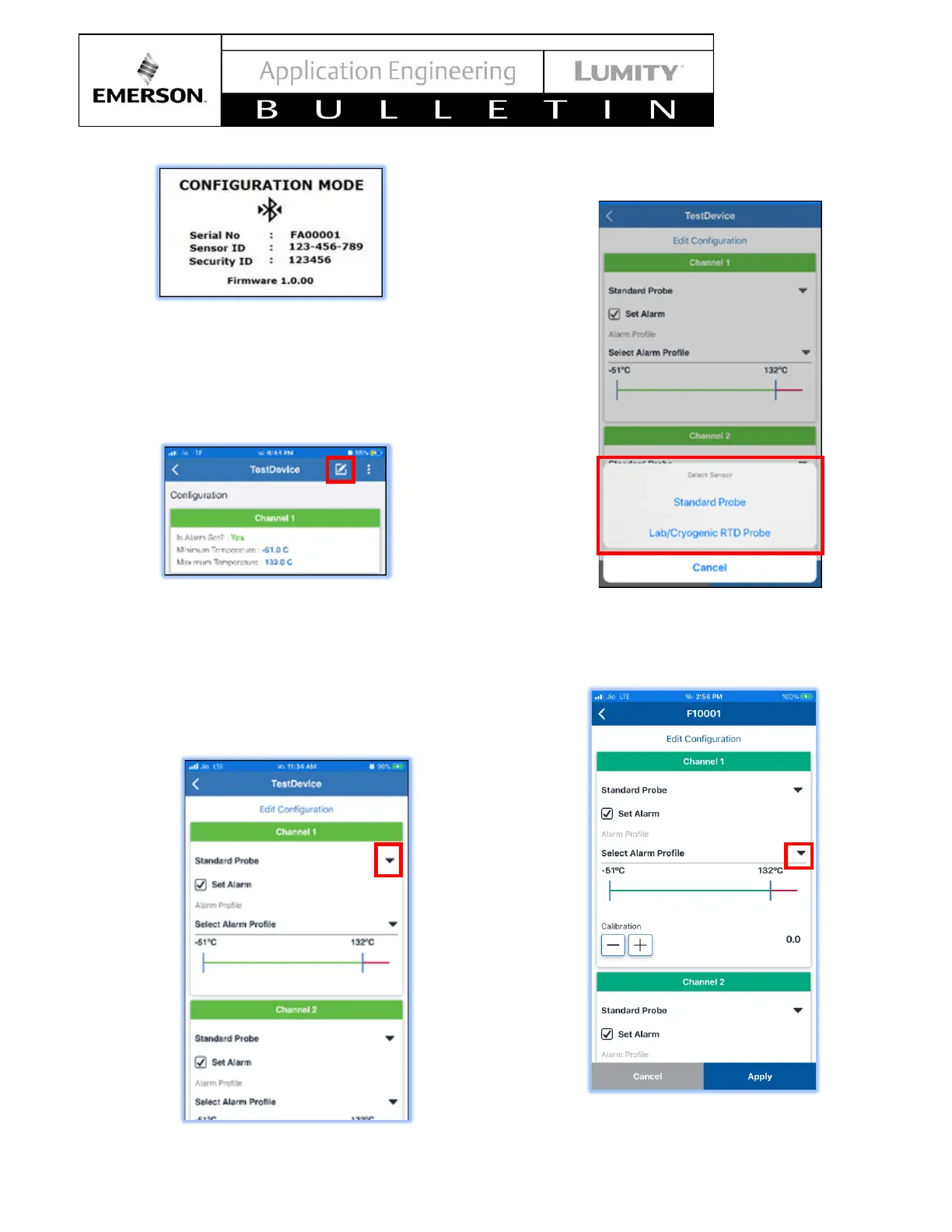
b. To edit transmitter settings, Click on the Edit
symbol on the top right of the screen. When
changes are completed, select Apply at the
bottom of the screen to update the setting on
the transmitter.
The following parameters can be edited and configured
via the app:
o Sensor type: Standard Probe or Lab or
Cryogenic RTD for both the Channel 1 and
Channel 2.
1. Click dropdown to select probe type
2. Select probe type
o Alarm Profile
1. Select dropdown to change profile



 To Next Page