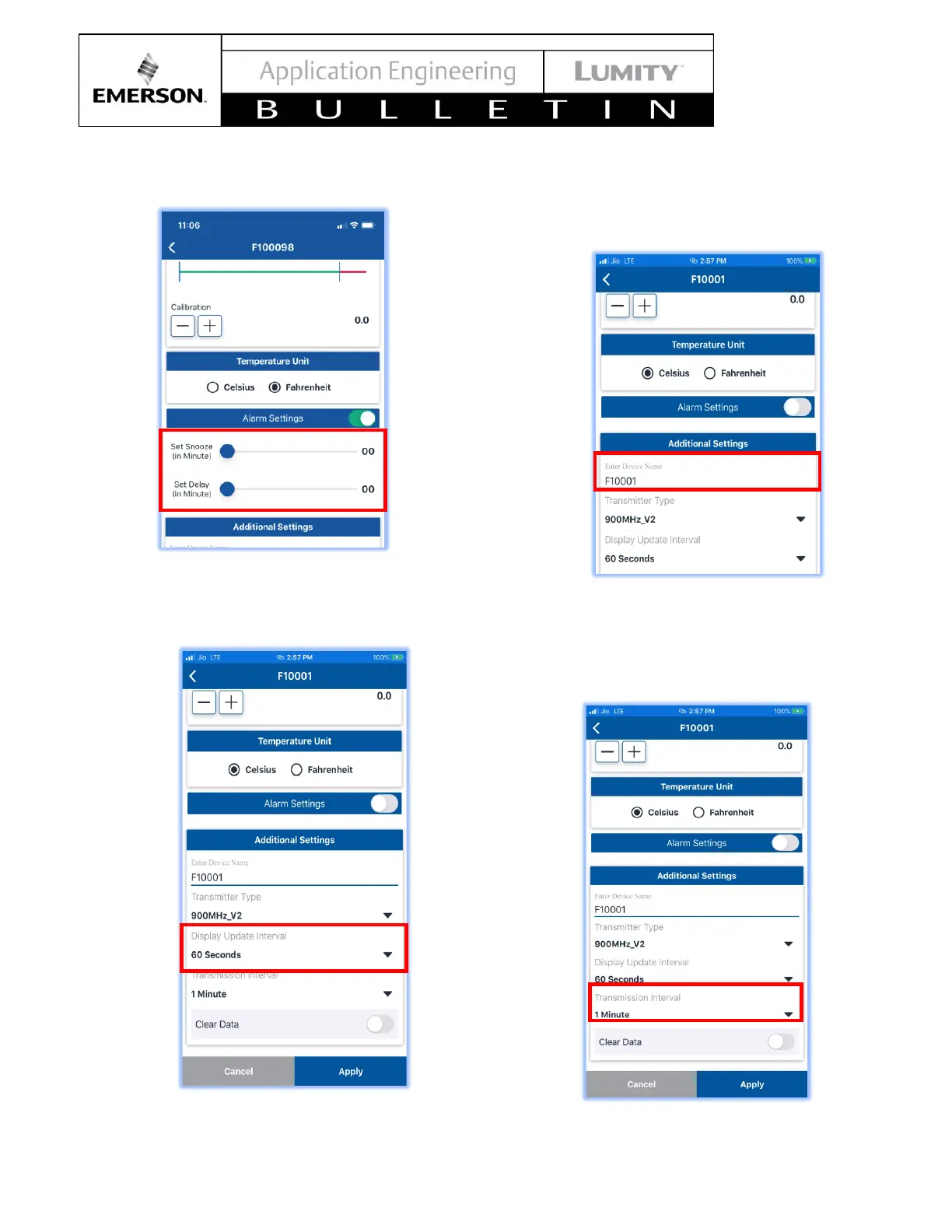
2. Use sliders to set delay and snooze times
o Wireless data transmission Interval
1. Can be set to 1, 5, 10, 15 or 20 minutes.
o Device name
1. Edit device name by typing in the text box under
“Enter Device Name”
o Data transmission interval to the TempTrak system
1. Select the dropdown to change how frequently
data is sent to the TempTrak system



 To Next Page