Configuration and Use Manual 57
Configuring the Filling and Dosing Application
Optional Configuration Using the FillerFiller ConfigurationUsing the Transmitter
Note: Either Open Primary or Open Secondary must be set to 0. Either Close Primary or Close
Secondary must be set to 100% (if configured by %) or 0 (if configured by quantity). Settings are
adjusted automatically to ensure that these requirements are met.
• If you are configuring a three-position analog fill, configure
Open Full and Closed Partial
values (see Section 7.4.3 and Table 7-5), then click
Apply.
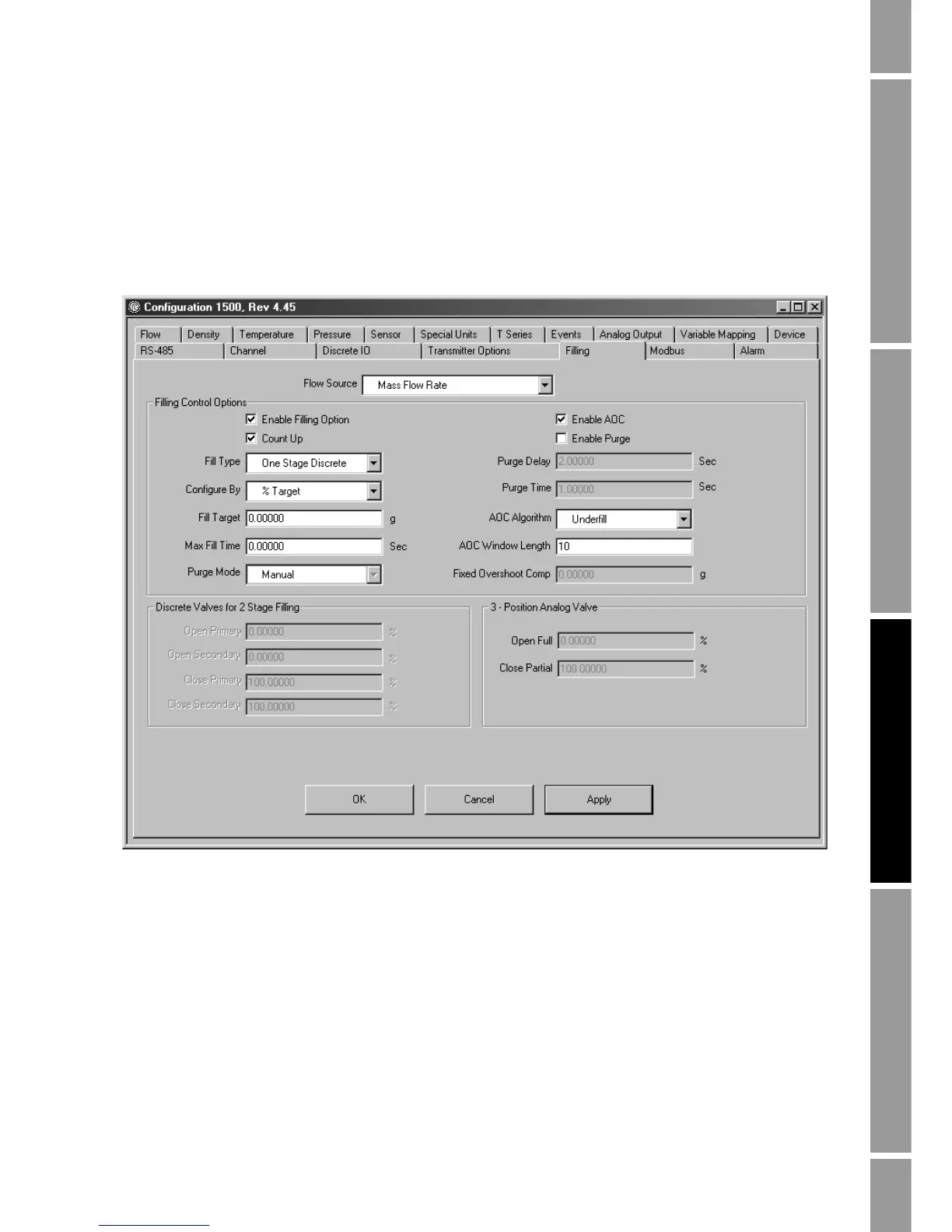
Figure 7-3 Filling panel
4. Configure transmitter outputs for the requirements of your filling application. Options are
listed in Table 7-1.
• To configure Channel B or C as a discrete output, use the
Channel Configuration panel in
the ProLink II
Configuration window (see Section 4.6). To assign a function to Channel
B or Channel C, use the
Discrete IO panel in the ProLink II Configuration window (see
Figure 7-4).
• To configure Channel A as a discrete output, use the
Analog Output panel in the
ProLink II
Configuration window (see Figure 7-5). In this panel:
-Set
Primary Variable to Primary Valve or Secondary Valve.
- Ensure that
Enable 3 Position Valve is disabled.













 To Next Page