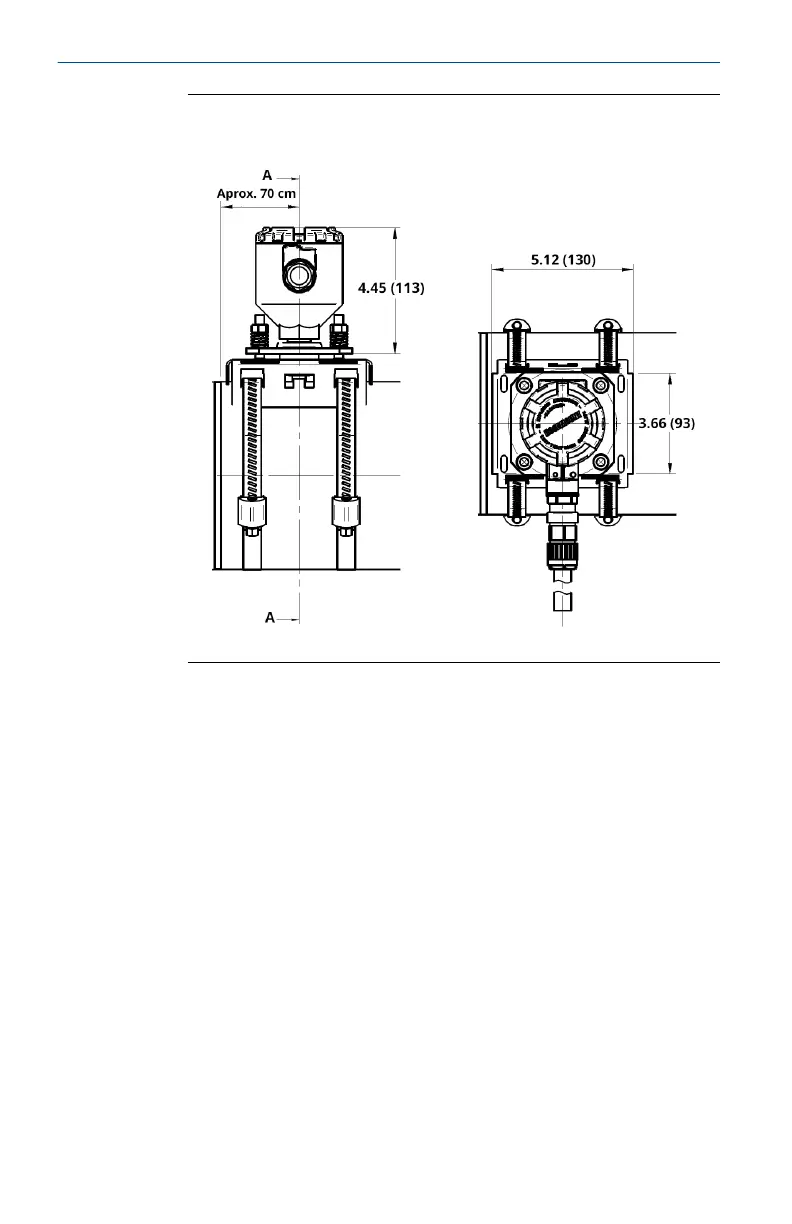
Figure 2-1: Installation diagram of SAM42 Acoustic Particle
Monitor
Dimensions are in inches (millimeters).
2.2
Device ID configuration
Rosemount SAM42 Acoustic Particle Monitor will have the device ID
set to 1 by default. When installing multiple devices on the same bus,
change/configure the devices so that they have a unique ID, as not to
be confused later.
It is recommended that this is done in a safe area, using the
configuration cable prior to being installed in the field. To complete
this phase, follow the process below:
Quick Start Guide May2024
10 Emerson.com/Rosemount













 To Next Page