4 Configuration and commissioning
Rosemount SAM42 Acoustic Particle
Monitor
This section details how to commission the device. This includes
carrying out background noise calibration, sand injection calibration
and setting alarms.
4.1 Connecting to the device and commissioning
homescreen
Procedure
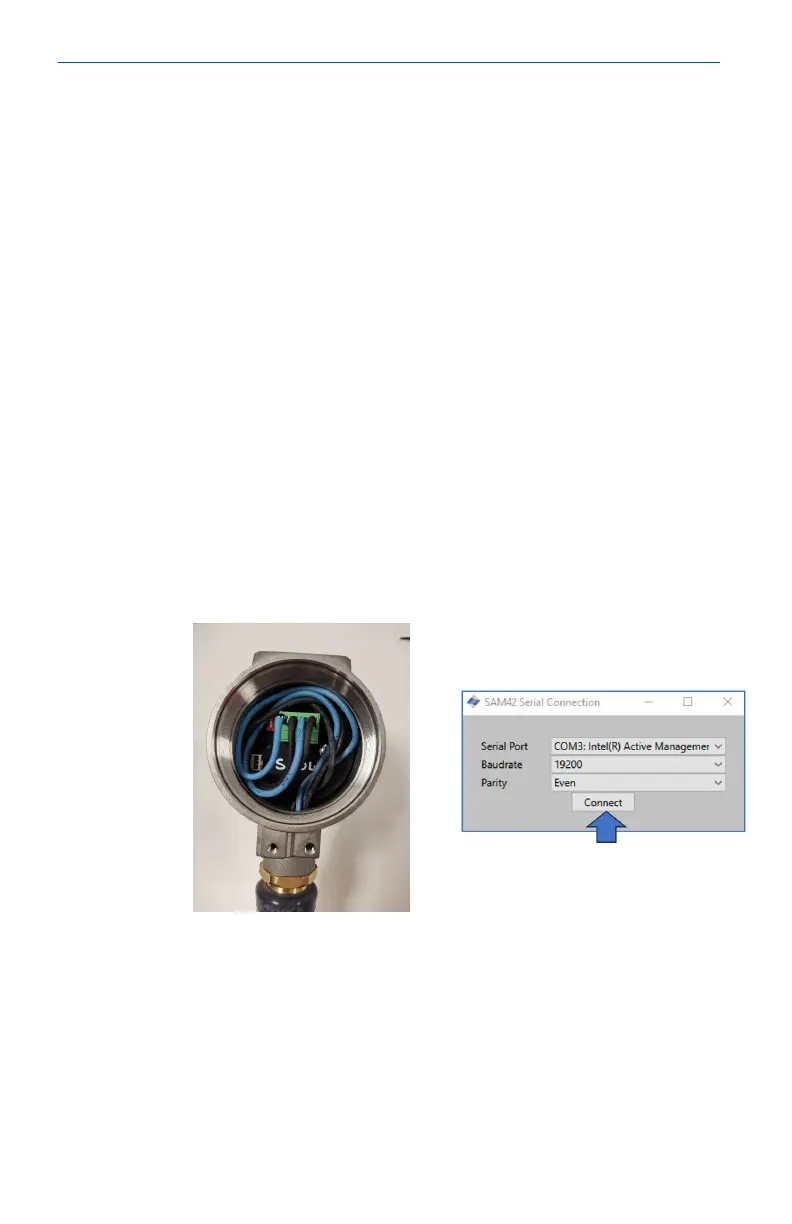
1. Connect to the device to the commissioning device (RS485
converter) and connect to a PC or Tablet which has the
commissioning app installed.
2. Open the commissioning app.
3. Select the COM port to which the converter is assigned (Device
manager can be used to identify the COM port). Baud rate
should be 19200, Parity should be Even.
4. Then, press Connect.
Quick Start Guide May2024
34 Emerson.com/Rosemount













 To Next Page