5 Setting alarms
5.1 Alarm configuration
The primary purpose of the SAM42 system is to warn the user
whenever the sand production rate exceeds an acceptable level. This
section describes the process which is used to set the alarms for the
Rosemount SAM42 Acoustic Particle Monitor.
Procedure
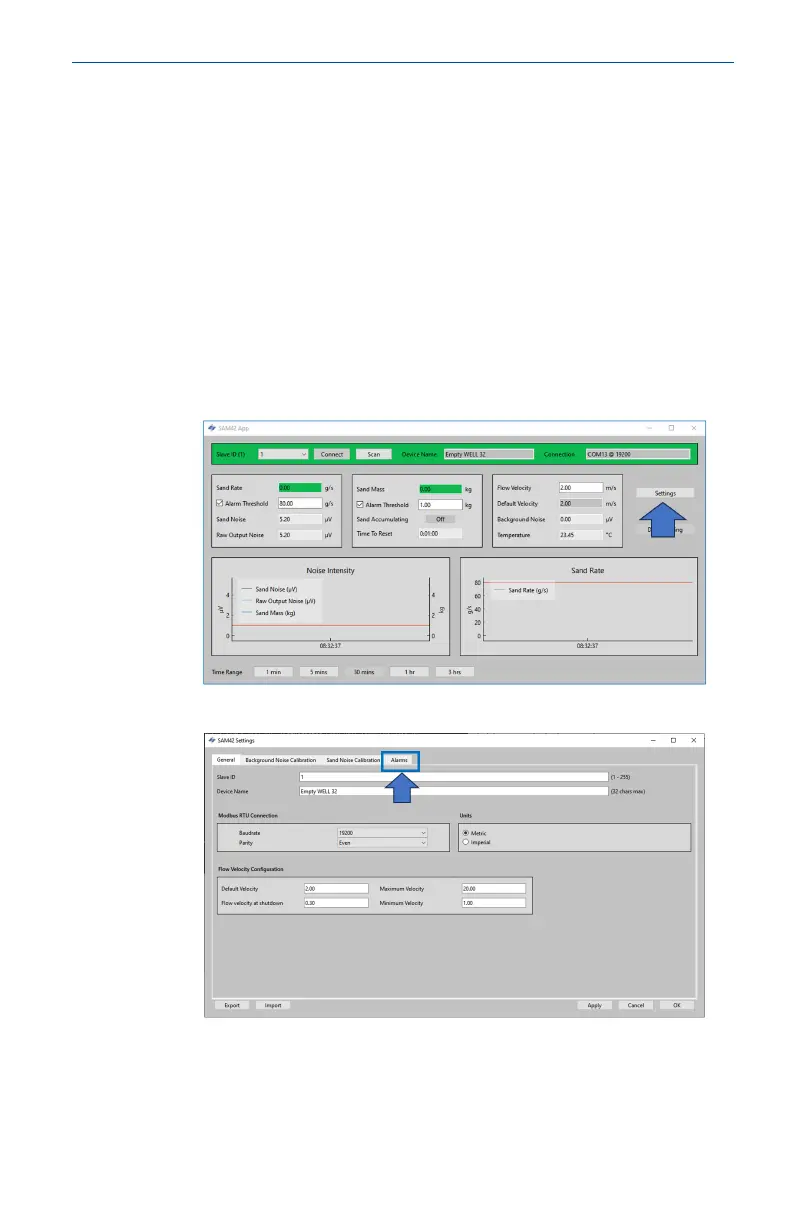
1. With the device connected to a PC/Tablet running the
Commissioning application. From the home screen, press the
Settings button to navigate to the Settings window.
2. Press Alarms to navigate to the Alarms tab.
May2024 Quick Start Guide
Quick Start Guide 57













 To Next Page