5.1 Manual configuration (PC)
1. Connect the EM4591 to a wall outlet.
2. Wait for the signal indicator to flash green.
3. Connect to the EM4591 via WiFi SSID: Eminent_repeater or use the Ethernet
cable to connect to the EM4591 directly.
4. Launch the internet browser from your computer.
5. You will be redirected to the EM4591 repeater’s user interface. (If in any case it
doesn’t, type http://10.0.10.254 in your internet browser and then hit Enter.
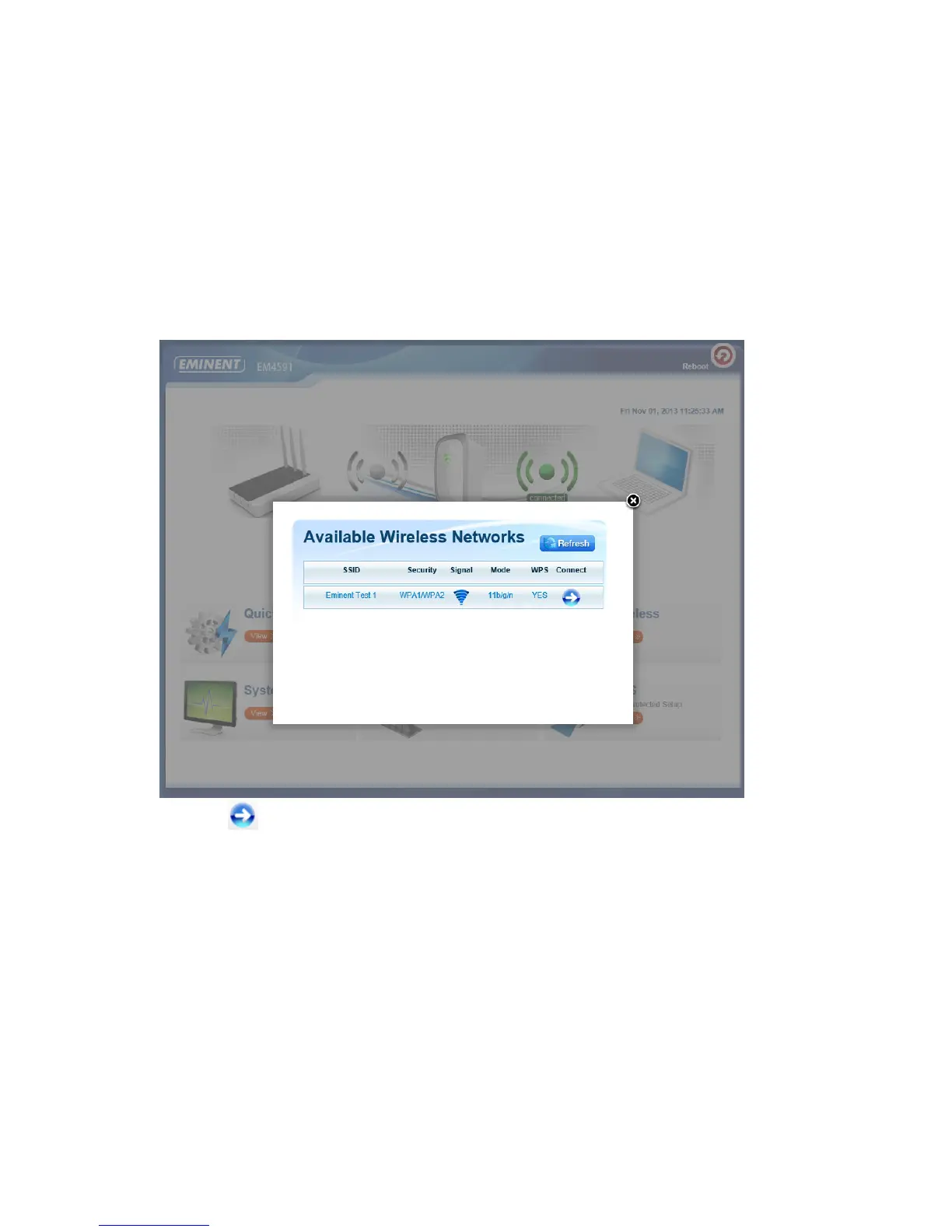
6. If you configure the device the first time you will see a pop-up screen displaying all
the available WiFi networks (see picture below). If not continue to step 9
7. Click next to the wireless network you wish to connect to.



 To Next Page