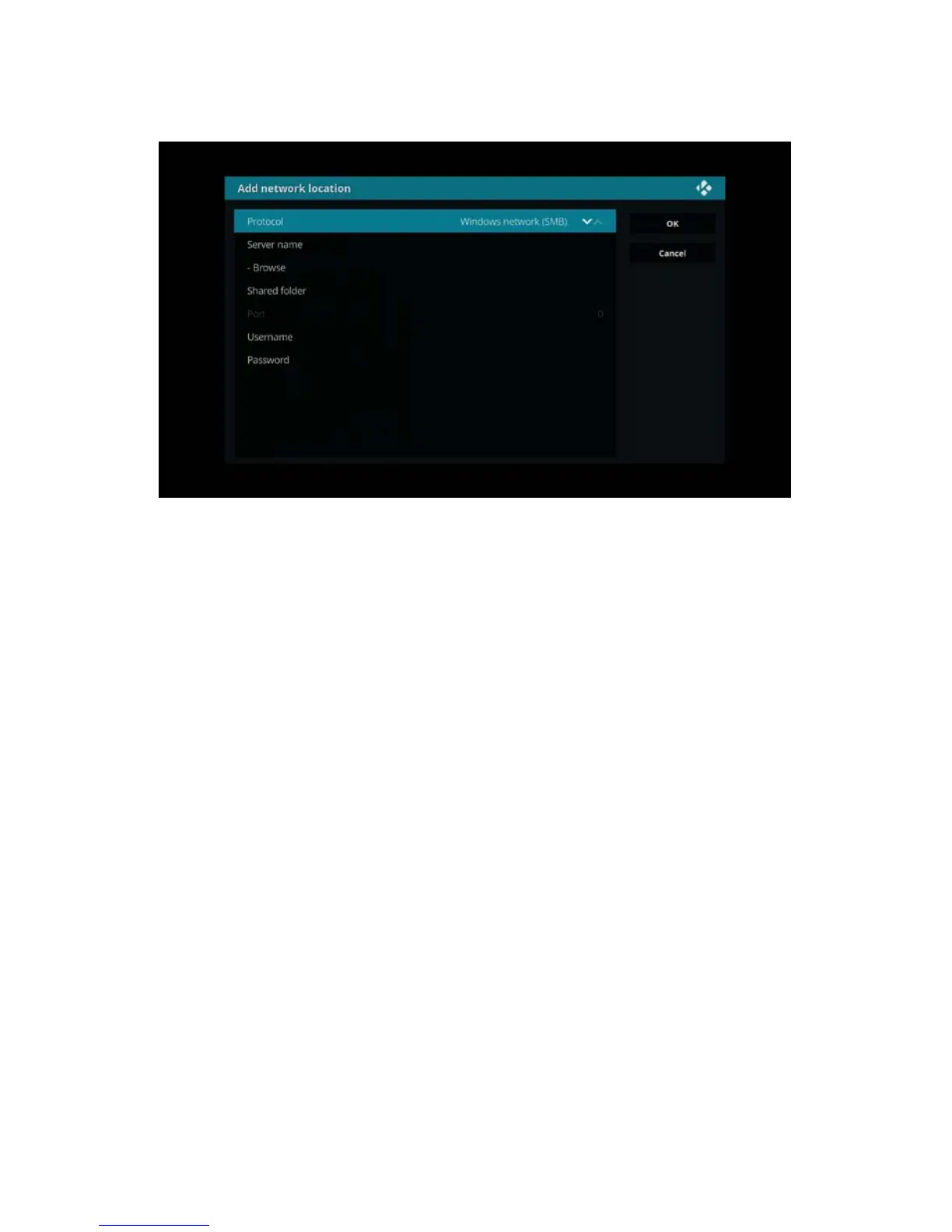
6. Select ‘add network location’ and press the ”OK” button on your remote control.
The following screen appears:
In the new window make sure Protocol Windows network ( SMB ) is selected for
your Network Share, then fill out Server Name. To retrieve your PC name simply just
press the “Windows” key plus “Pause/Break” key on your keyboard. The system
window will open and you will see your PC name. In the Share folder section, type
“exactly” the name of the folder you wish to add. Then if your share requires a
Username and Password enter them in the appropriate sections. This is normally the
same username and passowrd you will use to login your Winfows account. If you have
never entered a username and password for you windows account, then these fields
can remain empty. Select "OK" and your share should appear in the Browse for new
share list.
7. Select the video directory you wish to add and press the “OK” button on your
remote control. The following screen appears:



 To Next Page